How to Create a systemd Service for Your App (Linux)
 MD Rakibul Islam RakibFull-stack developer, DevOps & Linux engineer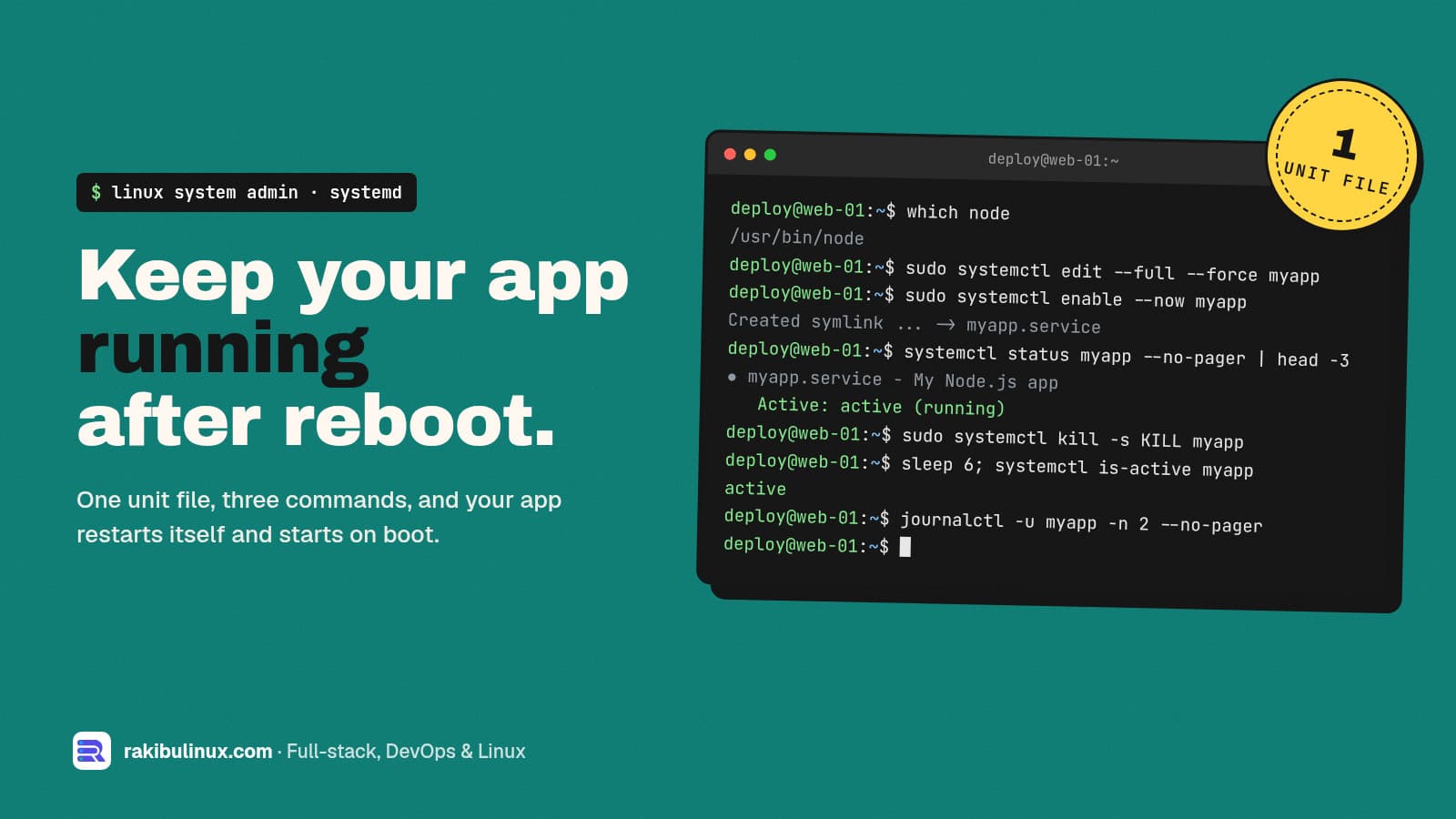
To run an app as a systemd service, write a unit file in /etc/systemd/system, run daemon-reload, then systemctl enable --now. It restarts on crash and boot.
If your app only runs while your SSH session is open, or dies after every reboot, it needs a service manager. systemd is already on every mainstream Linux server (Ubuntu, Debian, RHEL, Rocky, Alma), so there's nothing to install. On my own servers PM2 runs the Node apps, and PM2 itself is started by a systemd unit that pm2 startup generates. For everything else (workers, Python apps, Go binaries, bots) I write the unit by hand. Here's the template I use and how to debug it when it won't start.
Key takeaways
- Unit files live in
/etc/systemd/system/and end in.service. Never edit the ones in/lib/systemd/system/. - Four lines matter most:
User=,WorkingDirectory=,ExecStart=with an absolute path, andRestart=on-failure. - After every edit:
sudo systemctl daemon-reload, then restart the service. - Logs are in journald:
journalctl -u myapp -f. No log files to rotate. - Exit codes tell you what's wrong:
203/EXECis a bad path,200/CHDIRa bad working directory,217/USERa missing user.
Step 1: Create a user for the app
Don't run apps as root. If the app is ever compromised, the attacker gets only what this user can touch:
sudo useradd --system --create-home --shell /usr/sbin/nologin myapp
sudo chown -R myapp:myapp /srv/myapp
Step 2: Write the unit file
Create /etc/systemd/system/myapp.service. This example runs a Node.js app; swap ExecStart for your language. sudo systemctl edit --full --force myapp creates the file in the right place and reloads systemd when you save:
[Unit]
Description=My Node.js app
After=network-online.target
Wants=network-online.target
StartLimitIntervalSec=60
StartLimitBurst=5

[Service]
Type=simple
User=myapp
Group=myapp
WorkingDirectory=/srv/myapp
EnvironmentFile=/srv/myapp/.env
Environment=NODE_ENV=production
ExecStart=/usr/bin/node dist/main.js
Restart=on-failure
RestartSec=5

# basic hardening
NoNewPrivileges=true
PrivateTmp=true
ProtectSystem=full
ProtectHome=true

[Install]
WantedBy=multi-user.target
What each part does:
After=/Wants=network-online.target: start once the network is up, which matters if the app connects to a database on boot. Addpostgresql.servicetoAfter=if the database is on the same machine.StartLimitIntervalSecandStartLimitBurst(in[Unit]): if the app fails 5 times in 60 seconds, systemd stops retrying and marks it failed, instead of crash-looping forever.EnvironmentFile: loadsKEY=valuelines, so secrets stay out of the unit file. Lock it down withchmod 600.ExecStartneeds an absolute path to the binary. Find it withwhich node. If you use nvm, the path is inside the user's home and changes with each version, which is a common reason the service fails; install Node system-wide for servers.Restart=on-failurerestarts on a non-zero exit, a crash or a kill signal, but not when you stop it yourself.Restart=alwaysalso restarts after a clean exit, useful for workers that exit on purpose.WantedBy=multi-user.targetis what makesenablestart it on boot.
Step 3: Start it and enable it on boot
sudo systemctl daemon-reload
sudo systemctl enable --now myapp
systemctl status myapp --no-pager
enable --now both enables the service for boot and starts it right away. You want to see Active: active (running). Now test the part that actually matters, recovery:
sudo kill -9 $(systemctl show -p MainPID --value myapp)
sleep 6; systemctl is-active myapp     # active again
sudo reboot                            # then check it came back
Step 4: Read the logs
Anything your app writes to stdout and stderr goes to the systemd journal:
journalctl -u myapp -f                  # follow live
journalctl -u myapp -n 100 --no-pager   # last 100 lines
journalctl -u myapp --since "1 hour ago"
journalctl -u myapp -b                  # since last boot
If the journal grows too large on a small disk, cap it with SystemMaxUse=500M in /etc/systemd/journald.conf. My guide on fixing "No space left on device" covers that and other disk hogs.
Why won't my systemd service start?
Run systemctl status myapp and look at the Main PID or Process line. The status code after code=exited points straight at the problem:
status=203/EXEC: systemd couldn't executeExecStart. The path is wrong, not absolute, or not executable. Check withls -l /usr/bin/node. Scripts need a shebang andchmod +x.status=200/CHDIR:WorkingDirectorydoesn't exist or the user can't enter it.status=217/USER: theUser=doesn't exist.status=1/FAILURE: your app started and exited with an error. The reason is injournalctl -u myapp -n 50: a missing env variable, a database it can't reach, a port already in use (see EADDRINUSE fixes).- "Start request repeated too quickly": it hit
StartLimitBurst. Fix the underlying error, thensudo systemctl reset-failed myappand start it again. - Killed with signal 9 and nothing in your logs: often the kernel's OOM killer. Check
journalctl -k | grep -i oomand read my OOM killer guide.
Two more tools worth knowing: systemd-analyze verify /etc/systemd/system/myapp.service catches typos in the unit, and systemd-analyze security myapp scores how exposed the service is and lists hardening options you could add.
Useful extras
- Memory cap:
MemoryMax=512Mstops one leaky app from taking down the whole server. - Override without editing:
sudo systemctl edit myappcreates a drop-in file for local changes that survive package updates. - Graceful reload: if your app reloads config on
SIGHUP, addExecReload=/bin/kill -HUP $MAINPIDand usesystemctl reload myapp. - Scheduled jobs: a
.timerunit is a sturdier alternative to cron, with logs in the journal. If your cron jobs silently don't run, see cron job not running. - Deploys: a deploy script can just run
sudo systemctl restart myapp, then curl a health endpoint and roll back if it fails. That's the pattern in my GitHub Actions deploy with auto-rollback.
systemd or PM2 for Node.js?
Both work. systemd needs nothing extra and handles any language. PM2 adds Node-specific comforts: cluster mode across CPU cores, pm2 reload for zero-downtime restarts, and a live monitor. I use PM2 for Next.js and NestJS apps (my Next.js on a VPS guide shows the setup) and plain systemd units for everything else. Either way, systemd is what brings it back after a reboot.
Frequently asked questions
Where do I put a custom systemd service file?
In /etc/systemd/system/, named like myapp.service. That directory is for administrator units and takes priority over the package-provided ones in /lib/systemd/system/.
Do I need to run daemon-reload after editing a service?
Yes. systemd caches unit files, so run sudo systemctl daemon-reload after every change and then restart the service. Otherwise it keeps running with the old settings.
What's the difference between Restart=always and Restart=on-failure?
on-failure restarts only after an error exit, a crash, a kill signal or a timeout. always also restarts after a clean exit with code 0. Neither restarts a service you stopped with systemctl stop.
How do I pass environment variables to a systemd service?
Use Environment=KEY=value lines for non-secret values and EnvironmentFile=/path/.env for secrets, with the file readable only by root or the service user. Shell syntax like export or quotes around the whole line isn't supported.
How do I run a systemd service as a non-root user?
Set User= and Group= in the [Service] section, and make sure that user owns the working directory. If the app needs port 80 or 443, put Nginx in front instead of running it as root.
Want your server set up properly?
I set up and look after Linux servers for businesses: services that recover on their own, logs, backups, monitoring and security hardening. See my Linux system admin services or contact me to talk about your server.

Written by
MD Rakibul Islam Rakib
Full-stack developer, DevOps engineer and Linux system administrator with 5+ years of production experience. I deploy, harden and fix servers and web apps for clients worldwide, and everything in this article runs on real servers I manage, including this site.
- systemd service
- create systemd service
- systemctl enable
- journalctl
- Node.js
- Ubuntu
- Linux server