GitHub Actions CI/CD to a VPS with Automatic Rollback
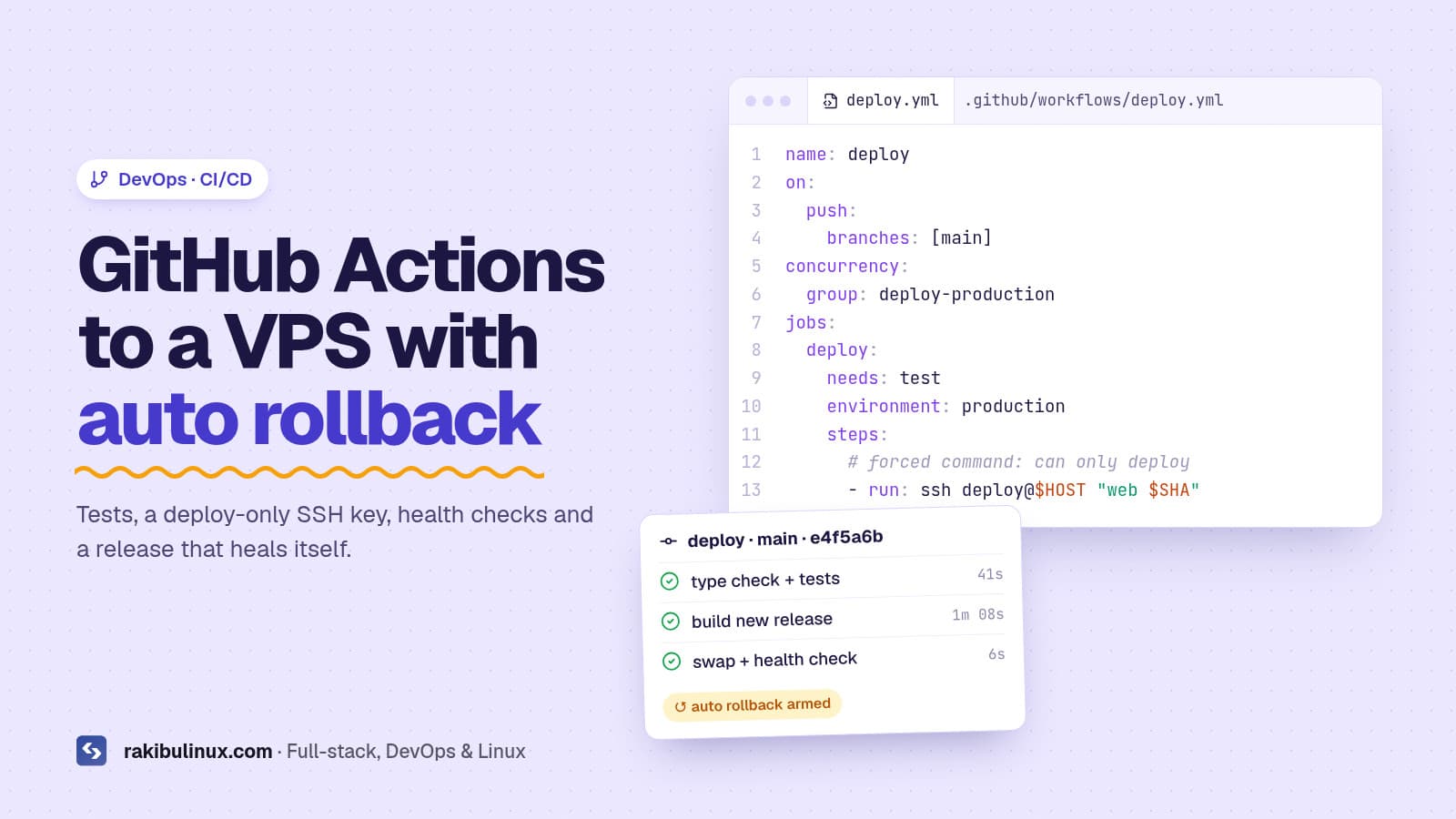
Safe GitHub Actions deploys to a VPS: run tests, SSH in with a deploy-only key, build a fresh release, health-check it and roll back automatically on failure.
Most "deploy to VPS with GitHub Actions" tutorials stop at ssh server "git pull && npm run build && pm2 restart". That works until the day the build fails halfway and your site goes down, or a leaked CI secret gives someone a root shell on your server. In this guide I show the pipeline that deploys this website and its API: every push to main goes live in a few minutes, a broken release rolls itself back, and the CI key cannot do anything except deploy.
Key takeaways
- Never build in the live folder. Build each release in a new directory and switch a symlink only after it succeeds.
- Restrict the deploy key with a forced command in
authorized_keys, so the CI secret can only trigger a deploy. - Health-check after every switch and roll back automatically on failure.
- Back up the database before migrations. Code rolls back in seconds; data does not.
- Use a concurrency group so two pushes never deploy at the same time.
The architecture
- You push to
main. - GitHub Actions installs dependencies, runs the type check and tests.
- If they pass, the workflow SSHes to the server with a dedicated deploy key and sends only the commit SHA.
- The server's deploy script builds that commit in a fresh release folder, backs up the database, runs migrations, switches the
currentsymlink and reloads PM2. - A health check calls the app. If it fails, the symlink goes back to the previous release and the script exits with an error, which turns the GitHub run red.
The heavy logic lives on the server in one script, not in YAML. That makes the pipeline easy to test by hand and easy to reuse for several apps.
Step 1: Create a locked-down deploy key
Generate a key pair just for CI (no passphrase, since Actions runs unattended):
ssh-keygen -t ed25519 -f deploy_key -N "" -C "github-actions-deploy"
On the server, add the public key to the deploy user's ~/.ssh/authorized_keys with a forced command and every extra capability turned off:
command="/usr/local/bin/deploy-gate",restrict ssh-ed25519 AAAA...your-key... github-actions-deploy
Whatever command the client asks for, SSH runs deploy-gate instead and puts the requested command in $SSH_ORIGINAL_COMMAND. The gate validates it strictly:
#!/usr/bin/env bash
# /usr/local/bin/deploy-gate: the only thing the CI key can run
set -euo pipefail
read -r app sha extra <<< "${SSH_ORIGINAL_COMMAND:-}"
[[ "$app" =~ ^(web|api)$ ]]      || { echo "bad app"; exit 1; }
[[ "$sha" =~ ^[0-9a-f]{40}$ ]]   || { echo "bad sha"; exit 1; }
[[ -z "${extra:-}" ]]            || { echo "unexpected args"; exit 1; }
exec /usr/local/bin/app-deploy "$app" "$sha"
If this key ever leaks, the worst an attacker can do is redeploy a commit that already exists in your repository. That is a huge improvement over a key with a full shell.
Step 2: Add the secrets to GitHub
In your repository go to Settings → Secrets and variables → Actions and add:
DEPLOY_KEY: the private key file contents.DEPLOY_HOST: the server IP or hostname.DEPLOY_KNOWN_HOSTS: the output ofssh-keyscan your-server, so the runner verifies the server's identity instead of trusting the first key it sees.
Step 3: The workflow file
# .github/workflows/deploy.yml
name: deploy
on:
  push:
    branches: [main]
  workflow_dispatch:

concurrency:
  group: deploy-production
  cancel-in-progress: false

jobs:
  test:
    runs-on: ubuntu-latest
    steps:
      - uses: actions/checkout@v4
      - uses: actions/setup-node@v4
        with: { node-version: lts/*, cache: npm }
      - run: npm ci
      - run: npx tsc --noEmit
      - run: npm test --if-present

  deploy:
    needs: test
    runs-on: ubuntu-latest
    environment: production
    steps:
      - name: Deploy
        run: |
          install -m 700 -d ~/.ssh
          echo "${{ secrets.DEPLOY_KEY }}" > ~/.ssh/id_ed25519
          echo "${{ secrets.DEPLOY_KNOWN_HOSTS }}" > ~/.ssh/known_hosts
          chmod 600 ~/.ssh/id_ed25519
          ssh deploy@${{ secrets.DEPLOY_HOST }} "web ${{ github.sha }}"
The environment: production line lets you add required reviewers or a wait timer in GitHub later, without touching the workflow. The concurrency block queues deploys instead of running them in parallel.
Step 4: The server-side deploy script
This is a trimmed version of the script that deploys my API. The web app version is the same without the database steps.
#!/usr/bin/env bash
# /usr/local/bin/app-deploy <app> <sha>
set -euo pipefail
APP=$1 SHA=$2
BASE=/srv/myproject/$APP
REL=$BASE/releases/$(date +%Y%m%d%H%M%S)-${SHA:0:7}
PREV=$(readlink -f "$BASE/current" || true)
exec >> /var/log/app-deploy/$APP-$(date +%F).log 2>&1

git -C "$BASE/repo.git" fetch --quiet origin main
git --git-dir="$BASE/repo.git" worktree add --detach "$REL" "$SHA"
ln -s "$BASE/shared/.env" "$REL/.env"
cd "$REL" && npm ci && npm run build

if [[ $APP == api ]]; then
  set -a; . "$BASE/shared/.env"; set +a   # loads DATABASE_URL
  pg_dump "$DATABASE_URL" | gzip > "$BASE/shared/db-backups/$(date +%F-%H%M)-${SHA:0:7}.sql.gz"
  npx prisma migrate deploy
fi

ln -sfn "$REL" "$BASE/current"
pm2 reload "$APP" --update-env

for i in {1..10}; do
  curl -fsS --max-time 5 "http://127.0.0.1:$(cat $BASE/shared/port)/health" >/dev/null && ok=1 && break
  sleep 3
done

if [[ -z "${ok:-}" ]]; then
  echo "health check failed for $SHA, rolling back to $PREV"
  [[ -n "$PREV" ]] && ln -sfn "$PREV" "$BASE/current" && pm2 reload "$APP" --update-env
  exit 1
fi

# keep the newest 5 releases and 30 database backups
ls -1dt "$BASE"/releases/* | tail -n +6 | xargs -r rm -rf
git --git-dir="$BASE/repo.git" worktree prune
ls -1t "$BASE"/shared/db-backups/* | tail -n +31 | xargs -r rm -f
echo "deployed $APP $SHA"
Why database rollbacks need special care
Rolling back code is instant. Rolling back a database migration is not, because new data may already have been written. Two rules keep this safe:
- Write backward-compatible migrations. Add columns and tables first, deploy code that uses them, and remove old columns in a later release (the expand-and-contract pattern). Then the previous release still works against the new schema, and the automatic rollback is safe.
- Back up before every migration. The
pg_dumpstep above gives you a restore point tied to the exact commit.
Step 5: Add a real health endpoint
Checking that the homepage returns 200 is a good start. A better check is a small /health route that confirms the database connection and any critical dependency, returns quickly, and never requires authentication. In NestJS the @nestjs/terminus package makes this easy; in Next.js a simple route handler is enough.
Common mistakes I fix for clients
- Building on the live folder, so a failed
npm installtakes the site down. - Using the root SSH key in CI, giving every workflow full control of the server.
- Skipping host key verification with
StrictHostKeyChecking=no. - No concurrency control, so two quick pushes race and leave a half-deployed state.
- Secrets in the repository instead of a shared env file on the server or GitHub secrets.
- No logs, so nobody knows why last night's deploy failed.
Frequently asked questions
Is GitHub Actions free for deployments?
Public repositories get free minutes on standard runners, and private repositories get a monthly free allowance depending on your plan. A pipeline like this uses only a few minutes per deploy because the build runs on your server.
Should the build run in GitHub Actions or on the server?
Both work. Building on the server keeps the workflow simple and avoids copying large artifacts. Building in CI (or producing a Docker image) keeps the server lighter. For small and medium apps, building on the server with a separate release folder is a solid choice.
How do I deploy to multiple servers?
Run the same deploy command against each host in a matrix job, or switch to a tool like Kamal that handles multi-server rolling deploys for you.
How do I roll back manually?
Re-run the workflow for an older commit, or SSH in and point the current symlink at the previous release, then reload PM2.
Is this approach secure enough for production?
With a restricted deploy key, verified host keys, secrets outside the repo and a hardened server, yes. Pair it with my Ubuntu server hardening checklist.
Want a pipeline like this?
I build CI/CD pipelines for Next.js, Node.js and NestJS apps with tests, safe migrations, health checks and automatic rollback, and I document everything so your team can own it. Start with my guide to deploying Next.js 16 on a VPS, check my DevOps services, or get in touch.
- GitHub Actions
- CI/CD
- deploy to VPS
- automatic rollback
- zero downtime deployment
- DevOps