Cron Job Not Running? 9 Causes and Fixes on Linux
 MD Rakibul Islam RakibFull-stack developer, DevOps & Linux engineer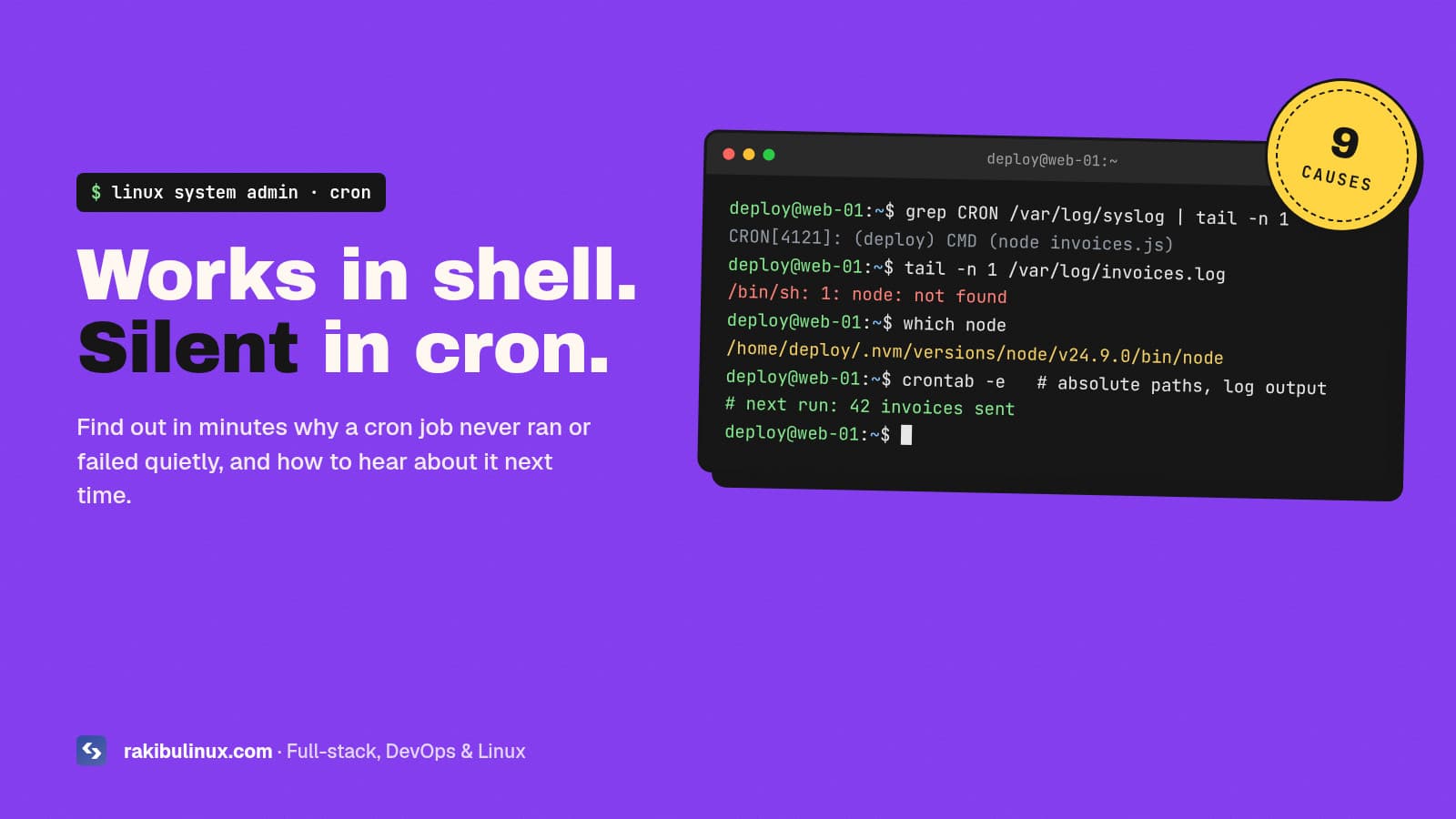
A cron job that works in your terminal but not in cron usually fails on PATH, relative paths or missing env variables. Check the cron log, then log output.
Cron problems are sneaky because they fail silently. The script runs fine when you type it, the crontab line looks right, and nothing happens at 2 a.m. Weeks later you discover the backups stopped, the invoices never went out, or the SSL renewal never ran. I've debugged a lot of these on client servers, and it's almost always one of nine causes. Here's how to find which one in a few minutes, on Ubuntu and Debian (the same ideas apply to other distributions).
Key takeaways
- Cron runs with an almost empty environment:
PATH=/usr/bin:/bin,/bin/shas the shell, and none of your.bashrc. - First check whether cron ran the job at all:
grep CRON /var/log/syslogorjournalctl -u cron. - Always redirect output to a log file (
>> /var/log/myjob.log 2>&1) so errors aren't thrown away. - Use absolute paths for commands, scripts and files, or
cdinto the project first. - Watch the special cases: unescaped
%, filenames with dots in/etc/cron.dand/etc/cron.daily, and a missing user field in system crontabs.
Step 1: Did cron run the job at all?
Cron logs every job it starts. On Ubuntu and Debian:
grep CRON /var/log/syslog | tail -n 20
# or, on systems without a syslog file
journalctl -u cron --since "2 hours ago"
You'll see lines like CRON[12345]: (deploy) CMD (/opt/scripts/backup.sh). This splits the problem in two:
- No line for your job: cron never started it. Look at causes 1 to 4 (the service, the schedule, the crontab, the file names).
- A line is there: cron ran it and the command failed. Look at causes 5 to 9 (environment, paths, permissions, output).
Cron never started the job
1. The cron service isn't running
systemctl status cron
sudo systemctl enable --now cron
On RHEL, Rocky and AlmaLinux the service is called crond. Minimal Docker images don't run cron at all; schedule from the host or use a dedicated scheduler container.
2. The schedule isn't what you think
Paste your schedule into a cron expression checker such as crontab.guru. Classic mistakes: * 2 * * * runs every minute from 2:00 to 2:59, not once (you want 0 2 * * *). Day of month and day of week combine with OR, not AND. And cron uses the server's time zone, which is often UTC on a VPS. Check it with timedatectl.
3. It's in the wrong crontab, or the format is wrong
crontab -eedits your crontab.sudo crontab -eedits root's. A job that needs root won't work in a user crontab, and a job in root's crontab creates files owned by root that your app may not be able to read. List both:crontab -landsudo crontab -l./etc/crontaband files in/etc/cron.d/need an extra user field:0 2 * * * deploy /opt/scripts/backup.sh. Without it, cron tries to run a user named after your command and logs an error.- The last line of a crontab file needs a newline at the end, or cron may ignore it.
4. The file name or permissions are rejected
Files in /etc/cron.d/ must be owned by root and not writable by group or others. Scripts in /etc/cron.daily, cron.hourly and friends are run by run-parts, which on Debian and Ubuntu skips names containing a dot. So backup.sh is silently ignored, while backup runs. Test what would run with:
run-parts --test /etc/cron.daily
Cron ran it, but it failed
5. The command isn't on cron's PATH
This is the number one cause. In your terminal PATH includes /usr/local/bin, ~/.local/bin, nvm's Node, pyenv, bun and so on. In cron it's just /usr/bin:/bin. So node, pm2, docker compose plugins installed in odd places, certbot from snap, or anything in /usr/local/bin gives "command not found". Fix it with absolute paths (which node tells you the path) or set PATH at the top of the crontab:
PATH=/usr/local/sbin:/usr/local/bin:/usr/sbin:/usr/bin:/sbin:/bin
0 2 * * * /opt/scripts/backup.sh >> /var/log/backup.log 2>&1
6. Relative paths and the wrong working directory
Cron starts jobs in the user's home directory. A script that reads ./config.json or writes to logs/ works when you run it from the project folder and fails from cron. Use absolute paths in the script, or cd first: cd /srv/app && ./bin/report.sh.
7. Missing environment variables
Variables you export in .bashrc or .profile don't exist in cron. Apps that read DATABASE_URL or API keys from the environment crash or connect to the wrong place. Load them explicitly in the script (set -a; . /srv/app/.env; set +a) or let the app read its own .env file.
8. An unescaped % sign
In a crontab line, % means "newline", and everything after the first one is sent to the command as input. The classic victim is date +%F in a backup filename. Escape it as \% in the crontab, or move the command into a script where % is normal.
# broken
0 2 * * * pg_dump appdb > /backups/appdb-$(date +%F).sql
# works
0 2 * * * pg_dump appdb > /backups/appdb-$(date +\%F).sql
9. Permissions, shebang and silent output
- The script must be executable (
chmod +x) and start with a shebang like#!/usr/bin/env bash. Without it,/bin/shruns it and bash-only syntax fails. - Cron mails output to the user via
MAILTO, but most VPSs have no mail server, so errors vanish. Always redirect stdout and stderr to a log file. - Windows line endings in a script uploaded from a PC cause errors like
/bin/bash^M: bad interpreter. Fix withsed -i 's/\r$//' script.sh.
Reproduce cron's environment in your terminal
Instead of waiting for the next scheduled run, run the job with an environment like cron's:
env -i SHELL=/bin/sh PATH=/usr/bin:/bin HOME="$HOME" LOGNAME="$USER" \
  /bin/sh -c '/opt/scripts/backup.sh'
If it fails here, you'll see the error immediately. For a quick live test, set the job to * * * * *, watch the log for a minute, then put the real schedule back.
Know when a job stops running
Fixing a job once isn't enough; you want to hear about it the next time it fails. End important jobs with a heartbeat ping to a monitor, so you get an alert when the ping doesn't arrive. I show how with push monitors in my Uptime Kuma setup guide. Jobs that write files also need a cleanup plan, or they'll eventually cause a "No space left on device" outage. If your cron job is a backup, my Linux backup guide covers rotation and offsite copies. For services that should run continuously, a systemd timer can be a better choice than cron: it logs to the journal automatically and can catch up on runs missed while the server was off.
Frequently asked questions
Why does my script work manually but not in cron?
Because cron runs it with a minimal environment: a short PATH, /bin/sh, the home directory as the working directory, and none of the variables from your shell profile. Use absolute paths, set PATH in the crontab, and load the variables the script needs.
How do I see cron logs on Ubuntu?
Run grep CRON /var/log/syslog or journalctl -u cron. These show when cron started each job. The job's own errors only appear if you redirect its output to a log file with >> file.log 2>&1.
Why is my script in /etc/cron.daily not running?
On Debian and Ubuntu, run-parts skips files whose names contain a dot, so backup.sh is ignored. Rename it to backup, make it executable, and check with run-parts --test /etc/cron.daily.
What time zone does cron use?
The system time zone, which is often UTC on cloud servers. Check it with timedatectl and write your schedule in that time zone, or change the server's time zone and restart cron.
Do I need to restart cron after editing crontab?
No. Cron notices changes made with crontab -e and to files in /etc/cron.d on its own. A restart is only needed after changing the system time zone.
Scheduled jobs still failing?
I fix broken cron jobs, backups and scheduled tasks on Linux servers, and add the logging and alerts so you know when one stops. Book my emergency Linux server fix, see my Linux system admin services, or contact me with your crontab line and the cron log output.

Written by
MD Rakibul Islam Rakib
Full-stack developer, DevOps engineer and Linux system administrator with 5+ years of production experience. I deploy, harden and fix servers and web apps for clients worldwide, and everything in this article runs on real servers I manage, including this site.
- cron job not running
- crontab not working
- cron PATH
- cron logs Ubuntu
- run-parts
- cron percent sign