Migrate a Website to a New Server With Zero Downtime
 MD Rakibul Islam RakibFull-stack developer, DevOps & Linux engineer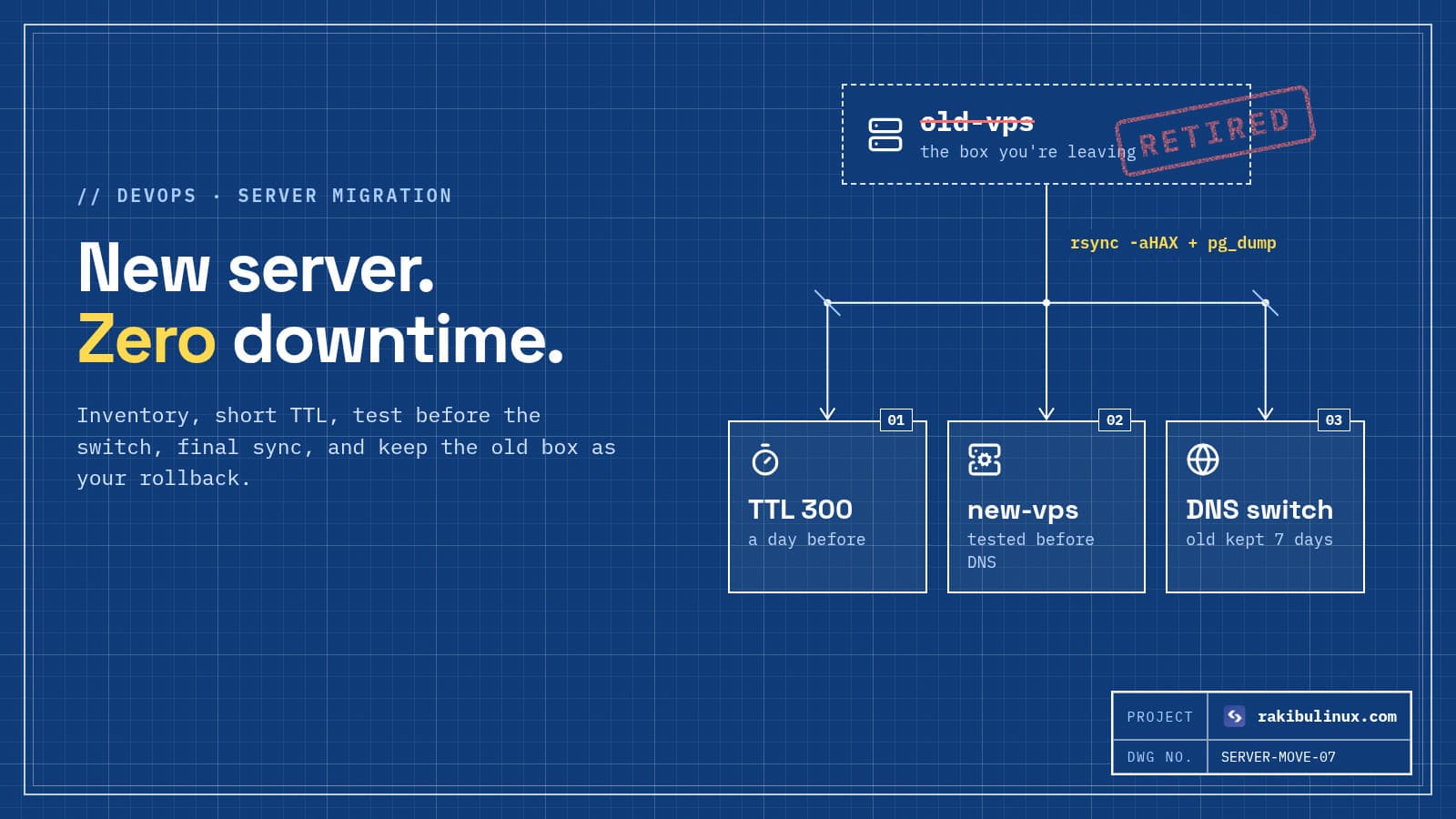
Move a site to a new server with zero downtime: lower the DNS TTL early, copy and test, do a final data sync, switch DNS and keep the old server running.
Server migrations have a bad reputation because the usual approach is "copy everything, change DNS, hope". Then emails stop arriving, uploads from the last hour are missing, the SSL certificate isn't there yet and half the visitors still land on the old server. I move client sites between providers regularly, often to cut hosting costs or get off an old, unpatched machine, and the plan below is how I do it without customers noticing. It works for Node.js, PHP and WordPress sites alike.
Key takeaways
- Lower the DNS TTL to 300 seconds at least a day before the move, so the switch spreads in minutes instead of hours.
- Inventory everything first: sites, databases, uploads, cron jobs, environment files, email and every DNS record.
- Test the new server before switching DNS with
curl --resolveor your hosts file. - Sync data twice: a full copy while the old server is live, then a short final sync during a brief write freeze.
- Keep the old server running for a week as your rollback plan, and only then cancel it.
Step 1: Inventory the old server
Most migration problems are things nobody remembered existed. Before touching anything, write down:
- Sites and apps:
ls /etc/nginx/sites-enabled/(or Apache's),pm2 list,docker ps,systemctl list-units --type=service --state=running. - Databases: names, sizes, users and versions. Moving PostgreSQL 14 to 17 or MySQL 5.7 to 8 is an upgrade too; test it.
- Files: app code, user uploads, generated files, and the
.envor config files with secrets. - Scheduled jobs:
crontab -lfor every user,sudo crontab -l,/etc/cron.d/and systemd timers. - DNS: export every record from your DNS provider. Note MX, SPF, DKIM and DMARC records, and any subdomains pointing at the old IP.
- Email: does the server send mail (contact forms, receipts) directly or through a provider? Does it receive mail?
- Things that trust the old IP: payment provider webhooks, API allowlists, a database firewall, an SMS gateway, a partner's IP whitelist.
Step 2: Lower the DNS TTL
The TTL tells resolvers how long to cache your DNS record. If it's 86400 (a day), some visitors keep going to the old server for up to a day after you switch. Change the TTL of the A/AAAA records you'll move to 300 seconds, then wait at least as long as the old TTL before migrating so every cache has picked up the short value. Check what the world sees with:
dig +noall +answer www.example.com
The number before IN A is the remaining TTL. If you use Cloudflare's proxy (orange cloud), the switch is near-instant anyway, because visitors only ever see Cloudflare's IPs. I cover that setup in the Cloudflare VPS checklist.
Step 3: Build and secure the new server
Set up the new server properly from the start rather than copying the old one's mistakes: a non-root sudo user, SSH keys only, a firewall, automatic security updates. My Ubuntu 24.04 hardening checklist is the list I follow. Install the same major versions of your runtime (Node, PHP, Python) and database, or plan and test the upgrade. Then set up Nginx and the app the way I describe in deploying Next.js on a VPS with PM2 and Nginx.
Step 4: First full copy of files and databases
Copy files with rsync over SSH. It preserves permissions and can be re-run later to copy only what changed:
rsync -aHAX --info=progress2 \
  old-server:/srv/app/shared/uploads/ /srv/app/shared/uploads/
For databases, take a logical dump and restore it on the new server:
# PostgreSQL
ssh old-server "pg_dump -U app -Fc appdb" > appdb.dump
pg_restore -U app -d appdb --no-owner appdb.dump

# MySQL / MariaDB
ssh old-server "mysqldump --single-transaction appdb" | mysql appdb
Copy the .env files and cron jobs, and point the app's config at the new database. Don't enable cron jobs that send emails or charge cards yet, or customers get everything twice.
Step 5: Test the new server before anyone sees it
You need HTTPS working before the DNS switch, but Let's Encrypt's normal HTTP check needs DNS to already point at the new server. Three ways around it: copy /etc/letsencrypt from the old server, use a DNS-01 challenge with your DNS provider's plugin, or use a Cloudflare Origin CA certificate if you're behind Cloudflare. Then test the real domain against the new IP without changing DNS:
curl -sI --resolve www.example.com:443:203.0.113.20 https://www.example.com/
For clicking around in a browser, add 203.0.113.20 www.example.com to your computer's hosts file temporarily. Log in, submit forms, upload a file, run a test payment, check the logs for errors. Remove the hosts entry when you're done.
Step 6: Final sync and the switch
The only moment data can be lost is between the last copy and the DNS switch. Keep it short:
- Pick a quiet time and tell the client or team.
- Freeze writes on the old server: a maintenance page for logged-in actions, or stop the app's workers, so no new orders or uploads land there.
- Final sync: re-run the same
rsync(fast, only changes) and take a fresh database dump and restore. - Switch DNS to the new IP.
- Enable cron jobs and workers on the new server, and disable them on the old one.
- Watch both servers' access logs. Traffic on the old one should drop to almost nothing within minutes.
For a site where even a few minutes of frozen writes is too much, you can set up database replication from old to new and promote the new one at switch time. It's more work and only worth it for busy stores and apps.
Step 7: After the switch
- Update everything that trusted the old IP: webhooks, allowlists, SPF records if the server sends mail directly.
- Check email both ways. Send a contact-form test and a real email to the domain.
- Check renewals: run
sudo certbot renew --dry-runon the new server. - Set up backups and monitoring on the new server on day one, not "later".
- Keep the old server for about a week, powered on, as a rollback. Take a final snapshot before cancelling it.
- Raise the TTL back to an hour or more once everything is stable.
Frequently asked questions
How long does it take to migrate a website to a new server?
Preparing, copying and testing usually takes a few hours to a couple of days, depending on the size of the data and the number of services. The actual switch, with a short TTL and a final sync, takes minutes.
Will my website go down during migration?
Not if you test the new server first, lower the TTL in advance and keep the old server running. Visitors with cached DNS still reach the old server, which keeps working until their cache expires.
How do I get an SSL certificate before changing DNS?
Copy the existing Let's Encrypt files from the old server, use a DNS-01 challenge through your DNS provider, or use a Cloudflare Origin CA certificate if your site is behind Cloudflare. The normal HTTP challenge only works after DNS points at the new server.
How long does DNS propagation take?
As long as the record's TTL. With a TTL of 300 seconds set a day ahead, most visitors move within five to ten minutes. A few badly behaved resolvers cache longer, which is why the old server should stay up for a while.
Can I move from shared hosting to a VPS this way?
Yes. Download files over SFTP or the host's backup tool, export the database from phpMyAdmin or the control panel, and follow the same test-then-switch steps. Pay special attention to email, which shared hosting often provides and a plain VPS doesn't.
Want your site moved for you?
I migrate websites and apps between servers and providers, including off Vercel, Heroku and shared hosting, with testing before the switch and the old server kept as a fallback. See my hosting migration service, the VPS setup service, all DevOps services, or contact me with what you're running now and where you want it.

Written by
MD Rakibul Islam Rakib
Full-stack developer, DevOps engineer and Linux system administrator with 5+ years of production experience. I deploy, harden and fix servers and web apps for clients worldwide, and everything in this article runs on real servers I manage, including this site.
- migrate website to new server
- server migration
- zero downtime migration
- DNS TTL
- rsync
- pg_dump
- move website to VPS