Next.js 16.4 Upgrade Guide: Cache Components and More
 MD Rakibul Islam RakibFull-stack developer, DevOps & Linux engineer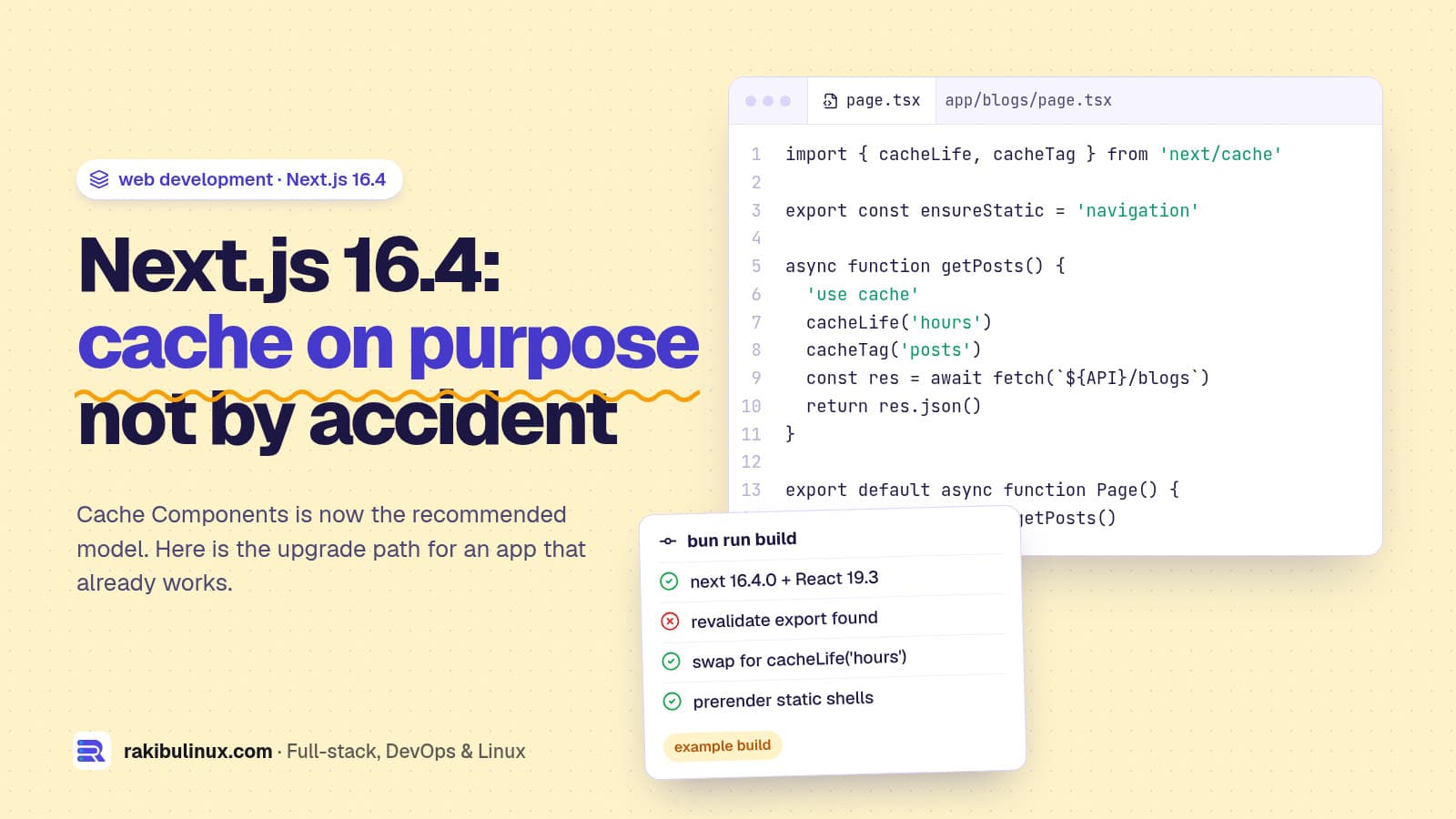
Next.js 16.4 makes Cache Components the recommended model, adds ensureStatic and smaller Turbopack builds. Upgrade with npm install next@latest, then migrate.
Next.js 16.4 shipped on October 6, 2026. It is a minor release, so an app on 16.x upgrades without breaking changes, but it changes the advice: Cache Components, the opt-in caching model built around 'use cache', is now recommended for every app and is on by default for new projects. It will become the default in Next.js 17. This site runs on Next.js 16.4 with bun, PM2 and Nginx on a VPS, so this guide covers both the upgrade itself and what changes when you self-host, which the release post mostly skips.
Key takeaways
- The upgrade is safe:
npm install next@latest(orbun add next@latest) moves a 16.x app to 16.4 with React 19.3. Nothing changes until you opt into new flags. - Cache Components is the direction: enable
cacheComponentsandpartialPrefetchingtogether. Route segment configs likerevalidate,dynamicandfetchCachethen become build errors, replaced by'use cache'andcacheLife(). - New guardrail:
export const ensureStatic = 'navigation'fails the build if a dynamic component sneaks into a page that should be static. - Free wins: 20-25% smaller Turbopack disk cache, lazy server HMR, shorter CSS Module class names and export mangling for smaller bundles.
- Self-hosting caveat:
'use cache'is in memory by default, per process and per deployment. With PM2 in cluster mode, each worker has its own cache. - Plan a second upgrade: Next.js announced an out-of-band security release for October 14, 2026 with two Critical and one High upstream fixes.
How to upgrade to Next.js 16.4
If you are already on Next.js 16, the upgrade is one command plus a build:
npm install next@latest react@latest react-dom@latest
# or
bun add next@latest react@latest react-dom@latest

npx next build
Coming from Next.js 15 or older, do the 16.0 upgrade first: async request APIs, middleware.ts renamed to proxy.ts, and the new image defaults. I covered the two that break most apps in the middleware to proxy rename and images not loading after the upgrade.
16.4 also adds an agent-driven upgrade. npx next@canary upgrade --agent=latest checks your version, picks a target release and hands your coding agent the migration guides, codemods and verification steps. It is useful on large apps, but read the diff it produces like any other pull request.
One new default to know about: experimental.agentUpgrade is set to 'security', so next dev and next build remind you when a release fixes a vulnerability that affects your installed version. Set it to false if you don't want the nudge in CI logs.
What's new in Next.js 16.4
Cache Components is now recommended
Cache Components replaces the implicit caching of earlier App Router versions with explicit annotations. Data is dynamic by default; you mark what can be cached with 'use cache' and set how long with cacheLife(). Next.js prerenders a static HTML shell from everything cached and streams the dynamic parts into the same response. Enable it with both flags:
// next.config.ts
import type { NextConfig } from 'next'

const nextConfig: NextConfig = {
  cacheComponents: true,
  partialPrefetching: true,
}

export default nextConfig
Leaving partialPrefetching unset logs a warning. Both options will be on everywhere in Next.js 17 and the flags will be removed.
ensureStatic: a build-time guard for static pages
Marketing pages, blogs and stores usually should be fully static. One component that reads cookies can quietly make a whole route render on every request, which costs server time and slows the first byte. 16.4 adds a route segment config that fails the build instead:
// app/blogs/[slug]/page.tsx
export const ensureStatic = 'navigation'
'navigation' is the strictest level: navigating to the route must never render at request time. 'prefetch' and 'shell' are looser. Put it in a layout to cover every page below it. It replaces the old habit of dynamic = 'force-static', with one difference: it doesn't make cookies() and headers() return empty values, it tells you they're there.
Control what a prefetch loads
The new navigation() and prefetch() functions from next/cache let you defer cached content to a later stage. await navigation() at the top of a component keeps it out of prefetches, so a <Link prefetch> loads the first screen of a page without pulling every comment thread or table row. Useful for lists of links where most will never be clicked.
Smaller and faster builds for every app
- Turbopack disk cache uses 20-25% less space (Zstandard compression).
- Lazy server HMR: editing a shared server module only recompiles the routes you request.
- Smaller bundles: a shared Turbopack runtime chunk, shorter CSS Module class names and export mangling in production.
- React 19.3: stable View Transitions and Fragment Refs.
- Experimental: the Rust React Compiler (
experimental.turbopackRustReactCompiler), a disk cache garbage collector (turbopackGc) and lazy dynamic imports in dev.
Smaller CSS and JavaScript help your Core Web Vitals directly. If interaction speed is your problem, my guide to fixing INP shows what to measure first.
Migrating an existing app to Cache Components
Turning the flag on is easy. The work is in what breaks. After enabling cacheComponents, any segment that still exports dynamic, revalidate or fetchCache errors. The replacements:
revalidate = 3600: wrap the data in a function with'use cache'andcacheLife('hours').dynamic = 'force-dynamic'orrevalidate = 0: delete it. Uncached data already runs per request.dynamic = 'force-static': cache the data with'use cache', then addensureStaticif it must stay static.fetch(url, { next: { revalidate, tags } }): move into a'use cache'function withcacheLifeandcacheTag.dynamicParams: delete it, and callnotFound()for params that don't resolve.generateStaticParamsreturning[]: now an error. Return at least one real param.cookies(),headers(),searchParams: read them inside a component wrapped in<Suspense>, not at the top of the page.
Two things trip people up. First, new Date(), Math.random() and crypto.randomUUID() during prerender fail the build; move them behind connection() in a Suspense boundary or into a client component. Second, routes now stay mounted (hidden with React's <Activity>) when you navigate away, so open dropdowns and form messages survive a back navigation.
For a big app, migrate incrementally. The cache-components-instant-false codemod adds export const instant = false to every page and layout so the app builds, then you remove it route by route:
npx @next/codemod@canary cache-components-instant-false ./src/app
Check the file count it reports. A wrong path prints 0 ok instead of failing.
Self-hosting Cache Components on a VPS
The release post is written with Vercel's infrastructure in mind. On your own server, three details matter:
- The cache lives in memory. Plain
'use cache'stores entries in the Node.js process. Restarting PM2 or deploying a new release empties it, and the first visitors after a deploy pay for the cache misses. The oldfetchData Cache persisted on disk across deployments;'use cache'does not. - Each process has its own cache. With
pm2 start -i 2, two workers fill two separate caches, andrevalidateTag()in a webhook only reaches the worker that received the request. For more than one process, configure a sharedcacheHandlersbackend (Redis is the usual choice) and use'use cache: remote'for data that must be shared. - Node.js runtime only. Cache Components doesn't support
runtime = 'edge', which doesn't matter on a VPS but does if you planned to move routes to an edge platform.
This is why I haven't flipped the flag on this site yet. It runs one PM2 process on Node.js 24 behind Nginx, with release folders and an instant rollback as described in deploying Next.js 16 on a VPS, and the current revalidate setup works. Every deploy would start with an empty cache, and adding a second worker later would split it, so the migration is planned together with a shared cache handler, not as a drive-by change.
Frequently asked questions
Is Next.js 16.4 a breaking upgrade?
No. It is a minor release in the 16.x line. Existing apps keep their behaviour; Cache Components and the experimental Turbopack features are opt-in. Run a full build and click through your key pages before deploying anyway.
Do I have to adopt Cache Components now?
No, but it becomes the default in Next.js 17, so new code should be written for it. Starting with new routes and migrating old ones gradually with instant = false is the lowest-risk path.
What does ensureStatic do in Next.js?
It is a route segment config added in 16.4 that fails the build if a page, its prefetch or its shell would need request-time rendering. Use 'navigation' on pages that must always be fully static, such as blog posts and landing pages.
Does 'use cache' work when self-hosting?
Yes. By default it caches in the memory of each Node.js process and is cleared on restart or deploy. For multiple processes or servers, configure a shared cache handler such as Redis so all instances see the same entries and revalidations.
Which Node.js version does Next.js 16.4 need?
Next.js 16 requires Node.js 20.9 or newer. I run it on Node.js 24 LTS; if you are planning the next jump, see my Node.js 26 upgrade guide.
Want the upgrade done for you?
I upgrade and migrate Next.js apps, including the move to Cache Components and a self-hosted cache that works with PM2 or Docker, without breaking SEO or deploys. See my web development service, or tell me which version you're on and I'll scope the upgrade.

Written by
MD Rakibul Islam Rakib
Full-stack developer, DevOps engineer and Linux system administrator with 5+ years of production experience. I deploy, harden and fix servers and web apps for clients worldwide, and everything in this article runs on real servers I manage, including this site.
- Next.js 16.4
- Cache Components
- use cache
- ensureStatic
- Next.js upgrade
- React 19.3
- self-hosted Next.js