Docker Engine 25 End of Life: Upgrade to 29 Safely
 MD Rakibul Islam RakibFull-stack developer, DevOps & Linux engineer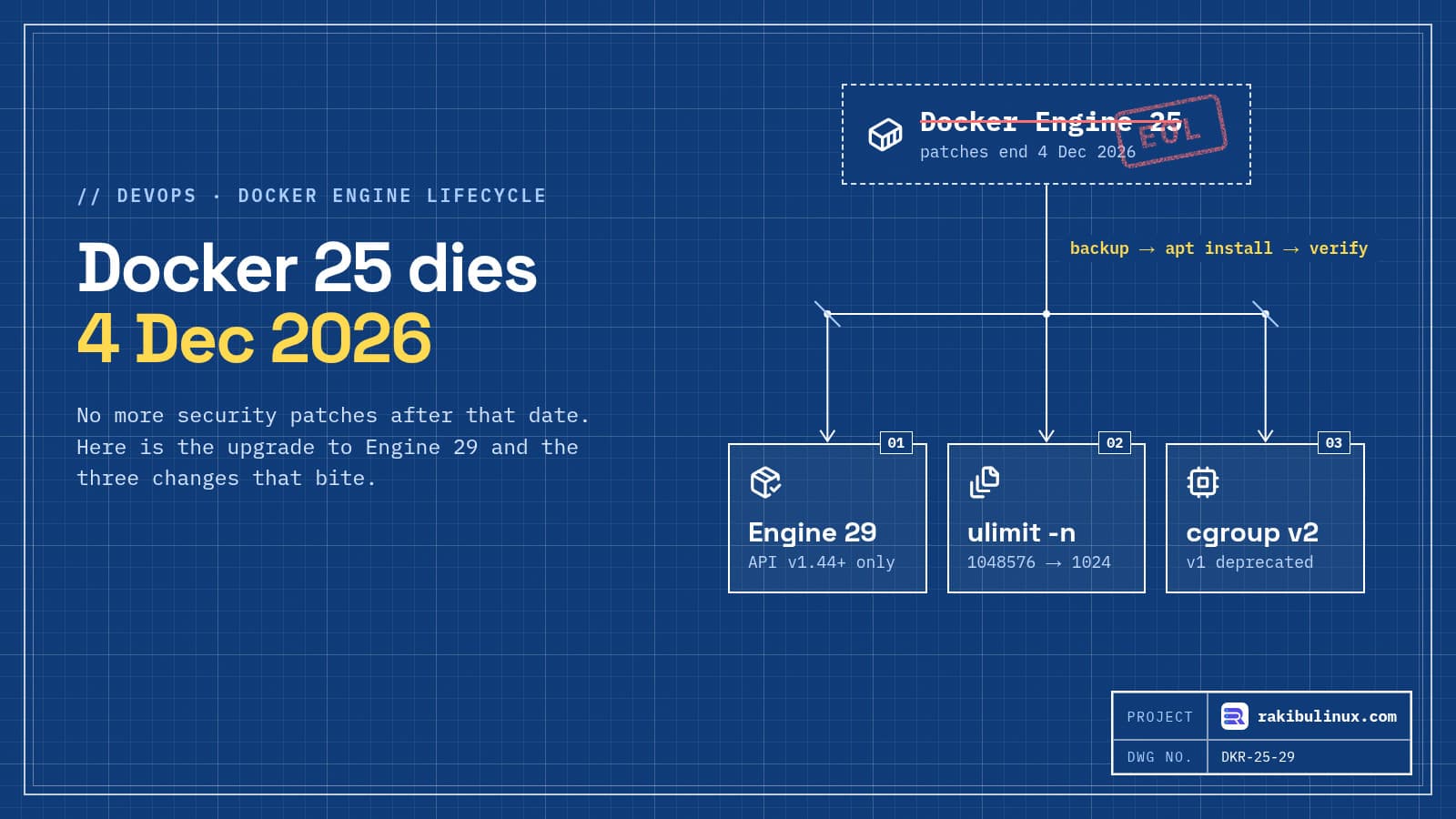
Docker Engine 25 stops getting security fixes on December 4, 2026. Upgrade to Docker Engine 29, the only other supported line, after a backup and a test run.
Docker Engine 25.0 came out in January 2024 and got an unusually long life: while 26, 27 and 28 have already reached end of life, 25 kept receiving patches. That ends on December 4, 2026. After that date, new vulnerabilities in the engine, containerd or runc that ship with it won't be fixed for 25. A lot of servers are still on it precisely because it was the "stable" one. This guide is the upgrade routine I use for a Docker host on Ubuntu: check, back up, upgrade, verify, and know how to roll back.
Key takeaways
- Deadline: Docker Engine 25 is end of life on December 4, 2026. Engine 29 (29.9.0 as of October 8, 2026) is the supported line to move to.
- Containers will restart: live restore only works across patch releases, not major upgrades. Plan a short maintenance window.
- Biggest gotcha: in Engine 29, the default open-files limit inside containers dropped from 1,048,576 to 1,024. Databases and busy proxies can hit it.
- Old clients break: the 29 daemon only accepts API v1.44 or newer (Docker 25+). Old CI runners, SDKs and tools that pin an older API version fail.
- Back up first:
/var/lib/dockersurvives an upgrade, but dump your databases and copy volumes anyway, or snapshot the VPS.
Which Docker Engine versions are supported?
As of October 2026:
- Engine 29: released November 10, 2025, supported, latest 29.9.0.
- Engine 28: end of life since May 13, 2026.
- Engine 27 and 26: end of life since 2025.
- Engine 25: supported until December 4, 2026.
So "upgrade to 28, it's closer" is not an option: 28 is already unsupported. The move is 25 to 29. Dates come from the Docker Engine 29 release notes and the endoflife.date tracker.
Step 1: Check what you run and where it came from
docker version --format 'client {{.Client.Version}} / server {{.Server.Version}}'
apt list --installed 2>/dev/null | grep -E 'docker|containerd|runc'
docker info --format 'storage={{.Driver}} cgroup=v{{.CgroupVersion}} logging={{.LoggingDriver}}'
cat /etc/docker/daemon.json 2>/dev/null
Two things to note. If the packages are docker-ce and containerd.io, you installed from Docker's own apt repository and the upgrade is a normal apt install. If the package is docker.io, you're on Ubuntu's build, which follows Ubuntu's own versioning; to get Engine 29 you switch to Docker's repository (Step 4). And if cgroup=v1 shows up, you're on an old OS or a kernel boot flag forcing v1: Engine 29 still runs on it, but cgroup v1 is deprecated and supported only until at least May 2029.
Step 2: Back up before you touch anything
An Engine upgrade doesn't delete /var/lib/docker; images, containers, volumes and networks stay where they are. I still back up, because the failure mode that hurts is not the upgrade itself but a database container that won't start afterwards.
# database dumps, from inside the running containers
docker exec db pg_dumpall -U postgres | gzip > /root/backup/pg-$(date +%F).sql.gz

# named volumes as tarballs
for v in $(docker volume ls -q); do
  docker run --rm -v "$v":/data -v /root/backup:/out alpine \
    tar czf "/out/vol-$v-$(date +%F).tgz" -C /data .
done

# config
cp -a /etc/docker /root/backup/etc-docker-$(date +%F)
On a VPS, a provider snapshot right before the upgrade is the fastest rollback of all. My Linux backup guide covers making this a nightly habit instead of a one-off.
Step 3: Fix the three breaking changes before upgrading
Open files limit: 1,048,576 becomes 1,024
Engine 29 ships containerd 2.x, which uses systemd's default LimitNOFILE for containers. Inside a container, ulimit -n now returns 1,024 instead of 1,048,576. Postgres with many connections, Nginx or HAProxy under load, Elasticsearch and Node.js apps holding many sockets can fail with "too many open files". Set a sane default for all containers in /etc/docker/daemon.json:
{
  "default-ulimits": {
    "nofile": { "Name": "nofile", "Soft": 65536, "Hard": 65536 }
  }
}
Or per service in Compose with ulimits: { nofile: { soft: 65536, hard: 65536 } }. Some images, like Elasticsearch, document their own minimum; use that.
API v1.44 minimum
The 29 daemon refuses clients that speak an API older than v1.44 (Docker 25). That catches old CI runners, monitoring agents, Portainer or Watchtower versions, and SDK code that pins a version (for example DOCKER_API_VERSION=1.41 in an environment file). Grep your servers and pipelines for pinned API versions and update those tools before the engine.
Legacy links no longer inject environment variables
Containers connected with the old --link flag used to receive DB_PORT_5432_TCP_ADDR-style variables. Engine 29 stops adding them. If an app reads those, switch it to a user-defined network and the service name as hostname, which is what Compose does anyway.
Also new in 29: fresh installs default to the containerd image store, Docker Content Trust moved out of the CLI into a plugin, and 32-bit Raspbian packages were dropped. An upgraded host keeps its existing storage driver, so your images don't need to be pulled again.
Step 4: Upgrade the engine
If you already use Docker's apt repository:
sudo apt update
apt list --all-versions docker-ce | head -5     # confirm 29.x is offered
sudo apt install docker-ce docker-ce-cli containerd.io \
  docker-buildx-plugin docker-compose-plugin
Coming from Ubuntu's docker.io package, remove it (remove, don't purge) and add Docker's repository following the official Ubuntu install guide. The packages that conflict are docker.io, docker-compose, docker-compose-v2, docker-doc, docker-buildx, podman-docker, containerd and runc. Your data in /var/lib/docker stays in place.
Expect the daemon to restart and every container to stop and start again. Containers with restart: unless-stopped or always come back on their own; anything started by hand without a restart policy won't.
Step 5: Verify, then watch for a day
docker version --format '{{.Server.Version}}'      # 29.x
docker ps -a --format '{{.Names}}\t{{.Status}}'     # nothing in Exited or Restarting
docker exec db sh -c 'ulimit -n'                    # your new limit, not 1024
docker compose -f /srv/app/compose.yml ps
curl -fsS https://your-site.com/health
If a container loops after the upgrade, its exit code and last log lines tell you why; my guide to a Docker container that keeps restarting walks through each code. Then keep an eye on logs and uptime monitoring for 24 hours, since "too many open files" usually shows up under real traffic, not in a smoke test.
While you are in there, check the two settings that cause most production Docker incidents: published ports that skip your firewall (Docker bypasses UFW) and container logs without rotation (Docker logs filling the disk).
Rolling back
A snapshot restore is the cleanest rollback. Without one, you can pin the previous version with apt install docker-ce=<version> docker-ce-cli=<version> using a string from apt list --all-versions docker-ce, but downgrading containerd across a major version is not something I'd do on a production box without testing it first. That's the real reason to rehearse the upgrade on a staging server or a fresh clone of the VPS.
Frequently asked questions
When does Docker Engine 25 reach end of life?
December 4, 2026. After that date, Docker's maintainers stop publishing security fixes for the 25.0 branch, so new CVEs in it stay unpatched.
Can I upgrade from Docker 25 directly to 29?
Yes. On Ubuntu with Docker's apt repository it is a normal package upgrade. Containers restart during it, because live restore only covers patch releases, so schedule a short window.
Will upgrading Docker delete my containers or volumes?
No. Images, containers, volumes and networks in /var/lib/docker are kept across upgrades and even uninstalls. Back up databases anyway, because a container failing to start afterwards is the real risk.
Why do I get "too many open files" after upgrading to Docker 29?
Engine 29 lowered the default open-file limit inside containers from 1,048,576 to 1,024. Set default-ulimits in daemon.json or ulimits per service in Compose, then recreate the containers.
Does Docker Desktop have the same end-of-life date?
No. Docker Desktop has its own release cycle and bundles a current engine with each Desktop release. This end-of-life date applies to Docker Engine installed on Linux servers.
Want the upgrade handled for you?
I upgrade Docker hosts with a backup, a staging rehearsal and a rollback plan, and fix the Compose files, limits and firewall rules along the way. See my DevOps service, or send me your docker version output and I'll tell you what needs to change.

Written by
MD Rakibul Islam Rakib
Full-stack developer, DevOps engineer and Linux system administrator with 5+ years of production experience. I deploy, harden and fix servers and web apps for clients worldwide, and everything in this article runs on real servers I manage, including this site.
- Docker Engine 25 end of life
- upgrade Docker Engine
- Docker Engine 29
- Docker on Ubuntu
- docker ulimit nofile
- containerd image store
- DevOps