Next.js 16 Middleware Deprecated? Move to proxy.ts
 MD Rakibul Islam RakibFull-stack developer, DevOps & Linux engineer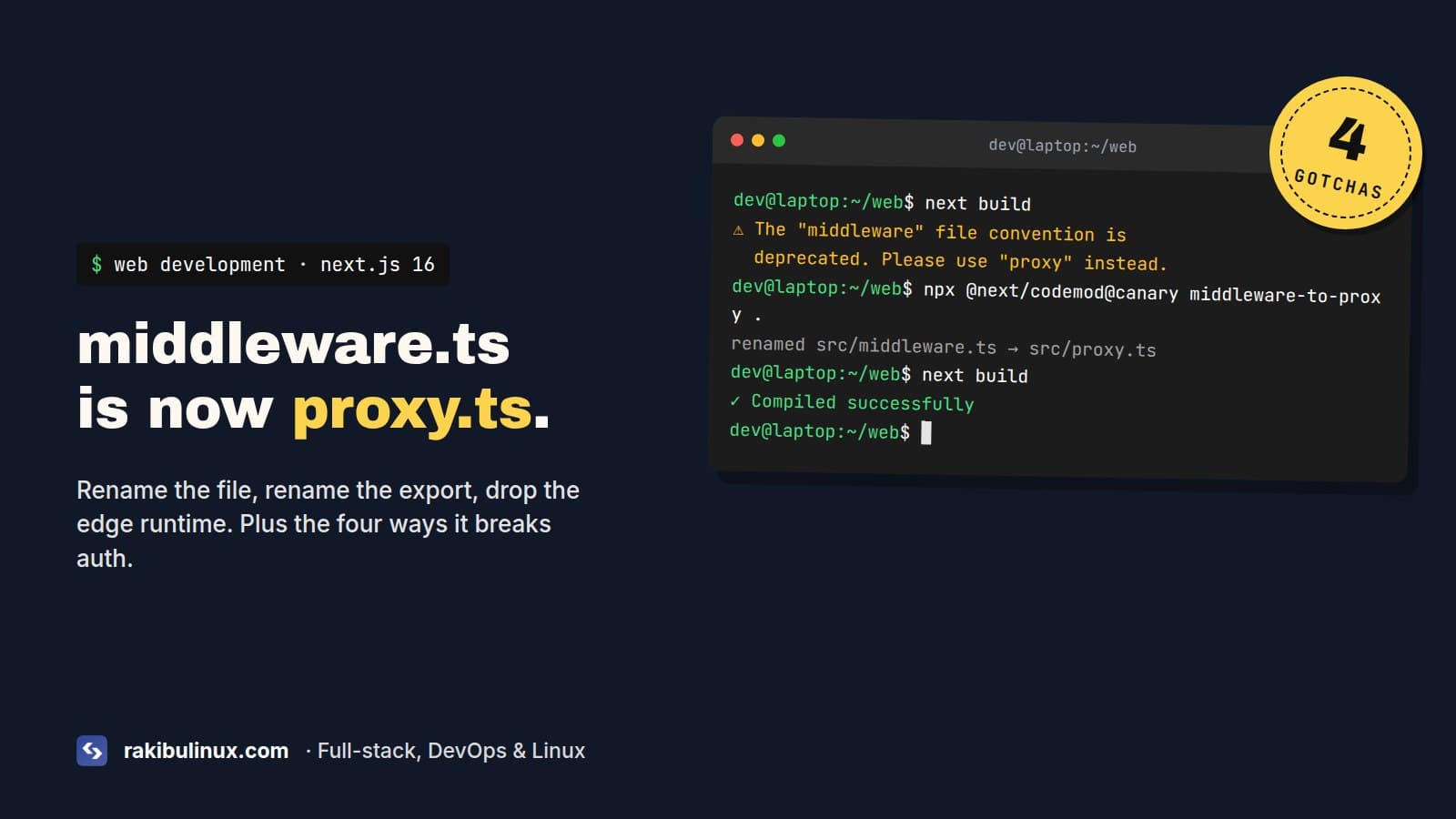
Next.js 16 renamed middleware.ts to proxy.ts. Rename the file and the exported function, and remove runtime: "edge", since proxy always runs on Node.js.
When I moved this site to Next.js 16, the build printed this on every run:
⚠ The "middleware" file convention is deprecated. Please use "proxy" instead.
It's only a warning. The app still builds and middleware.ts still runs. But it will be removed in a future major version, and the rename is where people break their auth redirects, so it's worth doing on purpose instead of in a hurry later. Our proxy.ts now does two things on every request: it sends crawlers to our analytics API and it guards the dashboard. Here's what the migration actually involves and the four ways I've seen it go wrong.
Key takeaways
- Rename
middleware.tstoproxy.tsin the same folder (project root, orsrc/if you use it). - Rename the exported function from
middlewaretoproxy, or keep a default export. - Proxy runs on the Node.js runtime only. Remove
runtime: "edge"from its config. - Rename
skipMiddlewareUrlNormalizetoskipProxyUrlNormalizeinnext.config. - Auth libraries (NextAuth v4, Auth.js v5, Clerk, next-intl) keep working. Only the file name and export change.
The quick fix: run the codemod
Commit first, then:
npx @next/codemod@canary middleware-to-proxy .
It renames the file and the function and updates the config flags. Read the diff afterwards, and check the four things in the troubleshooting section below. Here's the same change by hand, so you know what to look for.
The manual fix
Before:
// src/middleware.ts
import { NextResponse, type NextRequest } from "next/server";

export function middleware(request: NextRequest) {
  if (!request.cookies.has("session")) {
    return NextResponse.redirect(new URL("/sign-in", request.url));
  }
}

export const config = { matcher: ["/dashboard/:path*"] };
After:
// src/proxy.ts
import { NextResponse, type NextRequest } from "next/server";

export function proxy(request: NextRequest) {
  if (!request.cookies.has("session")) {
    return NextResponse.redirect(new URL("/sign-in", request.url));
  }
}

export const config = { matcher: ["/dashboard/:path*"] };
That's all the logic change there is. NextRequest, NextResponse, matcher, cookies, headers, rewrites and the second event argument with event.waitUntil() all work the same. Then delete middleware.ts. Don't leave both files around while you "test the new one". Pick one.
Proxy broke something? Check these four things
1. The file is in the wrong folder
This is the most common one, and nothing tells you about it. The file must sit next to your app folder. If your code lives in src/app, the file is src/proxy.ts. A proxy.ts in the project root of a src/ project is silently ignored: no error, no warning, your protected pages are just open. Test it: log out and open a protected URL directly.
2. You had runtime set to edge
Proxy runs on Node.js, and that can't be changed. If your old file had this, delete the runtime line:
export const config = {
  runtime: "edge",           // remove this
  matcher: ["/dashboard/:path*"],
};
The upside is that proxy can now use Node APIs like crypto and normal npm packages that never worked at the edge. If you deploy to a platform where you specifically need edge execution, you can keep middleware.ts for now. It's deprecated, not removed.
3. Your auth library's import
The libraries didn't change; only the file did. What each one looks like in proxy.ts:
// NextAuth v4
export { default } from "next-auth/middleware";
export const config = { matcher: ["/admin/:path*", "/customer/:path*"] };

// Auth.js v5 (auth.ts exports `auth`)
export { auth as proxy } from "@/auth";

// next-intl
import createMiddleware from "next-intl/middleware";
import { routing } from "./i18n/routing";
export default createMiddleware(routing);
Yes, the NextAuth v4 import still says next-auth/middleware. That's the package path, and it's fine. A default export works as the proxy function, so you don't need to rename anything there.
4. Config flags still use the old names
// next.config.ts
const nextConfig = {
  skipProxyUrlNormalize: true,   // was skipMiddlewareUrlNormalize
};
Also search your code for comments, docs and tests that mention middleware.ts. Ours had a CI step that grepped for it.
Keep proxy light
The rename is also a good moment to check what runs in there. Proxy runs before every matched request, including prefetches, so a slow database call in it slows down every navigation. I keep it to cookie checks, redirects, headers and fire-and-forget work through event.waitUntil(). Full session checks belong in the page or layout, where you need the user anyway. Next.js recommends the same: proxy is the first line of defense, not the only one. Always check permissions again where the data is read.
Use a tight matcher too. Without one, proxy runs for every _next/static file and image. This is the pattern I use when proxy has to see pages but not assets:
export const config = {
  matcher: ["/((?!api|_next/static|_next/image|favicon.ico|.*\\.(?:png|jpg|svg|webp)$).*)"],
};
How I test the move before deploying
A broken proxy rarely shows up as an error. It shows up as a page that should be protected and isn't, or a redirect loop on the sign-in page. So I test the behavior, not the build. Start the production build locally and hit the routes with curl, logged out:
npm run build && npm start
curl -sI http://localhost:3000/dashboard | grep -i -E "^HTTP|^location"
curl -sI http://localhost:3000/sign-in   | grep -i "^HTTP"
curl -sI http://localhost:3000/_next/static/chunks/main.js | grep -i "^HTTP"
The first should be a 307 with a location pointing at your sign-in page. The second should be a plain 200, not another redirect (that's the loop). The third checks that the matcher skips static files. Then repeat the first request with your session cookie copied from the browser (-H "Cookie: ...") and expect a 200.
If you have end-to-end tests, run them against the production build too. next dev and next start run proxy the same way, but a stale .next folder from before the rename can hide problems in dev. Delete .next once after renaming.
Frequently asked questions
Is middleware.ts removed in Next.js 16?
No. It still works in Next.js 16 and only prints a deprecation warning. It's planned for removal in a future major version, so rename it when you have time to test your redirects.
What's the difference between middleware and proxy in Next.js?
Only the name and the runtime. Proxy does the same job (redirects, rewrites, headers, auth checks before a route renders) but always runs on Node.js, while middleware defaulted to the edge runtime.
Why is my proxy.ts not running?
Usually the location. With a src/app folder the file must be src/proxy.ts. Also check that the matcher includes the path you're testing and that the function is exported as proxy or as the default export.
Can I use the edge runtime in proxy.ts?
No. The proxy runtime is fixed to Node.js. If you need the edge, keep using middleware.ts until it's removed.
Does NextAuth work with proxy.ts?
Yes. In NextAuth v4 use export { default } from "next-auth/middleware" in proxy.ts. In Auth.js v5 use export { auth as proxy } from "@/auth".
Upgrade to Next.js 16 went sideways?
I've upgraded production apps to Next.js 16, including proxy, async params, images and auth. If yours is half-migrated or the build is red, book my React and Next.js bug fix service, see my web development services, or contact me. If images broke too, read my guide on Next.js 16 image problems after upgrading.

Written by
MD Rakibul Islam Rakib
Full-stack developer, DevOps engineer and Linux system administrator with 5+ years of production experience. I deploy, harden and fix servers and web apps for clients worldwide, and everything in this article runs on real servers I manage, including this site.
- next.js 16 proxy
- middleware deprecated
- middleware to proxy
- next.js 16 upgrade
- proxy.ts