WebSocket Connection Failed Behind Nginx (Socket.IO Fix)
 MD Rakibul Islam RakibFull-stack developer, DevOps & Linux engineer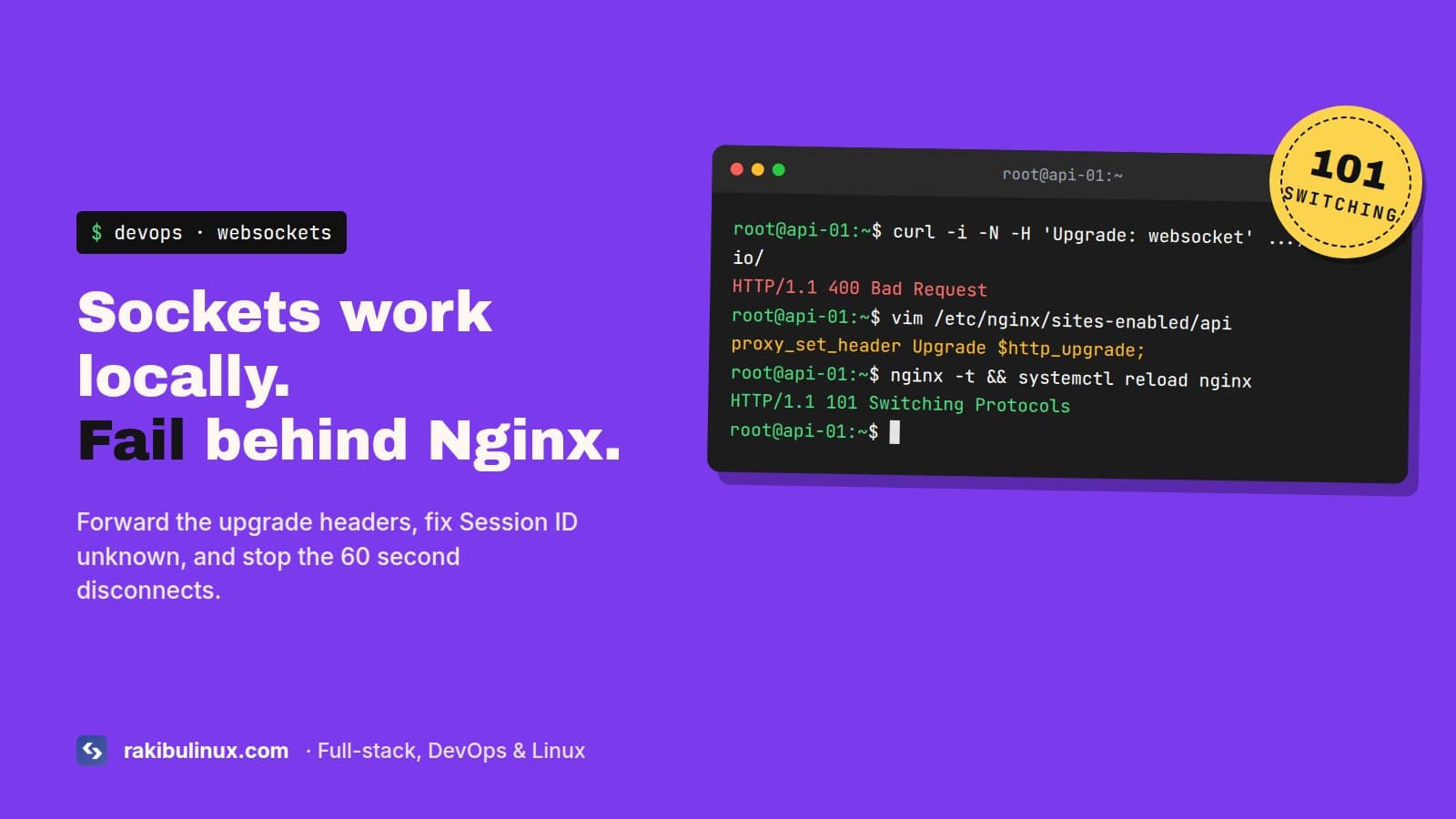
"WebSocket connection failed" behind Nginx means the upgrade isn't forwarded. Add proxy_http_version 1.1 plus the Upgrade and Connection headers.
The API behind this site runs Socket.IO for live chat and notifications, behind Nginx on a VPS. Locally, on localhost:5000, sockets just work. In production the console fills with this:
WebSocket connection to 'wss://api.example.com/socket.io/?EIO=4&transport=websocket' failed:
Often the app still kind of works, because Socket.IO quietly falls back to HTTP long-polling. Messages arrive late, the Network tab is full of polling requests, and every few seconds something reconnects. Here's how to find the cause, in the order I check.
Key takeaways
- Nginx speaks HTTP/1.0 to backends and drops the
Upgradeheader unless you tell it otherwise. - The handshake must return status
101. Anything else (400, 404, 502) points to a specific cause below. - "Session ID unknown" means more than one app instance and no sticky sessions.
- Plain WebSockets without pings are closed by Nginx after 60 seconds of silence.
- On an HTTPS site, the socket URL must be
wss://, neverws://.
Step 1: Look at the handshake
DevTools, Network tab, filter by WS, reload. Click the request and check the status:
- 101 Switching Protocols: the socket connected. If it still drops, jump to the timeout section.
- 200 or 400 on a request with
transport=websocket: Nginx didn't pass the upgrade. Step 2. - 400 with
{"code":1,"message":"Session ID unknown"}: multiple instances. Step 3. - 404: wrong path. Nginx or the client points somewhere other than
/socket.io/. - 502: the app isn't listening where Nginx proxies to. Check
pm2 logsandss -tlnp.
Test the handshake from the server itself, bypassing the browser:
curl -i -N \
  -H "Connection: Upgrade" -H "Upgrade: websocket" \
  -H "Sec-WebSocket-Version: 13" -H "Sec-WebSocket-Key: dGhlIHNhbXBsZSBub25jZQ==" \
  "https://api.example.com/socket.io/?EIO=4&transport=websocket"
You want HTTP/1.1 101 Switching Protocols on the first line. Run the same against http://127.0.0.1:5000/... on the server. If the app returns 101 directly but not through Nginx, the problem is the Nginx config.
Step 2: Fix the Nginx config
A WebSocket starts as an HTTP request that asks to "upgrade". Nginx talks HTTP/1.0 to backends by default, and the Upgrade and Connection headers are hop-by-hop, so Nginx doesn't forward them. You have to set them explicitly. Put the map in the http context (top of the site file works, outside server):
map $http_upgrade $connection_upgrade {
    default upgrade;
    ''      close;
}

server {
    server_name api.example.com;

    location /socket.io/ {
        proxy_pass http://127.0.0.1:5000;
        proxy_http_version 1.1;
        proxy_set_header Upgrade $http_upgrade;
        proxy_set_header Connection $connection_upgrade;
        proxy_set_header Host $host;
        proxy_set_header X-Forwarded-For $proxy_add_x_forwarded_for;
        proxy_set_header X-Forwarded-Proto $scheme;
        proxy_read_timeout 3600s;
    }

    location / {
        proxy_pass http://127.0.0.1:5000;
        proxy_http_version 1.1;
        proxy_set_header Host $host;
    }
}
sudo nginx -t && sudo systemctl reload nginx
Watch the proxy_pass line. With proxy_pass http://127.0.0.1:5000; (no trailing slash), the full /socket.io/... path goes to the app. With proxy_pass http://127.0.0.1:5000/; Nginx strips /socket.io/, and the server answers 404. One character, and it's very easy to miss in a config review.
If you serve the socket under a custom path, like /ws/, set the same path on both the Socket.IO server and the client, and use it in the location.
Step 3: "Session ID unknown" with several instances
Socket.IO starts with a few HTTP polling requests, then upgrades. Every one of those requests must reach the same process. With pm2 in cluster mode, Docker replicas or several servers behind a load balancer, request two lands on a different process, which has never heard of the session, and you get:
400 Bad Request {"code":1,"message":"Session ID unknown"}
You have three options, from simplest:
- Skip polling. On the client,
io(url, { transports: ["websocket"] }). One connection, so it can't be split. Every current browser supports WebSockets. You lose the fallback for networks that block them, which is rare today. - Sticky sessions in Nginx. An
upstreamwithip_hash;sends each client to the same backend. Users behind one company NAT all land on one instance, which is usually fine. - Redis adapter. With more than one instance, a message emitted on instance A must reach users connected to instance B. That needs
@socket.io/redis-adapterregardless of the options above. Without it, chat works for some users and not others, depending on which process they hit.
If you don't need more than one process, don't run more than one. Our API runs a single pm2 fork, and Socket.IO is happy with that.
Step 4: It connects, then drops every minute
proxy_read_timeout defaults to 60 seconds. If nothing passes through the socket for 60 seconds, Nginx closes it. Socket.IO sends a ping every 25 seconds, so it usually stays alive. A plain ws server with no heartbeat gets cut off exactly 60 seconds after the last message. Raise the timeout on the socket location (as above) and add a ping from the server. Cloudflare closes idle WebSockets after about 100 seconds, so a heartbeat under that is a good idea anyway.
Other causes I've run into
- Mixed content. The page is HTTPS and the client connects to
ws://. The browser blocks it. Usewss://, or pass the HTTPS URL toio()and let it pick. - CORS on the socket server. Socket.IO v3 and newer need an explicit
cors: { origin: "https://www.example.com", credentials: true }option. Without it, the polling requests fail with a CORS error before the upgrade even starts. - Version mismatch. A v2 client can't talk to a v4 server.
EIO=3in the URL means an old client. Upgrade the client or setallowEIO3: trueon the server for a while. - Firewall or another proxy. A cloud load balancer in front of Nginx needs WebSocket support and a long idle timeout too.
Test the socket from the browser console
When the app's own error handling hides what happened, connect by hand from DevTools on your site. If the page already loads the Socket.IO client, this shows the real reason:
const s = io("https://api.example.com", { transports: ["websocket"] });
s.on("connect", () => console.log("connected", s.id));
s.on("connect_error", (e) => console.log("failed:", e.message, e.description));
Forcing websocket skips the polling fallback, so a broken upgrade fails loudly instead of quietly working through polling. "websocket error" points at Nginx or the network. "xhr poll error" with polling allowed points at CORS or a wrong URL. An auth error message means the socket reached your server and your own middleware rejected it.
Frequently asked questions
Why does my WebSocket work locally but fail in production?
Locally the browser talks to Node directly. In production Nginx sits in between and doesn't forward the upgrade request unless you set proxy_http_version 1.1 and the Upgrade and Connection headers.
What does "Session ID unknown" mean in Socket.IO?
The polling requests of one client reached different server processes. Use transports: ["websocket"] on the client, sticky sessions, or run a single instance. With several instances, also add the Redis adapter.
Why does my WebSocket disconnect after 60 seconds?
Nginx's proxy_read_timeout is 60 seconds by default, and it closes idle connections. Raise it for the WebSocket location and send a heartbeat from the server.
Does Cloudflare support WebSockets?
Yes, on all plans, and it's on by default. Idle connections are closed after about 100 seconds, so keep a heartbeat running.
Real-time features acting up?
I build and fix Socket.IO chat and notification systems with NestJS and Next.js, including the Nginx and scaling side. Book my bug fix service for Node.js apps, get a VPS setup with Nginx done right, or contact me with a screenshot of the WS request in DevTools. If Nginx is returning 502 instead, start with my 502 Bad Gateway guide.

Written by
MD Rakibul Islam Rakib
Full-stack developer, DevOps engineer and Linux system administrator with 5+ years of production experience. I deploy, harden and fix servers and web apps for clients worldwide, and everything in this article runs on real servers I manage, including this site.
- websocket connection failed
- socket.io nginx
- nginx websocket proxy
- session id unknown
- wss nginx