Nginx 502 Bad Gateway: How to Find and Fix the Cause
 MD Rakibul Islam RakibFull-stack developer, DevOps & Linux engineer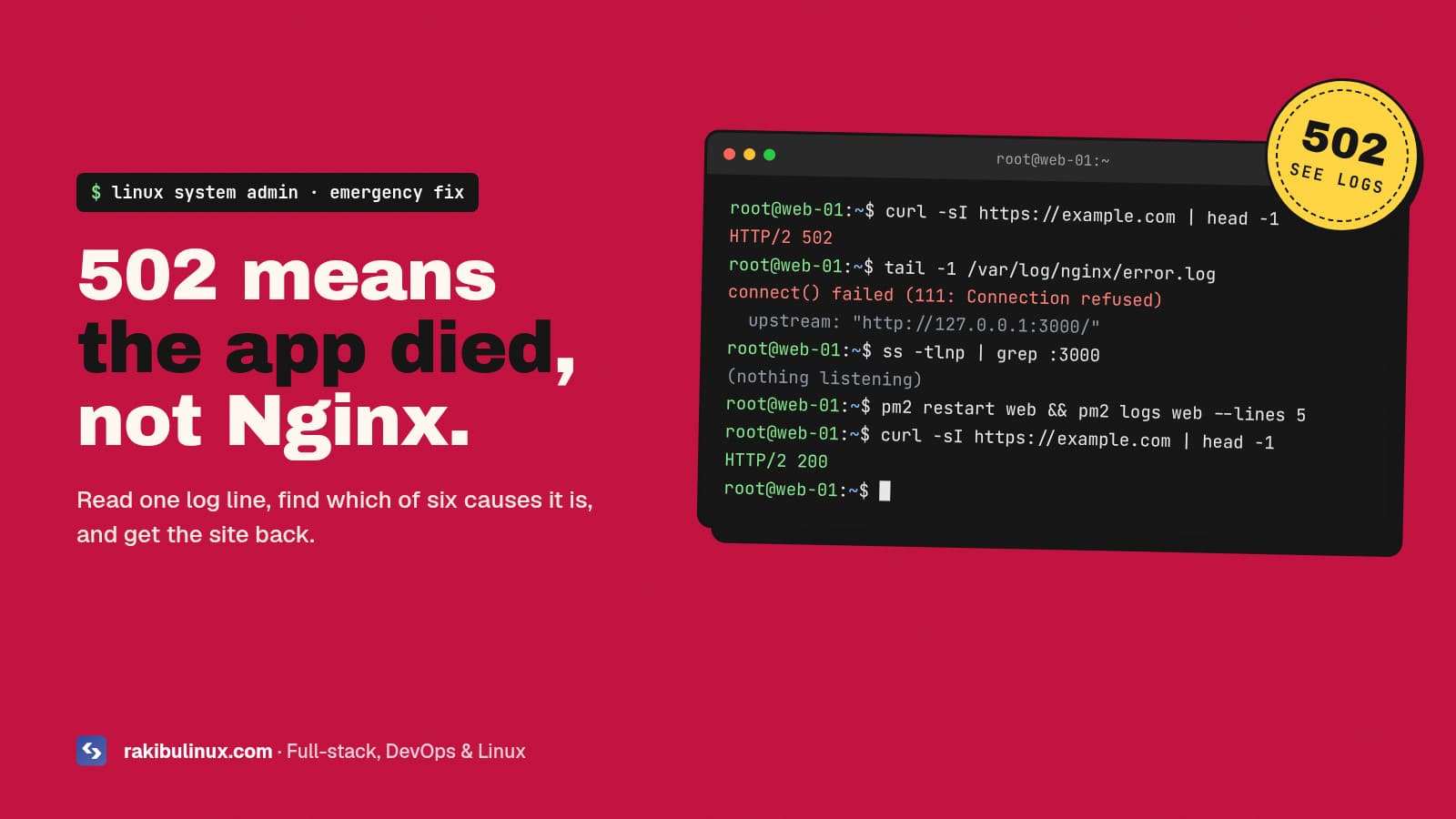
A 502 Bad Gateway means Nginx couldn't get a valid response from your app. Check the Nginx error log: it names the cause, usually a crashed app or wrong port.
A 502 is one of the most common server emergencies, and it's usually fixed in minutes once you look in the right place. The key thing to understand is that Nginx is almost never the problem. Nginx is a reverse proxy: it receives the visitor's request and forwards it to your application (Node.js, Next.js, PHP-FPM, Python, a Docker container). A 502 is Nginx telling you "I tried to talk to the app behind me and it didn't answer properly." This guide shows how to find out why in one command, then fix each cause. It's the same routine I use on my own servers, where Nginx sits in front of a Next.js app and a NestJS API run by PM2.
Key takeaways
- Read the Nginx error log first:
sudo tail -n 50 /var/log/nginx/error.log. The message tells you which of the causes below you have. - "Connection refused" means nothing is listening on the upstream port: the app crashed, didn't start, or listens on a different port.
- "Permission denied" on a socket usually means PHP-FPM or a Unix socket owned by the wrong user.
- "Upstream prematurely closed connection" means the app crashed mid-request, often out of memory.
- 502 is not 504. 504 means the app answered too slowly; 502 means it didn't answer or answered with something invalid.
Step 1: Confirm it's a real 502 from your server
Check from your laptop, not the server, and look at the response headers:
curl -sI https://example.com | head -5
If you see server: nginx with HTTP/2 502, it's your Nginx. If you see server: cloudflare, Cloudflare couldn't reach your origin server at all, which is a different problem (server down, firewall, or wrong origin IP). My website down checklist covers that path.
Step 2: Read the error log
sudo tail -n 50 /var/log/nginx/error.log
# or follow it live while you reload the page:
sudo tail -f /var/log/nginx/error.log
If your site has its own log (error_log inside the server block), check that file instead. grep -r error_log /etc/nginx/ shows where they go. Each 502 line includes the upstream address Nginx tried, such as upstream: "http://127.0.0.1:3000/". Match the message to one of the causes below.
Cause 1: "connect() failed (111: Connection refused)"
The most common one. Nothing is listening on the address Nginx forwards to. Check:
sudo ss -tlnp | grep -E ':3000|:5000|:8000'   # use your app's port
pm2 status                                     # Node apps under PM2
sudo systemctl status myapp                    # apps run by systemd
docker ps                                      # containers
If nothing is listening, the app is stopped or crash-looping. Read its own logs (pm2 logs myapp --lines 100, journalctl -u myapp -n 100, docker logs myapp). The usual reasons I find: a missing environment variable after a deploy, a failed database connection, a build that never finished, or the server rebooted and the app wasn't set to start on boot (pm2 startup plus pm2 save, or systemctl enable).
If something is listening but on a different port or address, fix the mismatch. A classic is the app listening on localhost resolving to IPv6 ::1 while Nginx connects to 127.0.0.1. Use the explicit IP in proxy_pass http://127.0.0.1:3000; and make the app bind to the same address.
Cause 2: "connect() to unix:/run/php/... failed (13: Permission denied)" or "(2: No such file)"
Nginx is using a Unix socket, usually for PHP-FPM, and can't open it. "No such file" means PHP-FPM isn't running or the socket path is wrong (it includes the PHP version, for example php8.3-fpm.sock, which changes when PHP is upgraded). "Permission denied" means the socket's owner doesn't match the Nginx user:
ls -l /run/php/
sudo systemctl status php8.3-fpm
grep -E '^(listen|listen.owner|listen.group|listen.mode)' /etc/php/8.3/fpm/pool.d/www.conf
Set listen.owner = www-data and listen.group = www-data (the user Nginx runs as on Ubuntu), point fastcgi_pass at the socket that actually exists, then sudo systemctl restart php8.3-fpm.
Cause 3: "upstream prematurely closed connection"
The app accepted the request, then died or closed the connection before answering. Often it's being killed for using too much memory. Check for the kernel's OOM killer:
sudo journalctl -k --since "1 hour ago" | grep -i -E 'out of memory|oom'
free -h
pm2 monit
If the OOM killer is hitting your app, add swap as a safety net, cap memory with PM2's --max-memory-restart, and find the leak or heavy request. Large uploads and image processing are common triggers. Also check the app log for an unhandled exception on that route.
Cause 4: "upstream sent too big header while reading response header"
The app answered, but its response headers (often big cookies or auth tokens) didn't fit Nginx's buffer. Raise the buffers in the location block:
proxy_buffer_size 16k;
proxy_buffers 8 16k;
proxy_busy_buffers_size 32k;
For PHP, the equivalents are fastcgi_buffer_size and fastcgi_buffers. Then test and reload: sudo nginx -t && sudo systemctl reload nginx.
Cause 5: "no live upstreams"
You use an upstream block with several servers and Nginx has marked all of them as failed. Fix the backends first (cause 1 or 3). Nginx retries them automatically after fail_timeout, 10 seconds by default.
Cause 6: SELinux blocking the connection (RHEL, Rocky, Alma)
On Red Hat family systems, "Permission denied" connecting to a TCP port can be SELinux, not file permissions. Check with sudo ausearch -m avc -ts recent, and allow Nginx to make network connections with sudo setsebool -P httpd_can_network_connect 1. Ubuntu and Debian don't use SELinux by default.
How to stop 502s from coming back
- Auto-restart the app with PM2 or a systemd
Restart=always, and make sure it starts on boot. - Health-check every deploy and roll back automatically if the app doesn't answer. That's what my GitHub Actions deploy with rollback does, so a bad release never leaves the site on a 502.
- Watch memory and disk. A full disk causes crashes too; see fixing "No space left on device".
- Add an external uptime check so you hear about a 502 before your customers do.
- Show a friendly error page with
error_page 502 /502.html;so visitors see a message instead of the plain Nginx page.
My Next.js on a VPS guide shows a complete Nginx + PM2 setup built this way.
Frequently asked questions
What causes a 502 Bad Gateway error in Nginx?
Nginx couldn't get a valid response from the application behind it. The usual causes are a crashed or stopped app, Nginx pointing at the wrong port or socket, socket permission problems, the app being killed for using too much memory, or response headers too large for Nginx's buffers.
Is a 502 error my fault or the hosting provider's?
On your own VPS it's almost always the application or its configuration, not the provider. On shared or managed hosting it can be their backend, so check their status page and contact support with the time of the error.
What's the difference between 502 and 504?
502 Bad Gateway means the app refused the connection, crashed or sent an invalid response. 504 Gateway Timeout means the app accepted the request but didn't finish within Nginx's proxy_read_timeout, 60 seconds by default.
Will restarting Nginx fix a 502?
Rarely, because Nginx is usually fine. Restarting the application often brings the site back, but the 502 will return unless you find out why it stopped, so always read its logs.
How do I fix 502 Bad Gateway with Cloudflare?
If the 502 page is Cloudflare's, Cloudflare couldn't reach your server. Check the server is up, ports 80 and 443 are open to Cloudflare, the DNS record points at the right IP, and the SSL mode matches your origin certificate.
Site showing 502 right now?
I fix 502 errors and other server outages on Linux, usually the same day, and then set up the restarts, health checks and monitoring so they don't come back. See my Linux system admin services or contact me now with your domain and the last lines of your error log.

Written by
MD Rakibul Islam Rakib
Full-stack developer, DevOps engineer and Linux system administrator with 5+ years of production experience. I deploy, harden and fix servers and web apps for clients worldwide, and everything in this article runs on real servers I manage, including this site.
- Nginx 502 Bad Gateway
- 502 bad gateway fix
- Nginx error log
- upstream connection refused
- PM2
- PHP-FPM
- Linux server