ENOSPC: System Limit for File Watchers Reached (Fix)
 MD Rakibul Islam RakibFull-stack developer, DevOps & Linux engineer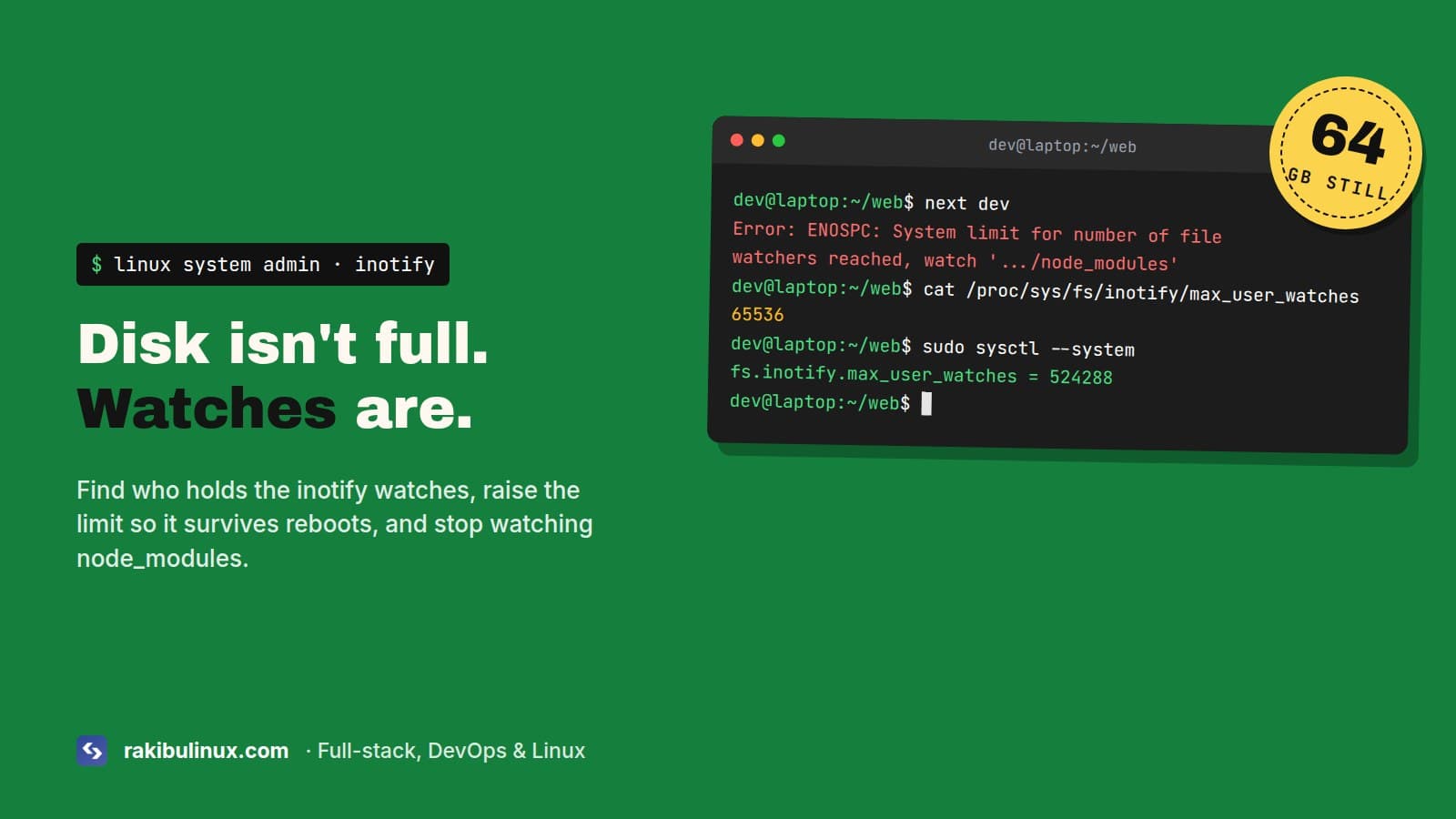
This ENOSPC error isn't about disk space: Linux ran out of inotify watches. Raise fs.inotify.max_user_watches in sysctl.d and stop watching node_modules.
The machine I write this on has 64 GB of RAM, and Next.js dev with Turbopack still runs into the inotify limit on it. I raised the limit to 524,288 a while ago, and with VS Code, a desktop app or two, a Next.js monorepo and a NestJS API all watching files at the same time, it still runs out. So the "just raise the number" answer you find everywhere is half the story. Here's the whole thing: what the error means, how to see who's using the watches, the permanent fix, and the cases where raising the limit isn't enough.
The error
Error: ENOSPC: System limit for number of file watchers reached,
watch '/home/me/app/node_modules/.pnpm/...'
    at FSWatcher.<computed> (node:internal/fs/watchers:247:19)
  errno: -28, syscall: 'watch', code: 'ENOSPC'
You'll see it from next dev, Vite, webpack, Nodemon, Jest in watch mode, Angular, React Native's Metro, or VS Code's warning "Visual Studio Code is unable to watch for file changes in this large workspace". ENOSPC normally means "no space left on device", which is why so many people go and delete files first. Your disk is fine. If df -h really shows a full disk, that's a different problem, and my "No space left on device" guide is the one you want.
Key takeaways
- Check the current limit:
cat /proc/sys/fs/inotify/max_user_watches. - Raise it permanently with a file in
/etc/sysctl.d/, thensudo sysctl --system. No reboot needed. - The limit is per user, across all your programs. One editor can eat most of it.
- "Too many open files" from a watcher is a different limit,
max_user_instances. - In Docker, the limit comes from the host kernel. Change it on the host.
Step 1: See the limit and who is using it
cat /proc/sys/fs/inotify/max_user_watches
cat /proc/sys/fs/inotify/max_user_instances
On newer kernels the default for watches scales with RAM, so it varies a lot between machines. Older systems and many VPS images still sit at 8,192, which a single Next.js project can use up.
To see which processes hold the watches (run with sudo to include every user):
for p in $(find /proc/*/fd -lname 'anon_inode:inotify' 2>/dev/null | cut -d/ -f3 | sort -u); do
  printf "%8d  %s\n" "$(cat /proc/$p/fdinfo/* 2>/dev/null | grep -c '^inotify')" "$(cat /proc/$p/comm)"
done | sort -rn | head
When I ran this on my machine, one desktop app alone held about 26,000 watches. Usually the top of the list is an editor or a dev server watching node_modules. That tells you whether to raise the limit or fix the tool.
Step 2: Raise the limit permanently
echo "fs.inotify.max_user_watches=524288" | sudo tee /etc/sysctl.d/99-inotify.conf
echo "fs.inotify.max_user_instances=512"  | sudo tee -a /etc/sysctl.d/99-inotify.conf
sudo sysctl --system
Check it took effect with the cat commands from step 1, then restart your dev server. The new limit applies right away; the server just has to set up its watchers again.
Name the file 99-something.conf. Files in /etc/sysctl.d/ and /usr/lib/sysctl.d/ are applied in name order, and the last one wins. My Ubuntu install ships /usr/lib/sysctl.d/30-localsearch.conf, which sets watches to 65,536. A file named 10-inotify.conf would be overridden by it on every boot. That's a common reason the fix "doesn't survive a reboot". Find every place that sets it:
grep -r inotify /etc/sysctl.conf /etc/sysctl.d/ /usr/lib/sysctl.d/ /run/sysctl.d/ 2>/dev/null
Does a high limit use a lot of memory?
Each watch that is actually in use costs about 1 KB of kernel memory on 64-bit systems. The limit is only a ceiling. 524,288 means "up to about 512 MB if every watch is used", which only happens if something is watching half a million files. On a laptop that's fine. On a small VPS, ask why something is watching that many files at all.
Step 3: Stop watching node_modules
Raising the limit treats the symptom. The tools shouldn't be watching tens of thousands of dependency files in the first place.
- VS Code: in
settings.json, add"files.watcherExclude": { "**/node_modules/**": true, "**/.next/**": true, "**/dist/**": true }. It's the biggest win for most people. - Vite:
server.watch.ignoredinvite.config.tsfor large generated folders. - Nodemon: watch only
src:nodemon --watch src. - Jest:
watchPathIgnorePatternsfor build output. - Close old dev servers. Three forgotten
next devprocesses in other terminals each hold their own watches.pgrep -af "next dev"finds them.
Step 4: When you can't raise the limit, poll
On shared servers, in some containers or on WSL with files on the Windows side, you may not be allowed to change sysctl values, or inotify doesn't work at all. Then make the watcher poll instead. It costs some CPU but never hits the limit:
# webpack / Next.js with --webpack
WATCHPACK_POLLING=true next dev --webpack
# chokidar-based tools (many older dev servers)
CHOKIDAR_USEPOLLING=true npm run dev
That first line is literally how I run this site's dev server, because Turbopack's watcher still exhausts the limit on this machine alongside everything else that's running.
Docker and CI
Containers share the host's kernel, so sysctl inside a container either fails or changes nothing useful. Set the limit on the host, or on the VM that runs Docker Desktop. In CI, a test run in watch mode is a mistake anyway. Run Jest and Vitest once with --watch=false or vitest run.
"Too many open files" is the other limit
Error: EMFILE: too many open files, watch
inotify_init: Too many open files
This one is usually about inotify instances, not watches. Each program that watches files opens at least one instance, and the default per user is 128. Raise fs.inotify.max_user_instances to 512 as in step 2. If it's the regular open file limit instead, ulimit -n shows it, and that's a systemd or limits.conf change.
Seeing it on a production server?
A production server shouldn't be watching files at all. On a server the usual cause is pm2 start app.js --watch left over from setup, or an app started with npm run dev instead of the production command. pm2's watch mode follows every file under the app folder, including node_modules and upload folders, and restarts the app on every change. Check with pm2 describe app | grep watch, turn it off with pm2 restart app --watch false or remove watch from the ecosystem file, and run pm2 save. Raising the limit on a server only hides that mistake.
Frequently asked questions
Does ENOSPC mean my disk is full?
Not in this case. When the message says "System limit for number of file watchers reached", Linux ran out of inotify watches. Your disk can be empty and still get this error.
What should max_user_watches be set to?
524,288 is the common value for development machines and is safe with 8 GB of RAM or more. On servers, keep it lower and find out why something needs so many watches.
Why does the error come back after a reboot?
The value was set with sysctl -w, which doesn't persist, or another file in /usr/lib/sysctl.d/ with a later name overrides yours. Use a file named 99-inotify.conf in /etc/sysctl.d/.
How do I fix ENOSPC in Docker?
Raise fs.inotify.max_user_watches on the host machine. Containers use the host kernel's limits. Polling (WATCHPACK_POLLING=true or CHOKIDAR_USEPOLLING=true) is the fallback if you can't change the host.
Dev environment fighting you?
I set up and fix Linux development and production environments for Node.js teams, from watcher limits to full servers. Book my bug fix service, see my Linux system admin services, or contact me with the error and the output of the watcher script above.

Written by
MD Rakibul Islam Rakib
Full-stack developer, DevOps engineer and Linux system administrator with 5+ years of production experience. I deploy, harden and fix servers and web apps for clients worldwide, and everything in this article runs on real servers I manage, including this site.
- enospc file watchers
- max_user_watches
- inotify limit
- system limit for number of file watchers reached
- next dev enospc