Next.js Security Updates 2026: Which Version Is Safe?
 MD Rakibul Islam RakibFull-stack developer, DevOps & Linux engineer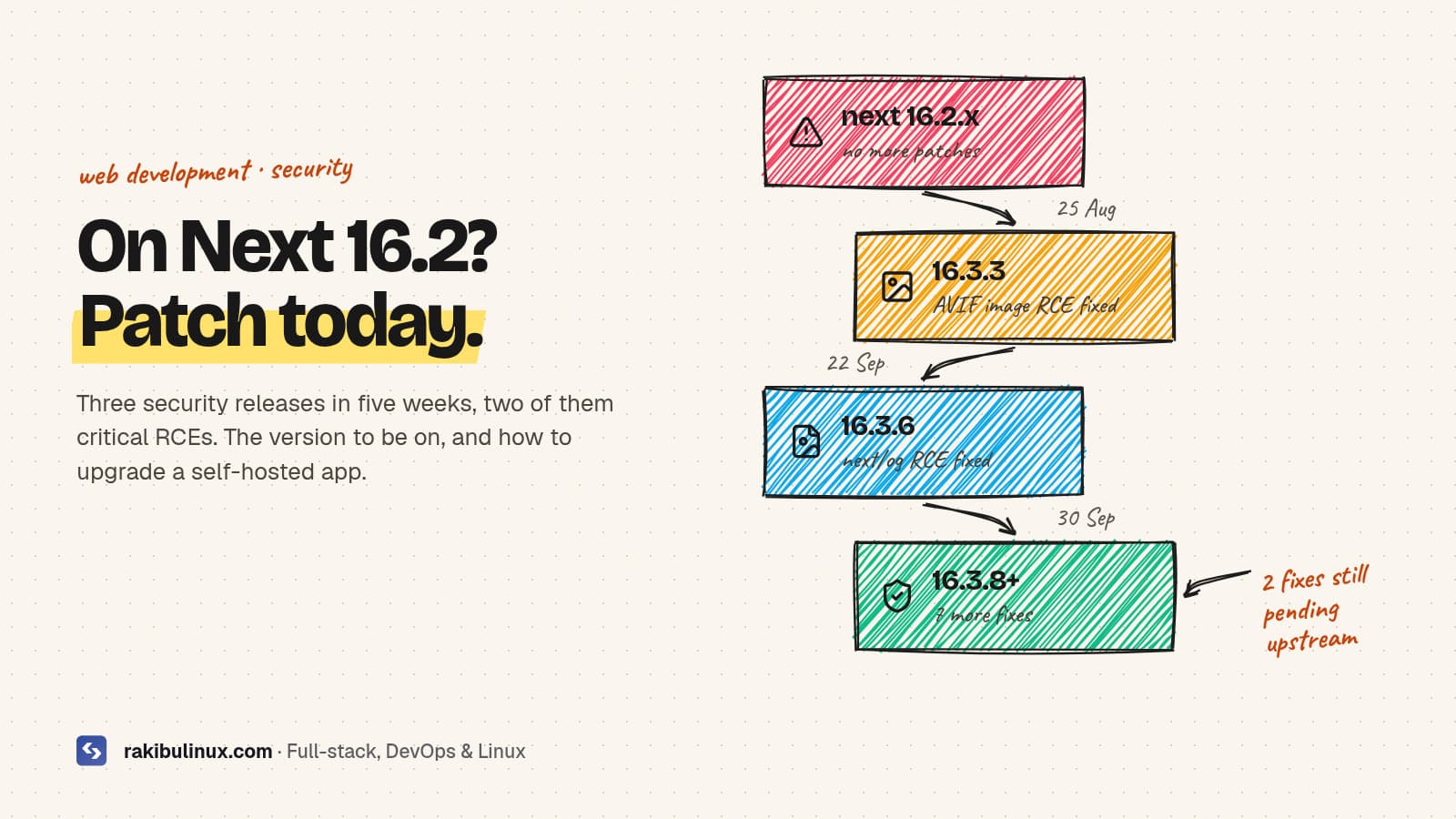
Upgrade Next.js to 16.3.8 or later (or 15.5.27 on the 15.x line). Older 16.x versions have unpatched critical bugs, including remote code execution.
Next.js shipped three security releases between 25 August and 30 September 2026. Two of them fix critical remote code execution bugs, and none of the fixes were backported to the 16.2 line. If your app is self-hosted on a VPS or in Docker and you haven't touched package.json since the summer, you're almost certainly running a vulnerable version. I build and host Next.js apps for clients, so I've been through this list on several projects this month. Here's what each release fixed, which version to move to, and how to upgrade without breaking the site.
Key takeaways
- Safe minimum today: Next.js
16.3.8or16.4.0, or15.5.27if you're still on 15.x. - Every 16.2.x release is affected by the August image optimization RCE. The 16.2 line gets no more patches, so the fix is to move to 16.3 or later.
- Self-hosted apps carry the most risk. Some bugs (image optimizer SSRF, Draft Mode leak) don't affect apps on managed platforms, but every one of them affects your own server.
- Two more fixes are coming. Next.js said on 30 September that one critical and one high issue are waiting on upstream fixes. Plan for another upgrade soon.
- Use the official advisories as your source of truth, not blog summaries (including this one) when versions change.
Which Next.js versions are vulnerable?
25 August: image optimization RCE (critical)
A bug in libheif, which sharp uses to decode AVIF images, could lead to unauthenticated remote code execution through the Image Optimization API (/_next/image). It affects every 16.x release before 16.3.3 and 15.x before 15.5.24. The patch disables AVIF optimization until the upstream fix has propagated. A second critical bug in the same release allowed remote code execution on Windows-hosted servers.
This is the one that matters most for typical self-hosted sites, because next/image is on nearly every page and the endpoint is public by design.
22 September: next/og ImageResponse RCE (critical)
CVE-2026-94545 (CVSS 9.5) affects >=16.2.0 <16.3.6. If you generate Open Graph images with the Node.js version of ImageResponse from next/og and put user-supplied text into the SVG content, attributes or styles, an attacker could run code on your server. The Edge runtime version isn't affected. Next.js 15.x isn't affected either; 15.5.26 only adds hardening.
30 September: seven more fixes (one high, five medium, one low)
- High: server-side request forgery in Image Optimization. An attacker-controlled URL on an allowed remote host could make your server request private IP ranges.
- Medium: two cache poisoning bugs in SSG and ISR pages (one could swap content between users), a Draft Mode content leak through
use cache, a cache leak in nesteduse cachefunctions, and an information leak in App Router metadata image routes. - Low: information disclosure from the development server's MCP endpoint. Only matters if your dev server is reachable by others.
The fixed versions are 16.3.8 and 15.5.27.
How to check which version you're running
Check the installed version, not the range in package.json. A caret range like ^16.2.0 says nothing about what's actually in your lockfile or on the server:
npm ls next                   # npm
pnpm why next                 # pnpm
grep '"next@' bun.lock | head -1   # bun
On the server, check the release that's actually running, not your laptop. With a release-folder setup like mine, that's cat /srv/app/current/node_modules/next/package.json | grep '"version"'.
How to upgrade a self-hosted Next.js app safely
1. Upgrade on a branch and read the build output
git switch -c chore/next-security
npm install next@latest eslint-config-next@latest
npm run build
From 16.2 to 16.3 or 16.4 is a minor upgrade, so it should be routine. If you're coming from 15.x, read my notes on the middleware to proxy.ts rename and images that stop loading after the 16 upgrade first, because those are the two things that break most often. If you're stuck on 15.x for now, npm install next@15.5.27 gets you the patched 15 line.
2. Test the parts these bugs touch
Click through pages with next/image, any route that generates OG images, ISR pages after a revalidation, and Draft Mode if you use a CMS preview. Note that since the August patch, AVIF source images are no longer optimized, so check that those still look right.
3. Deploy with a way back
Ship it the way you ship any release: build a new folder, switch traffic, keep the old one. My GitHub Actions deploy with auto rollback does exactly this and runs a health check before it switches. If the build runs out of memory on a small VPS, see fixing "heap out of memory" in next build.
4. If you can't upgrade today
- Image optimizer: keep
images.remotePatternsas tight as possible (exact hostnames and paths, no wildcards), and considerimages.unoptimized: truetemporarily if you can live without resizing. - OG images: don't put user-controlled text into Node.js
ImageResponseoutput until you've upgraded. - Dev server: never expose
next devto the internet.
These reduce risk; they don't replace the upgrade.
How to stay ahead of the next one
Next.js now publishes advance notice a few days before scheduled security releases on its blog. Three habits keep you ahead:
- Turn on Dependabot or Renovate security updates so a pull request appears the day an advisory is published.
- Watch the Next.js repository's security advisories on GitHub (Watch, then Custom, then Security alerts).
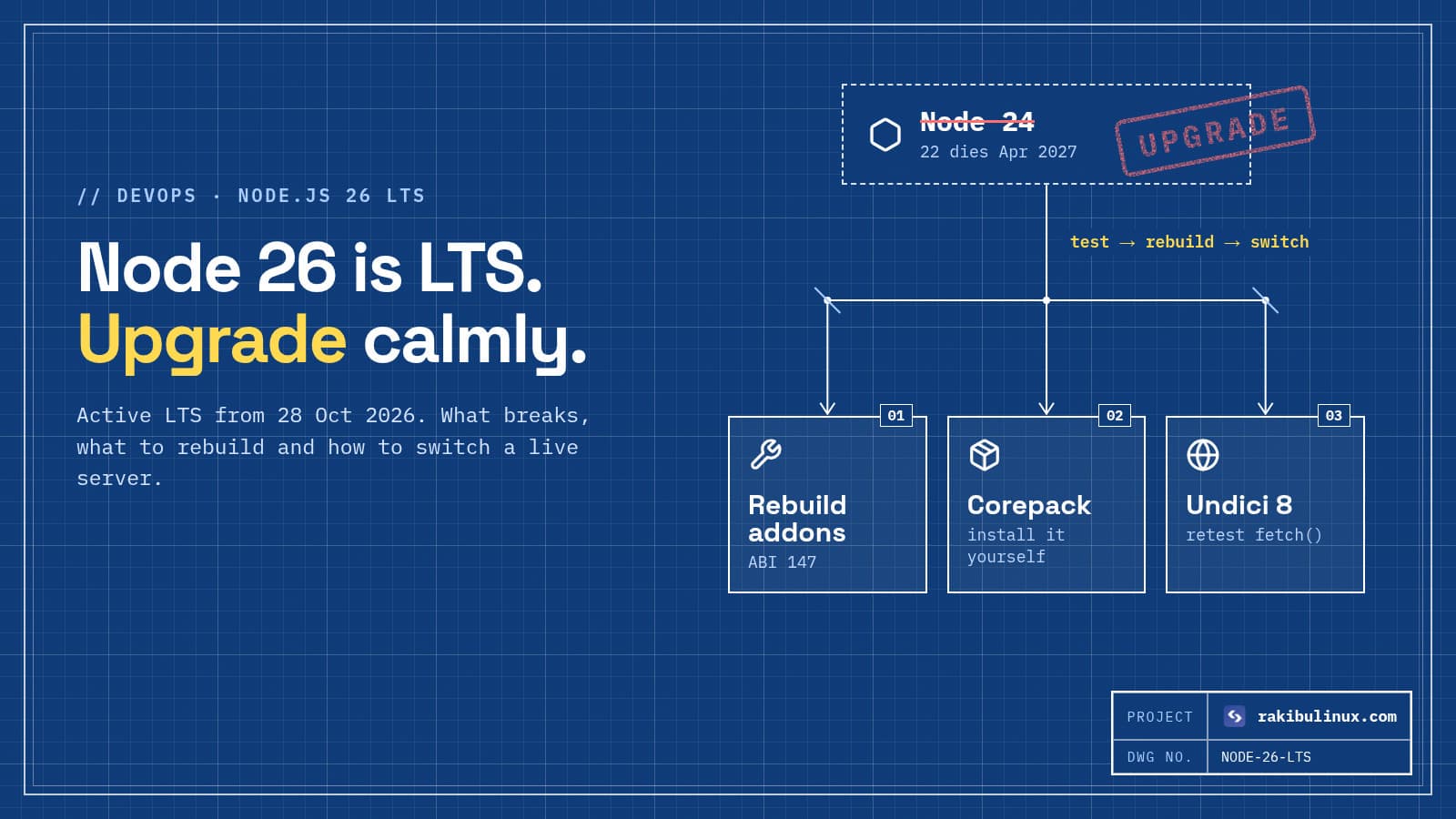
- Keep the runtime current too. Node.js 26 becomes LTS on 28 October; here's my Node.js 26 upgrade checklist.
- Upgrade on a schedule. Apps that stay within one minor of the latest get security patches as a one-line change. Apps three minors behind get a migration project in the middle of an incident.
Next.js 16.4 also adds an experimental.agentUpgrade option whose default 'security' policy reminds you during next dev and next build when an upgrade fixes a known vulnerability in your version. It's worth turning on.
Frequently asked questions
Is my app on Vercel or Netlify affected?
Managed platforms block some of these at their own layer. Netlify, for example, says the image optimizer SSRF, the Draft Mode leak and the dev MCP issue don't affect apps it hosts. The cache poisoning and RCE fixes are still in the framework, so upgrade anyway; it's the only fix that works everywhere.
Is Next.js 16.2 still supported?
Not with security fixes. The 16.x patches landed on the 16.3 line (16.3.3, 16.3.6, 16.3.8), and 16.2's last release was in July. Move to the newest 16.3 or 16.4 release.
Do I need 16.4, or is 16.3.8 enough?
For security, 16.3.8 covers everything published so far. 16.4 adds features and React 19.3. Pick whichever you can test fastest, then keep up with patch releases on that line.
How do I know if someone exploited this on my server?
Look for unexpected processes, new cron jobs or SSH keys, outbound connections from the Node process, and odd requests to /_next/image in your Nginx logs. If anything looks wrong, follow my "Linux server hacked" checklist and rotate your secrets.
What are the two pending fixes?
Next.js hasn't published details; it said one critical and one high issue were waiting on upstream coordination. Watch the official blog and advisories, and be ready to upgrade again within days of the release.
Want this handled for you?
I upgrade and patch Next.js apps, fix whatever the upgrade breaks, and deploy with rollback ready. See my web development services and the React, Next.js and Node.js bug-fix package, or send me your repo and I'll tell you which version you're on and what the upgrade involves.

Written by
MD Rakibul Islam Rakib
Full-stack developer, DevOps engineer and Linux system administrator with 5+ years of production experience. I deploy, harden and fix servers and web apps for clients worldwide, and everything in this article runs on real servers I manage, including this site.
- Next.js security update
- Next.js 16.3.8
- CVE-2026-94545
- next/og RCE
- Next.js image optimization SSRF
- self-hosted Next.js
- upgrade Next.js