npm Supply Chain Attacks 2026: Check, Clean, Protect
 MD Rakibul Islam RakibFull-stack developer, DevOps & Linux engineer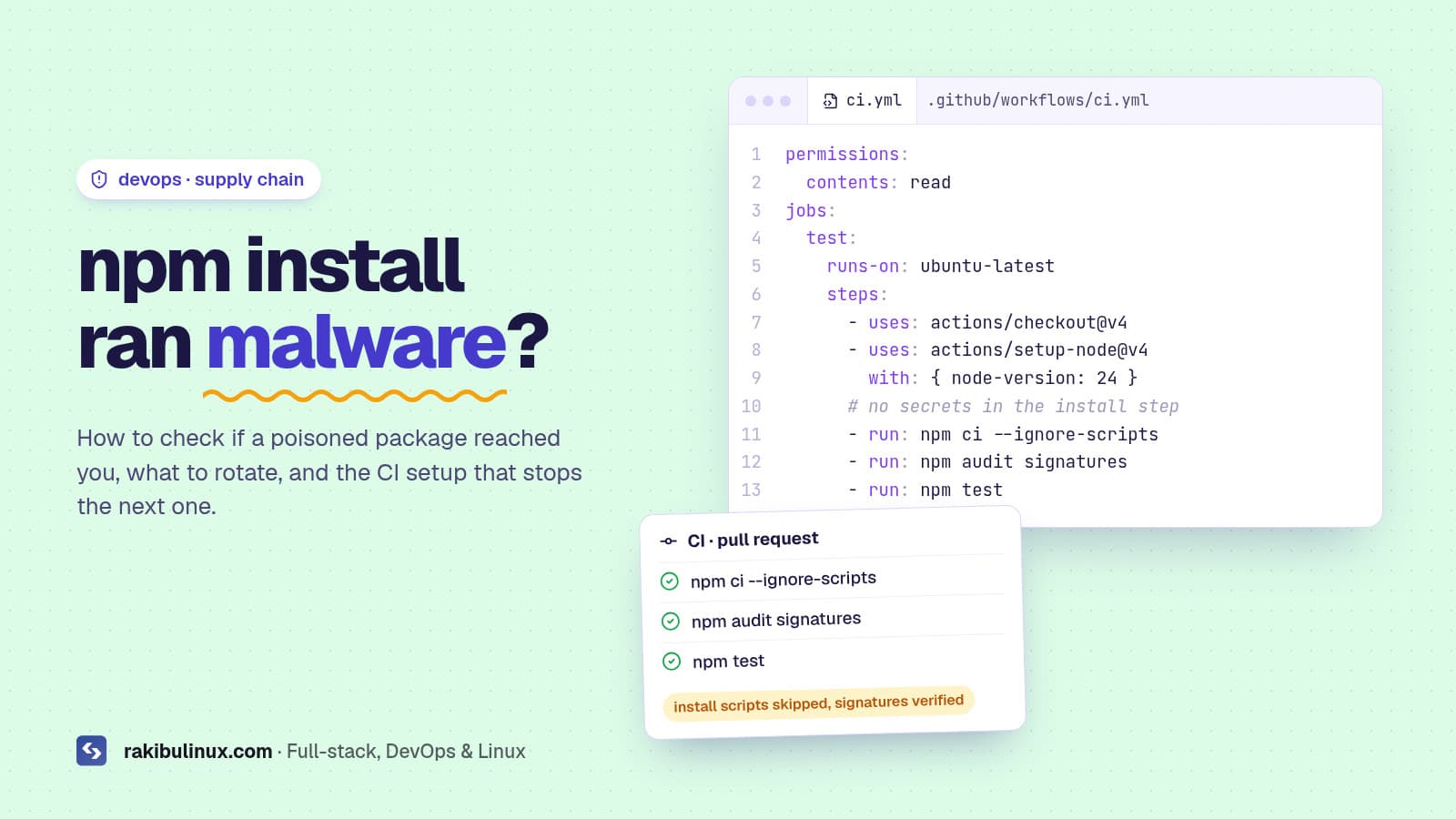
To survive npm supply chain attacks: check your lockfile for bad versions, rotate any exposed secrets, block install scripts and add a release-age cooldown.
2026 has been a rough year for npm. In March a hijacked maintainer account pushed backdoored versions of axios, a library with over 100 million weekly downloads. In July the @asyncapi packages were compromised. In August the self-spreading "Shai-Hulud" worm came back through keyv and related packages, stealing tokens and using them to infect more packages. If you build anything with JavaScript, the question isn't whether this affects your ecosystem; it's whether one of these versions ever ran on your laptop, your CI or your server. This post is the checklist I use to answer that, and the setup I recommend so the next one doesn't matter.
Key takeaways
- The attacks run at install time. A
postinstallscript executes the moment you runnpm install, before your code ever imports anything. - Check lockfiles, not package.json. The bad versions usually arrive as a transitive dependency or a caret range update.
- If a bad version ran, assume every secret on that machine leaked: npm and GitHub tokens, cloud keys, SSH keys,
.envfiles. - Two settings block most of this: skip dependency install scripts and refuse versions younger than a few days.
- Keep secrets out of the install step in CI, and publish your own packages with trusted publishing instead of long-lived tokens.
How these attacks actually work
The pattern is nearly always the same. An attacker gets publish rights to a popular package, usually by phishing a maintainer or stealing a token. They publish a new patch version that adds one small dependency with a lifecycle script. In the axios case that dependency was plain-crypto-js; its postinstall script downloaded a remote access trojan for macOS, Windows or Linux. Anyone whose install resolved axios@1.14.1 or axios@0.30.4 ran it.
Worms like Shai-Hulud go one step further: the payload searches the machine for npm and GitHub tokens, then uses them to publish infected versions of your packages. That's how one compromise turns into hundreds.
The detail that makes defence possible: the poisoned axios versions were live for about three hours before npm removed them. Most of these attacks are caught quickly. The damage comes from everyone who installed during that window.
Step 1: Check if a bad version reached you
Search every lockfile you have, including old branches and deployed release folders, for the package and version named in the advisory. For axios:
npm ls axios plain-crypto-js
grep -rn "plain-crypto-js\|axios@1.14.1\|axios@0.30.4" \
  --include=package-lock.json --include=pnpm-lock.yaml --include=yarn.lock --include=bun.lock .
Then check the places a lockfile doesn't cover: CI logs from the attack window (did a job run npm install without a lockfile?), Docker images built that day, and developer laptops. A node_modules/plain-crypto-js folder anywhere is a positive hit. The official advisories list the exact versions and indicators: CISA for axios, and the CSA advisory for the keyv wave.
Step 2: If you were hit, clean up in this order
- Isolate the machine. Take the CI runner or server off the network, or at least stop deploys from it.
- Rotate secrets from a clean machine. npm tokens, GitHub tokens and deploy keys first (they're how worms spread), then cloud keys, database passwords, SSH keys and anything in
.envfiles the machine could read. - Check what was done with them. Look at your npm account for versions you didn't publish, and at GitHub for new repos, workflows or deploy keys you didn't add.
- Rebuild, don't clean. A RAT can persist. Reinstall laptops and rebuild servers and runners from scratch. For servers, my "Linux server hacked" guide walks through it.
- Pin to a known-good version and commit the lockfile: for axios that's
1.14.0or0.30.3.
Step 3: Stop the next one
Block dependency install scripts
Almost every npm attack this year needed a lifecycle script to run. Turn them off:
# .npmrc (project or ~/.npmrc)
ignore-scripts=true
pnpm 10 and later already skip dependency build scripts unless you approve them, and Bun only runs them for packages on its trusted list. With npm, a few packages genuinely need their script; run those steps yourself (for example npx prisma generate), or use npm rebuild <package> for that one package. One npm quirk: with ignore-scripts, your own pre/post scripts are skipped too, so call them explicitly in CI.
Add a release-age cooldown
If installs ignore any version younger than a few days, a three-hour attack window never reaches you. All the major package managers support this now, but each uses a different unit:
# .npmrc  (npm 11.10+, days)
min-release-age=7

# pnpm-workspace.yaml  (pnpm 10.16+, minutes)
minimumReleaseAge: 10080

# bunfig.toml  (seconds)
[install]
minimumReleaseAge = 604800
The trade-off is that urgent security patches also wait. Every tool has an exclude list for that; use it on purpose for the one package you need, not as a habit. I covered the same settings from the AI-agent angle in slopsquatting: AI-hallucinated npm packages.
Keep secrets away from installs in CI
Your CI job that runs npm ci shouldn't be able to see deploy keys or cloud credentials. Give the workflow read-only permissions, install and test in one job with no secrets, and only pass secrets to a separate deploy job that runs after tests pass:
permissions:
  contents: read
jobs:
  test:
    runs-on: ubuntu-latest
    steps:
      - uses: actions/checkout@v4
      - uses: actions/setup-node@v4
        with: { node-version: 24 }
      - run: npm ci --ignore-scripts
      - run: npm audit signatures
      - run: npm test
  deploy:
    needs: test
    runs-on: ubuntu-latest
    environment: production   # secrets live here, not in the test job
    steps:
      - run: echo "deploy with secrets.DEPLOY_SSH_KEY here"
npm ci installs exactly what the lockfile says and fails if it doesn't match package.json, so nothing "floats" to a fresh version mid-build. npm audit signatures checks registry signatures and provenance attestations for what you installed. This is the same split I use in my GitHub Actions deploy with auto rollback.
If you publish packages: drop long-lived tokens
npm revoked all classic tokens in December 2025, and granular write tokens now expire within 90 days. The better option is trusted publishing: npm trusts a specific GitHub Actions workflow through OIDC, so there's no token to steal at all. Configure the trusted publisher in the package settings on npmjs.com, give the workflow id-token: write, and use npm 11.5.1 or newer. Turn on two-factor authentication for every maintainer account too; the axios incident started with a compromised maintainer account.
Frequently asked questions
Does running npm audit protect me from supply chain attacks?
Not really. npm audit reports known vulnerabilities after they're published in an advisory. A freshly poisoned version has no advisory yet during the hours it does damage. Cooldowns and blocked install scripts work before anyone knows.
Will ignore-scripts break my project?
Usually not. Most popular native packages now ship prebuilt binaries as optional dependencies. When something does need its script, the error tells you which package; run its step explicitly or rebuild just that package.
Is pnpm or Bun safer than npm?
Their defaults are safer, because they don't run dependency install scripts unless you allow them. With the two npm settings above, npm gets most of the same protection. The package manager matters less than whether you actually set it up.
How do I know which versions were malicious?
Use the official advisory for each incident (CISA, the package's GitHub security advisory, or your security vendor's write-up). They list exact versions, file hashes and domains to block.
Do I need to rotate secrets if the bad version was only in my lockfile?
If it was in a lockfile that was installed anywhere, yes, for that machine. If it only appeared in a lockfile diff that was never installed, you're fine, but delete the branch.
Want your pipeline locked down?
I set up CI/CD pipelines that keep secrets out of install steps, verify dependencies and deploy with automatic rollback, and I help clean up after an incident. See my DevOps services, the CI/CD pipeline package, or get in touch if you think a bad package already reached you.

Written by
MD Rakibul Islam Rakib
Full-stack developer, DevOps engineer and Linux system administrator with 5+ years of production experience. I deploy, harden and fix servers and web apps for clients worldwide, and everything in this article runs on real servers I manage, including this site.
- npm supply chain attack
- axios compromised
- Shai-Hulud npm
- npm ignore-scripts
- min-release-age
- npm trusted publishing
- CI secrets