JavaScript Heap Out of Memory in next build: VPS Fix
 MD Rakibul Islam RakibFull-stack developer, DevOps & Linux engineer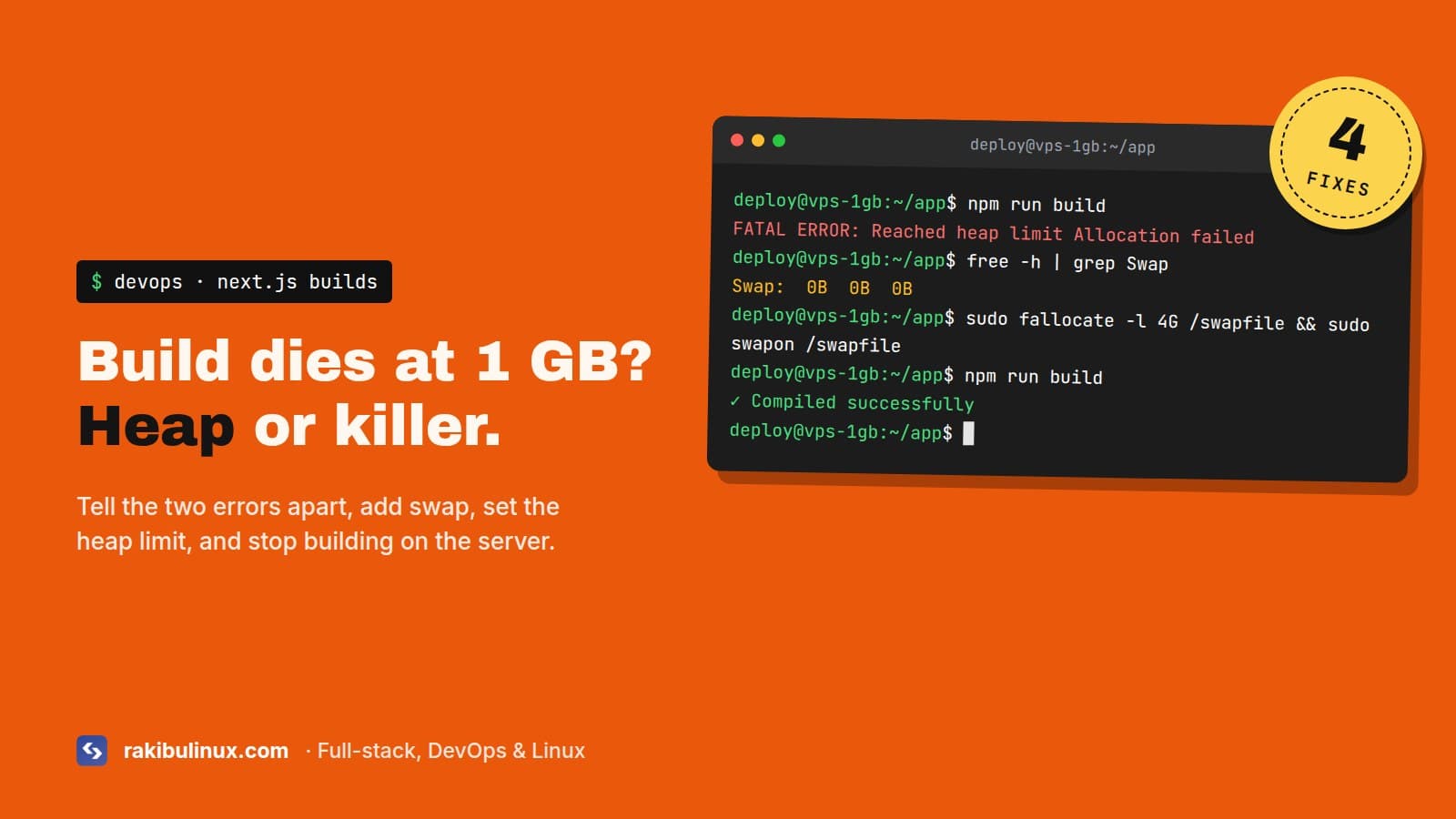
"JavaScript heap out of memory" in next build means Node hit its heap limit. On a small VPS, add swap, raise --max-old-space-size, or build in CI.
A build that works on your laptop and dies on a $6 VPS is a classic. Often the site is down too, because the deploy script stopped the old app, started the build, and the build crashed halfway. It shows up in two different ways, and they need different fixes, so first figure out which one you have.
Key takeaways
- "Reached heap limit" is Node's own limit. "Killed" or exit code 137 is the Linux OOM killer. Different problems.
- On 1 to 2 GB servers, add 2 to 4 GB of swap first. It's the fastest fix and it stops the crash.
- Set
--max-old-space-sizebelow your real RAM plus swap, never above it. - Don't build on the server that serves traffic. Build in CI, copy the output, restart.
- Never stop the running app before the new build has finished.
Which error do you have?
Node's heap limit
<--- Last few GCs --->
FATAL ERROR: Reached heap limit Allocation failed - JavaScript heap out of memory
 1: 0xb8d0a3 node::Abort() [node]
Node stopped itself because the JavaScript heap reached its maximum. The machine might still have free RAM. The limit just wasn't high enough for this build. Node picks the default from the machine's memory, which on a small server is low.
The kernel killed it
Creating an optimized production build ...
Killed
npm error code 137
Here the machine ran out of memory and Linux killed the biggest process, which was your build. Confirm it:
sudo dmesg -T | grep -i -E "killed process|out of memory" | tail -n 5
If you see your node process there, raising Node's heap limit makes this worse, not better. You need more memory, swap, or a lighter build. My OOM killer guide explains that log in detail.
Next.js 16 builds with Turbopack by default. Turbopack is written in Rust, so much of its memory isn't on the JavaScript heap. So on small servers you can get "Killed" instead of "heap limit": the Rust side grows without Node's limit ever being reached.
Fix 1: Add swap (2 minutes)
Most cheap VPS images ship with no swap at all. Check with free -h. If the Swap line says 0, add some:
sudo fallocate -l 4G /swapfile
sudo chmod 600 /swapfile
sudo mkswap /swapfile
sudo swapon /swapfile
echo '/swapfile none swap sw 0 0' | sudo tee -a /etc/fstab
sudo sysctl vm.swappiness=10
echo 'vm.swappiness=10' | sudo tee /etc/sysctl.d/99-swap.conf
Make sure you have the disk space first (df -h /). A swappiness of 10 keeps your running apps in RAM and only pushes to swap under pressure, which is exactly what a build is. The build gets slower when it swaps, but it finishes. On a 1 GB server that's the difference between a deploy that takes 6 minutes and one that never finishes.
Fix 2: Raise Node's heap limit
If you had the "Reached heap limit" error and the machine has room, give Node more:
NODE_OPTIONS="--max-old-space-size=3072" npm run build
Or make it permanent in package.json:
"scripts": {
  "build": "NODE_OPTIONS=--max-old-space-size=3072 next build"
}
The number is in megabytes. Keep it below RAM plus swap minus what your other services need. If you set 4096 on a 2 GB server with no swap, you just trade the heap error for the OOM killer. A rough rule I use: about 75% of RAM plus swap, with the database and the running app subtracted first.
This variable also applies to the app when it runs. Don't put a huge value in a global NODE_OPTIONS for pm2. Set it only for the build command.
Fix 3: Make the build lighter
- Skip type checking in the build if CI already runs
tsc --noEmit. Type checking a large project uses a lot of memory. Innext.config.tssettypescript: { ignoreBuildErrors: true }, but only if CI really checks types, or you'll ship type errors. - Limit build workers. Static page generation runs in parallel workers, and each one takes memory.
experimental: { cpus: 1 }trades speed for a lower peak. - On webpack builds (
next build --webpack),experimental: { webpackMemoryOptimizations: true }lowers peak memory a bit. - Stop other things during the build. A dev server, a second app's build, or a big
pg_dumprunning at the same time all compete for the same RAM. - Look for huge imports. A whole icon library or a giant JSON file imported in a page makes every build heavier. Import single icons, load big data at runtime.
Fix 4: Don't build on the production server
This is the real fix. GitHub Actions runners have 16 GB of RAM on public repositories, much more than a small VPS. Build there with output: "standalone" in your Next.js config, copy the .next/standalone folder plus .next/static and public to the server, and restart the app. The server only runs node server.js, which needs a fraction of the memory the build did.
It also fixes a worse problem. Many deploy scripts do pm2 stop app && npm run build && pm2 start app. When the build crashes, the site stays down. Build into a new folder, switch only when the build succeeded, and roll back automatically if the health check fails. I wrote the full workflow in GitHub Actions deploy to a VPS with auto rollback.
How much memory does a Next.js build need?
It depends on the project, but here are rough numbers to plan with. A small marketing site builds in 1 GB with swap. A typical app with auth, a dashboard and 50 to 100 routes peaks around 1.5 to 3 GB. Big apps with many static pages or heavy MDX can need 4 GB or more. Measure yours instead of guessing:
/usr/bin/time -v npm run build 2>&1 | grep "Maximum resident"
That prints the peak memory of the build process in KB. Run it on your laptop and you know what the server needs.
Frequently asked questions
How do I increase the Node.js memory limit for next build?
Run the build with NODE_OPTIONS="--max-old-space-size=3072" (value in MB). Keep the number below the server's RAM plus swap, or the kernel kills the process instead.
Why does next build say "Killed"?
The Linux OOM killer stopped it because the server ran out of memory. Check dmesg, add swap, or build in CI. Raising --max-old-space-size doesn't help with this one.
Can I build Next.js on a 1 GB VPS?
Small sites, yes, with 2 to 4 GB of swap and nothing else heavy running. Anything bigger should be built in CI and copied to the server.
Does Turbopack use less memory than webpack?
It's much faster, but not always lighter on small machines, because a lot of its memory is outside the JavaScript heap. If a Turbopack build gets killed on a small server, try next build --webpack to compare peak memory.
Deploys crashing your server?
I set up deploys that build in CI, ship to your VPS and roll back on failure, so a bad build never takes the site down. Book my GitHub Actions CI/CD pipeline service, or if the site is down right now, my emergency Linux server fix. You can also contact me with the build log.

Written by
MD Rakibul Islam Rakib
Full-stack developer, DevOps engineer and Linux system administrator with 5+ years of production experience. I deploy, harden and fix servers and web apps for clients worldwide, and everything in this article runs on real servers I manage, including this site.
- javascript heap out of memory
- next build killed
- max-old-space-size
- next.js build vps
- add swap ubuntu