PM2 App "Errored" or Keeps Restarting: How to Fix
 MD Rakibul Islam RakibFull-stack developer, DevOps & Linux engineer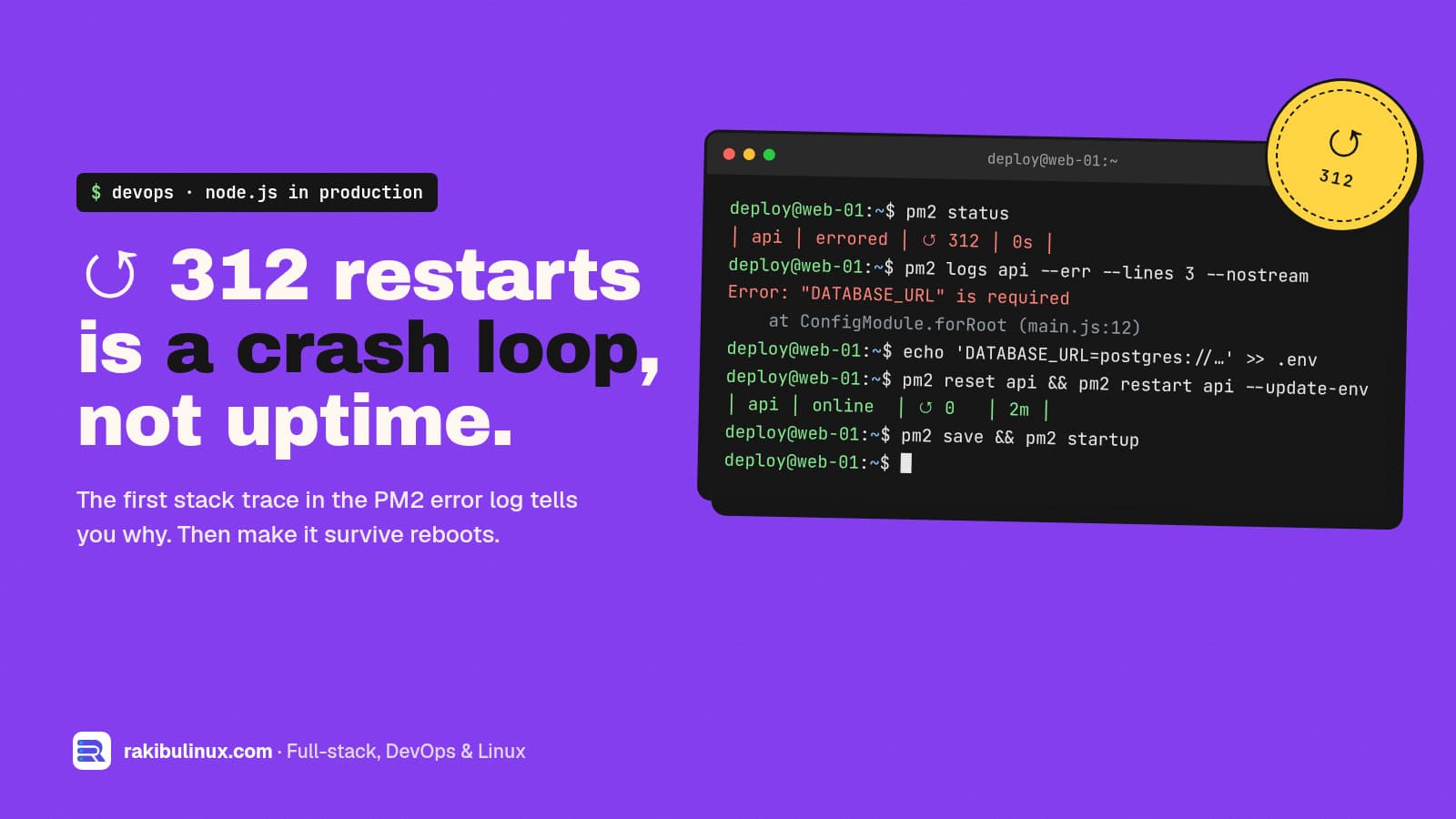
PM2 shows "errored" when your app crashed too fast too often and PM2 gave up. Run pm2 logs app --err --lines 50: the real error is in the first lines.
PM2 is excellent at hiding crashes, which is both its job and its problem. An app that dies every two seconds still looks "online" for a moment, the restart counter climbs into the hundreds, and eventually the status flips to errored and the site goes down. Both apps behind this website, a Next.js 16 frontend and a NestJS API, run under PM2 on an Ubuntu server, so I've debugged plenty of these. The cause is never PM2 itself. PM2 is only reporting that your app can't stay alive. Here's how to find out why, and how to set PM2 up so a crash loop can't take you down quietly.
Key takeaways
- The answer is in the error log:
pm2 logs app --err --lines 50, or the files in~/.pm2/logs/. Look for the first stack trace, not the last. - "errored" means PM2 stopped trying. Each crash within
min_uptimecounts as unstable; aftermax_restartsof them in a row, PM2 gives up. - A climbing ↺ counter on an "online" app is the same problem in slow motion: the app crashes after running a little while, so PM2 restarts it forever.
- Most crash loops are boring: a missing environment variable, a port already in use, no production build, or out of memory.
- PM2 keeps the environment from first start. Use
pm2 restart app --update-envafter changing variables.
Step 1: See what PM2 sees
pm2 status
pm2 describe web          # script path, cwd, interpreter, log paths, restarts
pm2 logs web --err --lines 50 --nostream
In pm2 status, watch two columns: status (online, stopped, errored) and ↺, the restart count. An app with 300 restarts and an uptime of 4 seconds is crash-looping even if it says online.
pm2 describe is underrated. It shows the exact script, working directory and interpreter PM2 uses. Many "it works when I run it myself" problems are a wrong cwd, so the app can't find .env or its build folder.
Step 2: Run the app by hand
If the logs are empty or confusing, stop PM2's copy and start the app the same way PM2 would, in the same folder:
pm2 stop web
cd /srv/app/current
NODE_ENV=production node dist/main.js       # or: npm start / bun run start
The crash now prints straight to your terminal. Fix it, then pm2 restart web.
Cause 1: Missing environment variables
Error: Config validation error: "DATABASE_URL" is required
TypeError: Cannot read properties of undefined (reading 'split')
The most common crash after a deploy. The .env file isn't in the folder PM2 runs from, a new variable was added in code but not on the server, or you changed a value and PM2 is still using the old environment. PM2 stores the environment from the first start, so:
pm2 restart web --update-env
Better: define the working directory and env in an ecosystem file, so every start is identical.
// ecosystem.config.js
module.exports = {
  apps: [{
    name: 'api',
    cwd: '/srv/app/current',
    script: 'dist/main.js',
    env: { NODE_ENV: 'production', PORT: 5000 },
    max_memory_restart: '600M',
    exp_backoff_restart_delay: 200,
  }],
};
Node 20.6 and later can also load an env file directly with node_args: '--env-file=.env'.
Cause 2: Port already in use
Error: listen EADDRINUSE: address already in use :::3000
Something else holds the port: an old process started outside PM2, a second PM2 app with the same port, or a duplicate PM2 daemon under another user (root and your deploy user each have their own PM2 list). Find it with sudo ss -tlnp | grep :3000. The full walkthrough is in my EADDRINUSE guide.
Cause 3: No build, or the wrong script
Error: Could not find a production build in the '.next' directory.
Error: Cannot find module '/srv/app/dist/main.js'
PM2 is starting code that doesn't exist yet: the deploy skipped the build, the build failed, or cwd points at the wrong release. For npm scripts, start PM2 like this, not with the script path:
pm2 start npm --name web -- start
pm2 start bun --name web -- run start     # for bun projects
On my server each deploy builds into a new release folder and only switches the current symlink after the build and a health check pass, so PM2 never starts a half-built app. The setup is in GitHub Actions deploy with auto-rollback.
Cause 4: Out of memory
If the log just stops, with no stack trace, the kernel may be killing the process. Check:
sudo journalctl -k --since "1 hour ago" | grep -i -E 'killed process|out of memory'
pm2 monit
Add swap as a safety net, set max_memory_restart a bit below what the server can spare so PM2 restarts the app before the kernel kills something random, and then find the leak. My OOM killer guide covers this in depth.
Cause 5: The database or another service isn't ready
Apps that connect to Postgres or Redis at startup crash if those aren't reachable. After a reboot, PM2 may start your app before the database is up. Usually a few restarts later it works, but with a fast crash it hits max_restarts first and stays errored. Two fixes: make the app retry its connection for a few seconds instead of exiting, and set exp_backoff_restart_delay so PM2 waits longer between attempts. If the database itself is the problem, see Prisma P1001 can't reach database server.
Cause 6: Unhandled promise rejection
Since Node 15, an unhandled promise rejection ends the process. One failed API call without a .catch() during startup is enough. The log shows UnhandledPromiseRejection with the original error. Add error handling where it happens; don't hide it with a global handler that keeps a broken process running.
After the fix: reset and make it survive reboots
pm2 reset web            # zero the restart counter so new crashes stand out
pm2 restart web
pm2 save                 # remember the current process list
pm2 startup              # prints one command; run it to start PM2 on boot
Install pm2-logrotate (pm2 install pm2-logrotate) so a crash loop can't fill the disk with logs. And add an external uptime check. PM2 restarting an app quietly is fine; PM2 giving up quietly is not. Uptime Kuma alerts you within a minute.
Prefer systemd over PM2? My systemd guide for Node.js does the same job with Restart=on-failure.
Frequently asked questions
What does "errored" mean in PM2?
PM2 restarted your app several times, each run crashed before reaching min_uptime, and after max_restarts unstable restarts it stopped trying. The app stays down until you fix the crash and restart it.
Why does my PM2 app keep restarting?
The app exits and PM2 brings it back, as designed. Common reasons are a missing environment variable, a port already in use, a missing build, running out of memory, or an unhandled error. pm2 logs app --err shows which.
Where are PM2 logs stored?
In ~/.pm2/logs/ of the user that runs PM2, as <app>-out.log and <app>-error.log. pm2 describe app prints the exact paths.
Does PM2 reload my .env file on restart?
No. PM2 keeps the environment from when the app was first started. Run pm2 restart app --update-env, or start from an ecosystem file that loads the env every time.
How do I make PM2 start my app after a server reboot?
Run pm2 startup, then run the command it prints, then pm2 save while your apps are running. PM2 restores that saved list on every boot.
App keeps crashing in production?
I run Node.js, Next.js and NestJS apps in production with PM2, and fix crash loops, memory leaks and broken deploys fast. Book my emergency server fix, see my DevOps services, or send me your pm2 logs.

Written by
MD Rakibul Islam Rakib
Full-stack developer, DevOps engineer and Linux system administrator with 5+ years of production experience. I deploy, harden and fix servers and web apps for clients worldwide, and everything in this article runs on real servers I manage, including this site.
- PM2 errored
- PM2 keeps restarting
- pm2 logs
- Node.js crash loop
- ecosystem.config.js
- max_memory_restart
- pm2 startup