Website "Not Secure" With SSL? Fix Mixed Content
 MD Rakibul Islam RakibFull-stack developer, DevOps & Linux engineer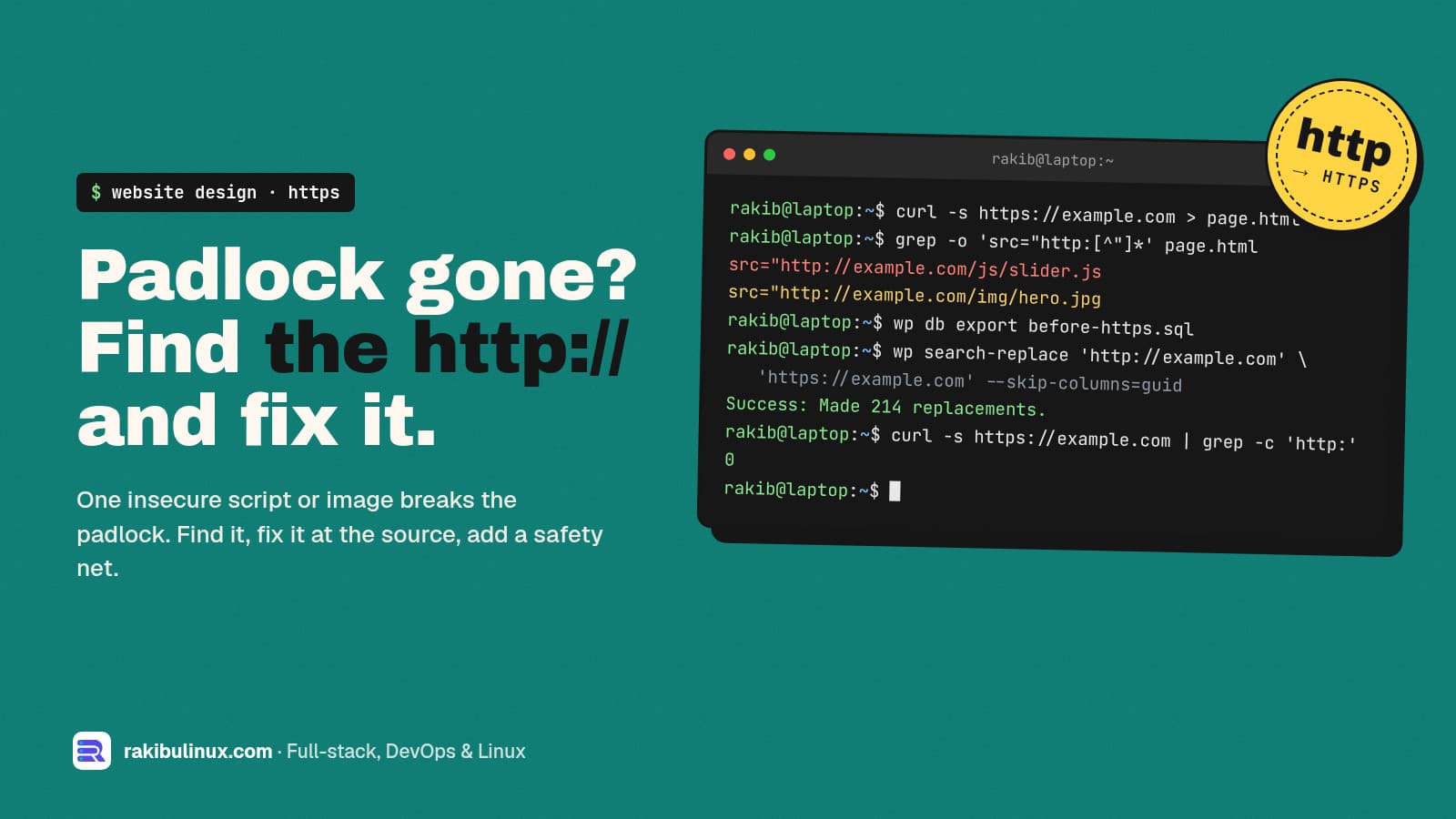
A site that shows "Not secure" with a valid SSL certificate is loading something over http://. Find it in the browser console, then switch those URLs to https.
You installed an SSL certificate, the address starts with https://, and the browser still shows "Not secure" or a broken padlock. Visitors notice. Some leave, and a contact or checkout form that looks unsafe loses leads. This is almost always mixed content: the page itself is secure, but it loads an image, script, font or form target over plain http://. I fix this during server moves and redesigns all the time, and it takes three steps: find the insecure URLs, fix them at the source, then add a safety net so new ones can't slip in.
Key takeaways
- Open DevTools (F12) → Console. Every insecure resource is listed as a "Mixed Content" warning with its exact URL.
- Scripts, stylesheets and iframes over http are blocked, which can break menus, sliders and forms, not only the padlock.
- The real fix is changing
http://tohttps://where the URL lives: the database, theme files, CSS, or a hard-coded embed. - A form that submits to
http://makes Chrome warn on submit. Check every form'saction. - Add
upgrade-insecure-requestsas a safety net, and redirect all http traffic to https.
Step 1: Find every insecure resource
Open the page in Chrome, press F12, and go to the Console tab. Reload. Mixed content shows up like this:
Mixed Content: The page at 'https://example.com/' was loaded over HTTPS,
but requested an insecure script 'http://example.com/wp-content/plugins/slider/slider.js'.
This request has been blocked; the content must be served over HTTPS.
The Security tab in DevTools gives a summary for the page. Check more than the homepage: blog posts, the shop, the contact page and checkout often load different files.
To scan from a terminal, search the raw HTML for http:// in the attributes that load things:
curl -s https://example.com/ | grep -oE '(src|href|action|srcset)="http://[^"]+"' | sort -u
curl -s https://example.com/wp-content/themes/mytheme/style.css | grep -o 'url(http://[^)]*' | sort -u
Plain links to other sites (<a href="http://...">) don't cause mixed content, though it's still worth updating them. What matters is anything the page loads: images, scripts, styles, fonts, iframes, video, and form targets.
Why browsers treat it differently
Browsers split mixed content into two kinds. For images, audio and video, Chrome first tries to load the same URL over https automatically, and only blocks it if that fails. Scripts, stylesheets, iframes and fetch requests are blocked outright, because an attacker on the network could change them and take over the page. That's why mixed content can do more than remove the padlock: a blocked jQuery or stylesheet can break the whole layout.
Step 2: Fix the URLs at the source
WordPress
Old http:// URLs live in the database: in post content, widget settings, theme options and page builder data. First set both addresses under Settings → General to https://. Then replace the rest with WP-CLI, which handles serialized data safely (a plain SQL replace can corrupt it):
wp db export before-https.sql          # backup first
wp search-replace 'http://example.com' 'https://example.com' --skip-columns=guid --dry-run
wp search-replace 'http://example.com' 'https://example.com' --skip-columns=guid
wp cache flush
Run the dry run first and read the counts. If you use a caching plugin or a CDN, purge it afterwards, or visitors keep seeing the old HTML.
Hard-coded URLs in themes, CSS and templates
Search the code for http:// and change your own domain's URLs to https or to relative paths (/images/logo.png):
grep -rn "http://" --include=*.{php,html,css,js,tsx} ./theme ./src | grep -v "http://www.w3.org"
For third-party files (an old widget, font or analytics script), switch to the provider's https URL. If a provider doesn't support https at all in 2026, replace it. It's also a security risk.
Forms
Check the action of every form, including newsletter embeds. A form posting to http:// makes Chrome show a warning when the visitor submits, which kills conversions on contact and checkout pages.
Step 3: "Not secure" but no mixed content?
If the console is clean, look at these instead:
- Your app thinks it's on http. Behind Nginx, a load balancer or Cloudflare, the app sees plain http and builds
http://links. Passproxy_set_header X-Forwarded-Proto $scheme;in Nginx and make the app trust it. In WordPress behind a proxy, check$_SERVER['HTTPS']handling inwp-config.php. - Cloudflare "Flexible" SSL. Browser to Cloudflare is encrypted, Cloudflare to your server isn't, and it often causes redirect loops. Install a certificate on the origin and use "Full (strict)". My too many redirects guide covers this.
- The certificate itself. Expired, issued for a different name (www vs non-www), or missing its chain. Click the padlock area to see the reason, and see Certbot renewal failed if it expired.
Step 4: Add a safety net
Redirect all http traffic to https with one 301, and tell browsers to upgrade any leftover http requests. In Nginx:
server {
    listen 80;
    server_name example.com www.example.com;
    return 301 https://www.example.com$request_uri;
}

# inside the https server block:
add_header Content-Security-Policy "upgrade-insecure-requests" always;
add_header Strict-Transport-Security "max-age=31536000" always;
upgrade-insecure-requests makes the browser fetch every http:// resource on the page over https. It hides problems rather than fixing them, so do it after step 2, not instead of it. HSTS tells browsers to always use https for your domain. Start with a short max-age if you're not sure every subdomain has a certificate.
Does mixed content hurt SEO?
HTTPS is a Google ranking signal, and Google's page experience guidance expects pages served securely. More directly, a "Not secure" warning and broken scripts hurt trust and conversions. If you just moved to https, also check that canonical tags, the sitemap and internal links all use the https URLs. My redesign without losing SEO checklist covers the redirect side, and crawled, currently not indexed helps if pages drop out afterwards.
Frequently asked questions
Why does my website say "Not secure" when I have SSL?
The page loads at least one resource over plain http, which is called mixed content, or the certificate has a problem such as being expired or issued for a different domain. The browser console lists any mixed content URLs.
How do I find mixed content on my website?
Open Chrome DevTools with F12, go to the Console and reload the page. Each insecure resource appears as a "Mixed Content" warning with its URL. Repeat on your main templates: home, blog post, product, contact and checkout.
Is upgrade-insecure-requests enough to fix mixed content?
It's a good safety net, but it only works if every resource is also available over https. Fix the URLs at the source first, then keep the header to catch anything you missed.
How do I fix mixed content in WordPress?
Set the WordPress and Site Address to https under Settings, then run wp search-replace from http to https with a backup and a dry run first. Fix any remaining hard-coded URLs in the theme or plugins and purge caches.
Does mixed content affect Google rankings?
HTTPS is a lightweight ranking signal, and mixed content weakens it. The bigger cost is lost trust: browser warnings and broken scripts make visitors leave and stop forms from converting.
Want a secure, fast site that converts?
I fix SSL, mixed content and redirect problems, and build business websites that are secure and SEO-ready from day one. See my technical SEO audit and fix, all website design services, or send me your URL.

Written by
MD Rakibul Islam Rakib
Full-stack developer, DevOps engineer and Linux system administrator with 5+ years of production experience. I deploy, harden and fix servers and web apps for clients worldwide, and everything in this article runs on real servers I manage, including this site.
- mixed content
- website not secure
- HTTPS
- SSL padlock
- upgrade-insecure-requests
- WordPress https
- Nginx