Taking Over a Codebase From Another Developer: Day One
 MD Rakibul Islam RakibFull-stack developer, DevOps & Linux engineer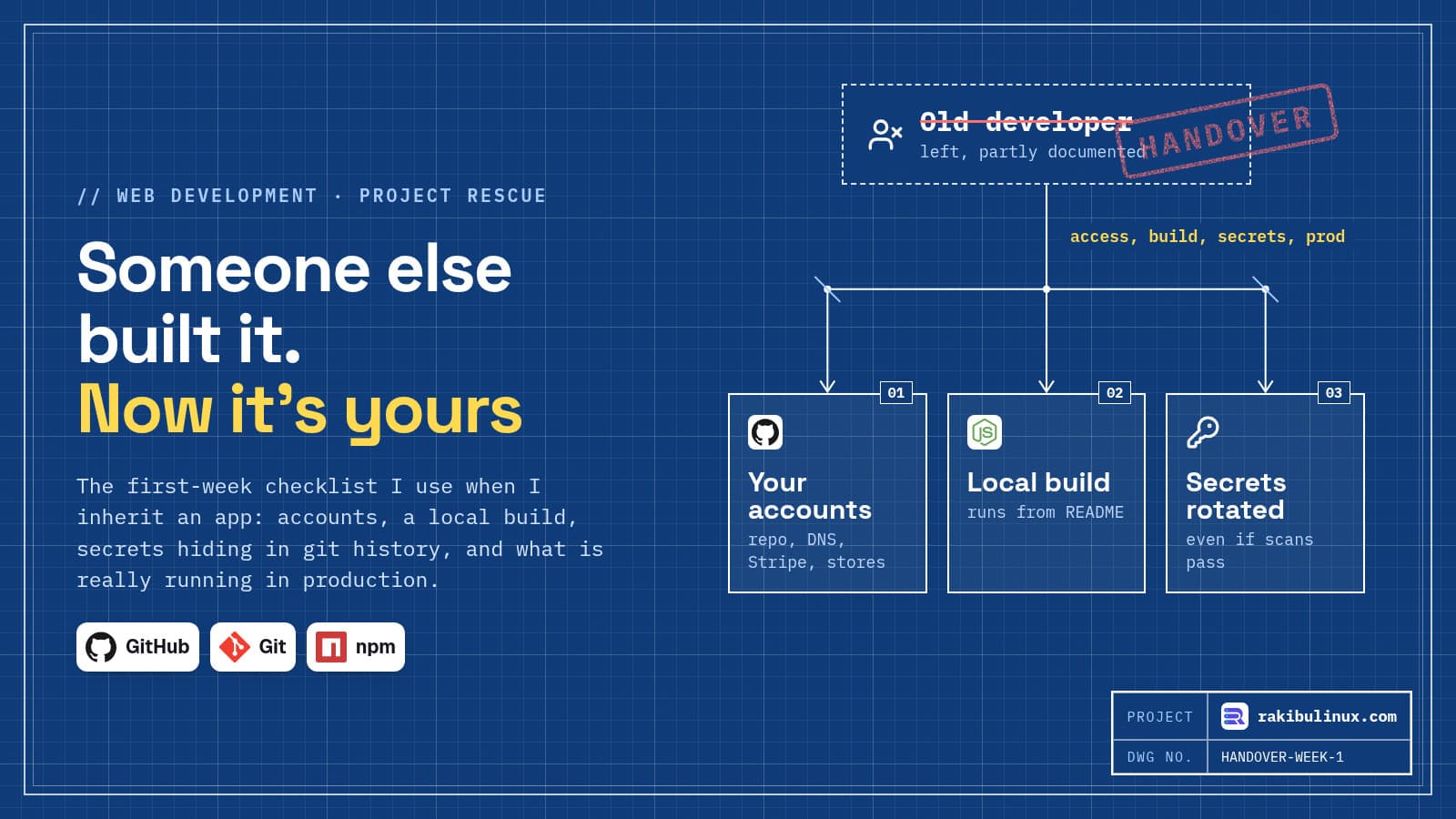
Taking over a codebase from another developer? Secure the accounts, get it building locally, rotate every secret and compare the repo with production.
A lot of my work starts with someone else's code. When I joined NETME in mid-2024, the product was already five codebases (two mobile apps, a website, a partner panel and an admin panel) on one API. MedicsBD began as an inherited Laravel app with 64 tables. Founders also come to me when a freelancer disappears or an agency contract ends. The first week decides whether the takeover is calm or painful, and it follows the same checklist every time.
Key takeaways
- Accounts before code. If the domain, repository or Stripe account is in the old developer's name, nothing else matters yet.
- Prove it builds. A fresh clone that runs locally from written steps is the first real milestone.
- Assume secrets leaked. In my test, gitleaks found a Stripe key in a deleted
.envin git history, but not the database password in the same file. Rotate everything anyway. - Production is the truth. Find out which commit is live and what runs on the server that isn't in the repo.
- Change nothing big in week one. Small, reversible fixes build trust; a rewrite plan comes later, if at all.
Step 1: take ownership of every account
Make a list and move each one into the business's name, with the owner as admin and the new developer as a member:
- Domain registrar and DNS (Cloudflare or similar)
- Git hosting: GitHub, GitLab or Bitbucket, including CI secrets and deploy keys
- Servers and cloud accounts, plus SSH keys on the servers
- Payment provider: Stripe or a local gateway, including webhook endpoints
- Apple Developer and Google Play Console accounts
- Email sending, SMS, push notifications, maps and other paid APIs
- Analytics, Search Console, error tracking and uptime monitoring
Then remove the old developer's access, politely and on the day the handover ends. Check ~/.ssh/authorized_keys on each server for keys nobody can name. If the old developer held an account personally and won't transfer it, that becomes the first priority, before any code change. My hiring checklist explains how to avoid this next time.
Step 2: get it running locally from scratch
Clone the repository into an empty folder and follow the README. If there is no README, write one as you go. The goal is a document that takes the next person from nothing to a running app.
git clone git@github.com:acme/app.git && cd app
cat package.json | jq '.engines, .scripts'   # Node version and the real commands
ls -a | grep -E 'env|docker|compose'          # .env.example? docker-compose.yml?
npm ci                                        # lockfile install, not npm install
Typical findings: a missing .env.example, a database that only exists on the old developer's laptop, a lockfile that doesn't match package.json, or a build that only works on one Node version. Write each one down. These notes become the handover document the project never had.
Step 3: find secrets in git history
A developer commits .env by accident, notices, deletes it, adds it to .gitignore and moves on. The file is gone from the working tree but stays in git history forever. Anyone who has ever had a copy of the repository has the keys.
I recreated exactly that for this post: a repo where the first commit contained a .env with a database URL and a Stripe live-format key, and the second commit removed it. Then I ran gitleaks 8.30.1 against the history:
docker run --rm -v "$PWD:/repo" zricethezav/gitleaks:latest git /repo --redact -v
Finding:     STRIPE_SECRET_KEY=REDACTED
RuleID:      stripe-access-token
File:        .env
Commit:      fc3a83f04832857ca2b403bcdbe1cb25063bbdd3
INF 2 commits scanned.
WRN leaks found: 1
It found the Stripe key in a file that no longer exists, which is exactly what you want. It did not flag the database URL with its password on the line above. On an earlier run, with a fake key made of an easy pattern, it found nothing at all. Scanners match known formats and random-looking strings. They are a good alarm, not a guarantee.
So the rule I follow: rotate every secret the old developer could have seen, whether a scan finds it or not. New database passwords, new API keys, new webhook signing secrets, new JWT and session secrets, new SSH keys. Rotating breaks things that use the old value, which is a useful way to discover where each secret is actually used.
Step 4: check dependencies and known vulnerabilities
npm audit --omit=dev     # known vulnerabilities in what ships
npm outdated             # how far behind each package is
node --version           # is the runtime itself still supported?
Don't upgrade everything at once. Sort the findings: anything exploitable in production code first, then runtimes that are out of support, then the rest. Also look for packages nobody recognises; typo-named and abandoned packages are a real attack route, which I cover in my npm supply chain post.
Step 5: compare the repo with production
The code in the repository and the code running for customers are often not the same. Find out:
- Which commit is live? Look at the deploy logs, the release folder on the server, or a version endpoint. If nobody knows, that is a finding in itself.
- Was anything edited on the server? Run
git statusin the deployed folder if it is a checkout. Hot fixes made over SSH and never committed are common. - What else runs there? Cron jobs (
crontab -lfor each user), systemd services, PM2 processes, queue workers. These are often missing from the repo entirely. - Where are the backups, and do they restore? If the answer is vague, take one now and test it. My disaster recovery guide shows a full restore drill.
Step 6: map the system, then make one small fix
By the end of the first week I write a one-page map: the parts of the system, where each runs, how it deploys, the third-party services and the known problems in order of risk. Then I ship one small, visible fix through the full process: branch, review, deploy, verify. It proves the pipeline works and gives the owner something real to look at.
The temptation with inherited code is to call it bad and propose a rewrite. Sometimes that is right; MedicsBD needed one. Usually it isn't. Code that has been serving customers has been tested by reality in ways a rewrite hasn't. Decide after a few weeks of working in it, not on day one.
What to ask the previous developer, if you can
- What breaks most often, and how do you fix it?
- What runs on a schedule, and what happens if it stops?
- Which parts are you least proud of?
- Is there anything on the server that isn't in the repository?
- Which accounts and keys exist that I might not know about?
Frequently asked questions
What should I get from a developer before they leave?
Admin access to every account in the business's name, the full repository with history, the live environment variables, server access, a list of scheduled jobs and third-party services, and how deploys and backups work. Get the accounts first; documentation can be rebuilt, ownership is harder.
How do I remove secrets from git history?
You can rewrite history with a tool like git filter-repo, but anyone who already cloned the repository keeps the old copy. Rotate the secret first, so the leaked value is worthless, and treat history cleaning as optional tidying.
Should I rewrite an inherited codebase?
Usually not at first. Work in it for a few weeks, fix the risky parts, and rewrite only when the business needs something the current design can't do. My Laravel to Next.js rewrite post covers what that decision looked like on a real project.
How long does a codebase takeover take?
For a typical web app, the first-week checklist above covers access, a local build, secrets and a production check. Getting comfortable enough to make big changes takes a few weeks of real work in the code.
Is gitleaks enough to find leaked secrets?
It is a good first scan, and it found a real-format Stripe key in deleted history in my test. It missed a database password in the same file. Use it, then rotate every credential anyway.
Inherited an app you don't understand?
I take over web apps and servers from other developers and agencies: access, secrets, a working build, a production check and a written map, then ongoing fixes. See my web development services or tell me what you inherited and get a fixed-price takeover audit.

Written by
MD Rakibul Islam Rakib
Full-stack developer, DevOps engineer and Linux system administrator with 5+ years of production experience. I deploy, harden and fix servers and web apps for clients worldwide, and everything in this article runs on real servers I manage, including this site.
- take over software project
- inherited codebase
- developer handover checklist
- secrets in git history
- gitleaks
- code audit
- project rescue