React Router 404 on Refresh in Nginx: The Fix
 MD Rakibul Islam RakibFull-stack developer, DevOps & Linux engineer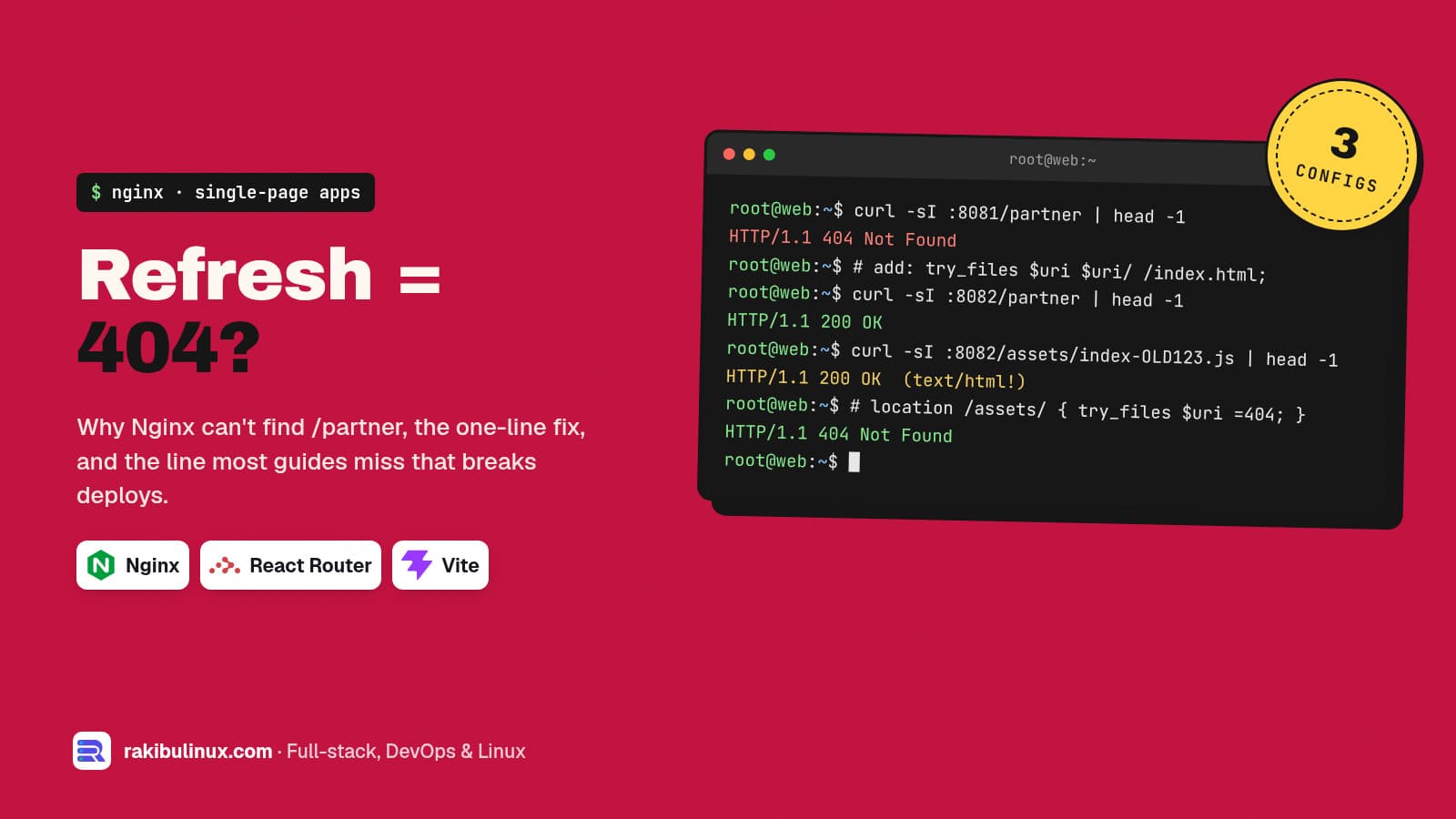
A React app 404s on refresh because Nginx looks for a file named /partner. Add try_files $uri $uri/ /index.html, and keep /assets/ out of the fallback.
Every client with a React or Vue single-page app hits this the day it goes live: the site works when you click around, but refreshing /partner or opening a shared link shows Nginx's "404 Not Found". The NETME website's README even lists it as a launch task ("configure the SPA fallback to index.html for all /de/* and /en/* routes"). I reproduced it with a Vite 8.3 + React Router 8.4 build on nginx:stable (1.30.5) on 13 October 2026, and the outputs below are from those containers.
Key takeaways
- The cause: React Router handles
/partnerin the browser, but on a refresh the browser asks the server, and there is nopartnerfile on disk. - The fix:
try_files $uri $uri/ /index.html;inlocation /. Status goes from 404 to 200. - The trap: that same line answers a missing JavaScript file with
index.htmland status 200, which breaks users after every deploy. - Give
/assets/its own location withtry_files $uri =404and a one-year immutable cache. Never cacheindex.html. - Watch for duplicate headers:
expiresplusadd_header Cache-Controlsent twoCache-Controlheaders in my test.
Why refresh gives 404 and clicking doesn't
When you click a <Link>, React Router changes the URL with the History API and renders the new page. No request goes to Nginx. When you refresh, the browser sends GET /partner to the server. A plain static config looks for /usr/share/nginx/html/partner, finds nothing and answers 404:
server {
    listen 80;
    root /usr/share/nginx/html;
    index index.html;
}
/ 200 text/html
/partner 404 text/html
The access log confirms it is Nginx, not your app:
"GET /partner HTTP/1.1" 404 153 "-" "curl/8.18.0"
The common fix: fall back to index.html
location / {
    try_files $uri $uri/ /index.html;
}
try_files checks each option in order: the exact file, then a directory, and if neither exists it serves /index.html. The browser loads the app, React Router reads /partner from the URL and renders the right page. Status 200.
That's where most answers on the internet stop. Here is what the same config does with a JavaScript file that no longer exists:
/ 200 text/html
/partner 200 text/html
/assets/index-OLD123.js 200 text/html
/assets/index-DrZgySbs.js 200 application/javascript
The deploy bug this creates
Vite names build files with a content hash, such as index-DrZgySbs.js. After a deploy, the old file is gone. A visitor who still has the old index.html open (or cached) asks for index-OLD123.js. With the fallback above, Nginx answers with your HTML page and status 200. Chrome then refuses it, and the page stays blank. I loaded exactly that state in headless Chrome:
Failed to load module script: Expected a JavaScript-or-Wasm module script but the server
responded with a MIME type of "text/html". Strict MIME type checking is enforced for module
scripts per HTML spec.
If you've seen that error in your error tracker right after deploys, this is why. A missing asset should be a 404, so the browser, a service worker or your lazy-route error boundary can react, for example by reloading the page once to get the new index.html.
The config I use
server {
    listen 80;
    root /usr/share/nginx/html;

    # hashed build files: never fall back to index.html
    location /assets/ {
        try_files $uri =404;
        add_header Cache-Control "public, max-age=31536000, immutable";
    }

    # app routes: prerendered file if there is one, else the SPA shell
    location / {
        try_files $uri $uri/index.html /index.html;
        add_header Cache-Control "no-cache";
    }
}
Tested results:
/ 200 text/html cc=no-cache
/partner 200 text/html cc=no-cache
/nope 200 text/html cc=no-cache
/assets/index-OLD.js 404 text/html
Why each part is there:
location /assets/matches Vite's default output folder. Missing files get a real 404. Change the path if your build uses another folder (Create React App used/static/).immutablefor one year is safe because a changed file gets a new name.no-cacheon HTML means browsers revalidate it every time, so a deploy shows up right away.$uri/index.htmlinstead of$uri/: if you prerender pages into folders likedist/partner/index.html,$uri/made Nginx answer/partnerwith a 301 redirect to/partner/in my test.$uri/index.htmlserves the file directly. (How to prerender is in React SPA SEO: why Google sees an empty page.)
Don't let expires and add_header fight
My first version used expires 1y; plus add_header Cache-Control "public, immutable";, a pattern you'll find in many guides. The response had both:
Expires: Wed, 13 Oct 2027 16:32:56 GMT
Cache-Control: max-age=31536000
Cache-Control: public, immutable
Browsers usually merge them, but some proxies and CDNs only read the first header. One add_header Cache-Control "public, max-age=31536000, immutable"; says the same thing once. Also remember that add_header in a location replaces every add_header from the server block. If you set security headers such as HSTS at server level, repeat them in each location that has its own add_header, or use an include file.
Behind Nginx: an API on the same domain
If /api/ is proxied to Node.js on the same server, give it its own location above the fallback, so an unknown API path returns your API's JSON 404 instead of the React app:
location /api/ {
    proxy_pass http://127.0.0.1:3000;
}
Nginx picks the longest matching prefix, so /api/ wins over / regardless of order. If the API then answers 502, my Nginx 502 Bad Gateway guide walks through the causes.
Test before you reload
sudo nginx -t && sudo systemctl reload nginx
curl -s -o /dev/null -w '%{http_code}\n' https://example.com/partner        # 200
curl -s -o /dev/null -w '%{http_code}\n' https://example.com/assets/nope.js # 404
curl -sI https://example.com/assets/$(ls dist/assets | grep '\.js$' | head -1) | grep -i cache-control
Frequently asked questions
Why does my React app work locally but 404 on the server?
The Vite dev server and vite preview already fall back to index.html for unknown paths. Nginx, Apache and most static hosts don't, until you configure it.
Should I use HashRouter to avoid this?
No. URLs like /#/partner avoid the server problem but hurt SEO, because search engines treat everything after # as one page. Fix the server and keep clean URLs.
Is it a problem that unknown URLs return 200?
For search engines, yes: they're soft 404s. Render a "page not found" view with <meta name="robots" content="noindex">, or prerender your known routes and return a real 404 for the rest.
Where does this go in an existing site config?
Inside the server block for your domain, usually in /etc/nginx/sites-available/<site> on Ubuntu, next to your SSL settings. On CloudPanel, edit the site's vhost in the panel.
Does the same fix work for Vue and Angular?
Yes. Any app with client-side routing in history mode needs the fallback. Only the asset folder name may differ.
Need your app deployed properly?
I set up Nginx, SSL, caching and zero-downtime deploys for React and Next.js apps on Ubuntu servers, and fix the ones that 404 or go blank after a release. See my Linux server administration services or send me your config.

Written by
MD Rakibul Islam Rakib
Full-stack developer, DevOps engineer and Linux system administrator with 5+ years of production experience. I deploy, harden and fix servers and web apps for clients worldwide, and everything in this article runs on real servers I manage, including this site.
- React Router 404 on refresh
- Nginx try_files SPA
- Vite Nginx config
- SPA fallback Nginx
- MIME type text/html module script
- Nginx cache headers