GDPR Website Checklist for Germany in 2026
 MD Rakibul Islam RakibFull-stack developer, DevOps & Linux engineer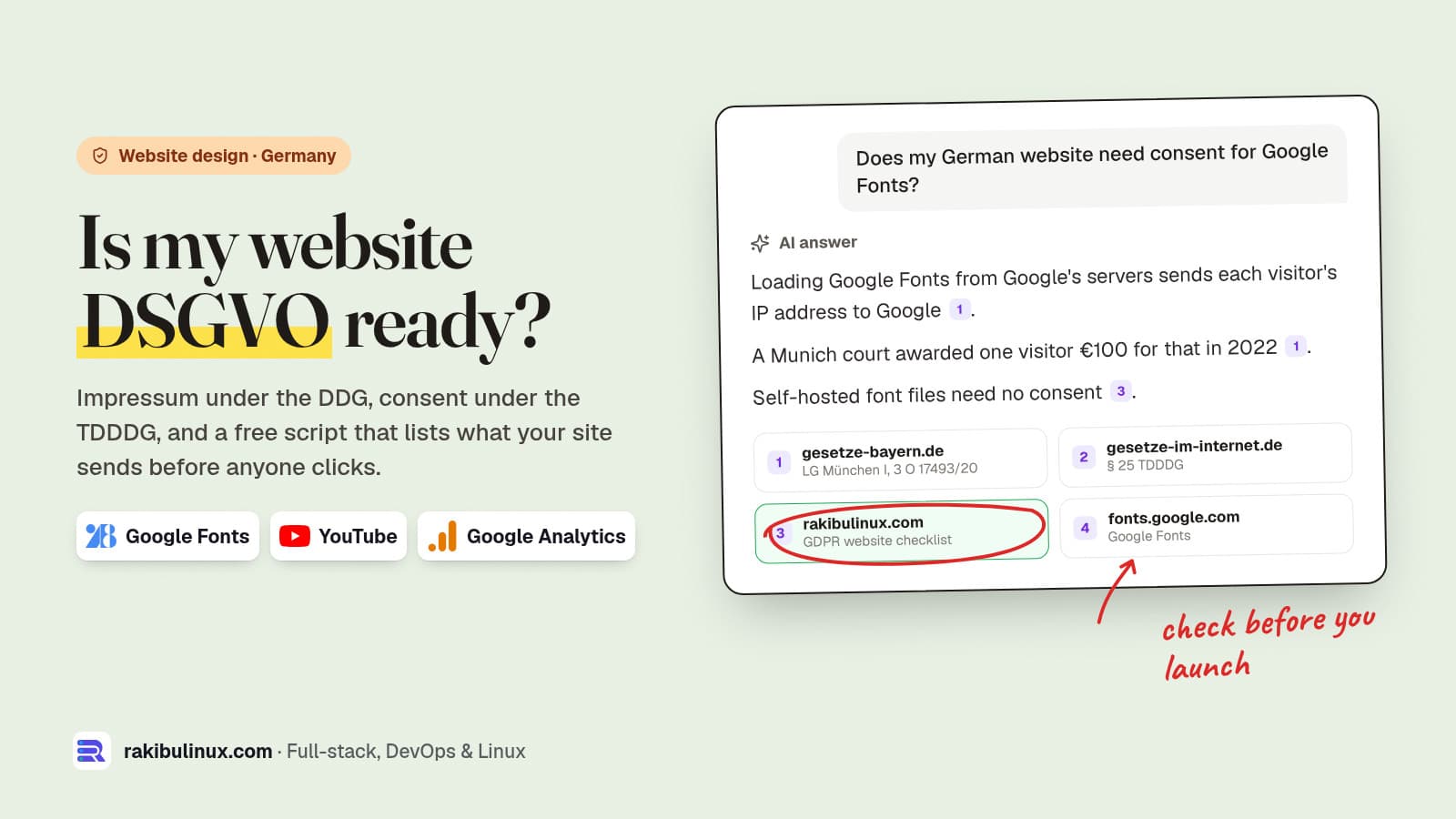
A German business website needs an Impressum under § 5 DDG, a privacy policy, and no third-party requests or cookies before consent. Check all three first.
I build websites for clients in Germany, including the new site and partner portal for NETME in Munich, and the legal pages are always the last thing anyone thinks about and the first thing a competitor's lawyer checks. This is the technical checklist I go through before a German site goes live, with a small script that shows what your site sends to other companies before a visitor clicks anything. I'm a developer, not a lawyer: use this to find problems, and have your legal texts written or checked by a lawyer or a reputable generator.
Key takeaways
- The laws were renamed in May 2024. The Impressum duty is now § 5 DDG (not TMG), and the cookie rule is § 25 TDDDG (not TTDSG). Old references on your site can attract warning letters.
- Nothing third-party before consent. Google Fonts, YouTube, Maps, analytics and reCAPTCHA all send the visitor's IP address when the page loads.
- Self-host fonts. In 2022 a Munich court awarded a visitor €100 because a site loaded Google Fonts from Google.
- Rejecting must be as easy as accepting in your cookie banner, and nothing optional may load until the visitor decides.
- Test it with a script, not your eyes. The scanner below lists every outside host your page contacts on first load.
1. Impressum: § 5 DDG, one click from every page
On 14 May 2024 the Telemediengesetz (TMG) was replaced by the Digitale-Dienste-Gesetz (DDG). The Impressum duty moved to § 5 DDG with practically the same content, but any text that still cites "§ 5 TMG" now names a law that no longer exists. Search your site for "TMG" and "TTDSG" and update both.
What a business Impressum usually contains: full name and legal form, a postal address (no P.O. box), a way to reach you quickly by email plus a second fast channel such as a phone number or contact form, the commercial register and number if registered, and the USt-IdNr. if you have one. Link it from the footer of every page with a clear label like "Impressum", so it is reachable in one click on mobile too.
2. A privacy policy that matches the site
The Datenschutzerklärung has to describe what your site really does: hosting and server logs, contact forms, newsletter, analytics, embedded maps or videos, payment providers, and who receives which data. The most common problem I see isn't a missing policy; it's a policy generated two years ago that doesn't mention the chat widget added last month. Every time a developer adds a third-party script, the policy needs a line.
3. Find every third-party request before consent
This is where most German sites fail without anyone noticing. Under § 25 TDDDG, storing or reading information on the visitor's device (cookies, local storage) needs consent unless it is strictly necessary. Separately, under the GDPR, sending the visitor's IP address to a third party needs a legal basis. A page that loads Google Fonts, a YouTube iframe and Google Analytics in its <head> does all of that before the banner has even appeared.
So I check it with a script. It starts headless Chrome, opens the page and lists every host outside your own domain that it contacted, without clicking anything:
// scan.mjs - list third-party hosts a page contacts before any click
// usage: node scan.mjs https://example.com   (Node 22+, google-chrome installed)
import { spawn } from 'node:child_process';
import { mkdtempSync } from 'node:fs';
import { tmpdir } from 'node:os';
import { join } from 'node:path';

const target = new URL(process.argv[2]);
const site = target.hostname.replace(/^www\./, '');   // first party: example.com and *.example.com
const port = 9333;
const chrome = spawn('google-chrome', ['--headless=new', `--remote-debugging-port=${port}`,
  `--user-data-dir=${mkdtempSync(join(tmpdir(), 'scan-'))}`, 'about:blank'], { stdio: 'ignore' });

let pages;
for (let i = 0; i < 50 && !pages; i++) {
  await new Promise((r) => setTimeout(r, 200));
  pages = await fetch(`http://127.0.0.1:${port}/json`).then((r) => r.json()).catch(() => null);
}
const ws = new WebSocket(pages.find((p) => p.type === 'page').webSocketDebuggerUrl);
await new Promise((r) => ws.addEventListener('open', r));
let id = 0;
const send = (method, params = {}) => ws.send(JSON.stringify({ id: ++id, method, params }));

const hosts = new Map();
ws.addEventListener('message', ({ data }) => {
  const msg = JSON.parse(data);
  if (msg.method !== 'Network.requestWillBeSent') return;
  const u = new URL(msg.params.request.url);
  if (!u.protocol.startsWith('http') || u.hostname === site || u.hostname.endsWith(`.${site}`)) return;
  hosts.set(u.hostname, (hosts.get(u.hostname) ?? 0) + 1);
});
send('Network.enable');
send('Page.navigate', { url: target.href });
await new Promise((r) => setTimeout(r, 8000));      // let async scripts and iframes start
ws.close(); chrome.kill();

if (!hosts.size) console.log('OK: no third-party requests before consent');
for (const [host, n] of [...hosts].sort((a, b) => b[1] - a[1])) console.log(`${String(n).padStart(3)}  ${host}`);
process.exit(hosts.size ? 1 : 0);
It needs no npm packages: Node 22 and newer ship WebSocket and fetch, and it talks to Chrome through the DevTools protocol. I ran it on two versions of the same café page on 13 October 2026. The first is built the way many small business sites are (Google Fonts link, Google tag, a YouTube embed and reCAPTCHA):
$ node scan.mjs http://localhost:8701/
  1  fonts.googleapis.com
  1  www.googletagmanager.com
  1  www.google.com
  1  www.youtube.com
  1  www.gstatic.com
  1  fonts.gstatic.com
Six Google hosts before the visitor did anything. The second version self-hosts the font and replaces the video with a click-to-load button:
$ node scan.mjs http://localhost:8702/
OK: no third-party requests before consent
The exit code is 1 when something is found, so you can run it in CI after every deploy. One limit: it lists the iframe's host (www.youtube.com) but not the requests made inside that iframe, so the real number of contacted hosts is higher. Run it on your own live homepage, contact page and any page with a map or video. The result is often a surprise.
4. Self-host your fonts
On 20 January 2022 the Regional Court of Munich (LG München I, case 3 O 17493/20) awarded a visitor €100 in damages because a website loaded Google Fonts from Google's servers, which passed his IP address to Google without consent. The court noted that the fonts could be used without contacting Google at all. After the ruling, many German site owners received letters demanding similar payments. The fix takes ten minutes: download the font files, serve them from your own domain, and remove the fonts.googleapis.com link.
@font-face {
  font-family: Outfit;
  font-weight: 700;
  font-display: swap;
  src: url(/fonts/outfit-700.woff2) format("woff2");
}
In Next.js, next/font/google downloads the files at build time and serves them from your domain, so the visitor's browser never contacts Google. This website uses it.
5. Videos, maps and widgets behind a click
A YouTube or Google Maps iframe contacts Google the moment the page loads. The "privacy-enhanced" youtube-nocookie.com domain still loads from Google. The clean pattern is a placeholder with a preview image you host yourself and a button: "Video laden (YouTube). Dabei werden Daten an Google übertragen." Only on click do you insert the iframe. The same goes for maps, chat widgets and social feeds.
6. A cookie banner that doesn't cheat
- Block first, load after consent. A banner that shows while Google Analytics already runs is decoration. Use the scanner to prove nothing loads before the click.
- "Ablehnen" as easy as "Akzeptieren". Same level, same prominence, no extra clicks to say no. That's what German data protection authorities expect.
- No pre-ticked boxes and a way to change the decision later, usually a link in the footer.
- Or skip the banner. If the site has only strictly necessary cookies and self-hosted, cookie-free analytics, you may not need a banner at all. My guide to self-hosting Umami analytics with Docker shows that setup; whether your exact setup is consent-free is a question for your lawyer.
7. Forms, hosting and contracts
- HTTPS everywhere, and only the fields you need. A tax number on a partner form is fine; a date of birth on a contact form isn't.
- A data processing agreement (Auftragsverarbeitungsvertrag, Art. 28 GDPR) with your hosting provider, email provider and any tool that processes visitor data.
- Spam protection without Google where possible; a honeypot needs no third party (see Turnstile vs reCAPTCHA vs honeypot).
- Accessibility: since June 2025 the European Accessibility Act applies to many consumer-facing sites and shops. My EAA website checklist covers it.
Frequently asked questions
Is a privacy policy generator enough?
A good German generator gives you a solid base, but only if you answer its questions truthfully and update it when the site changes. The scanner above helps you list the services you actually load.
Do I need a cookie banner if I don't use cookies?
If your site sets no non-essential cookies, uses no third-party embeds before a click and runs no tracking that needs consent, there may be nothing to ask consent for. Many sites only think they're in that position; scan the site first.
Is youtube-nocookie.com GDPR compliant?
It reduces cookies but still loads from Google's servers and passes the visitor's IP address. A click-to-load placeholder is the safer pattern.
Can I still use Google Analytics in Germany?
Many sites do, with consent through a proper banner and the right entries in the privacy policy. The EU-US Data Privacy Framework, which covers transfers to certified US companies, survived a challenge at the EU General Court in September 2025. If you'd rather avoid the topic, self-hosted analytics is the simpler route.
What does "TMG" in my Impressum mean now?
It refers to the old Telemediengesetz, replaced by the DDG on 14 May 2024. Change the reference to § 5 DDG; the required content stayed practically the same.
Want your site checked?
I build and fix websites for German businesses with self-hosted fonts, click-to-load embeds, privacy-friendly analytics and clean consent, and I run this scanner on every launch. See my website design services or send me your URL for a technical check.

Written by
MD Rakibul Islam Rakib
Full-stack developer, DevOps engineer and Linux system administrator with 5+ years of production experience. I deploy, harden and fix servers and web apps for clients worldwide, and everything in this article runs on real servers I manage, including this site.
- GDPR website checklist Germany
- DSGVO Website
- Impressum DDG
- TDDDG cookies
- Google Fonts DSGVO
- cookie banner Germany
- privacy-friendly website