Stop Form Spam: Turnstile vs reCAPTCHA vs Honeypot
 MD Rakibul Islam RakibFull-stack developer, DevOps & Linux engineer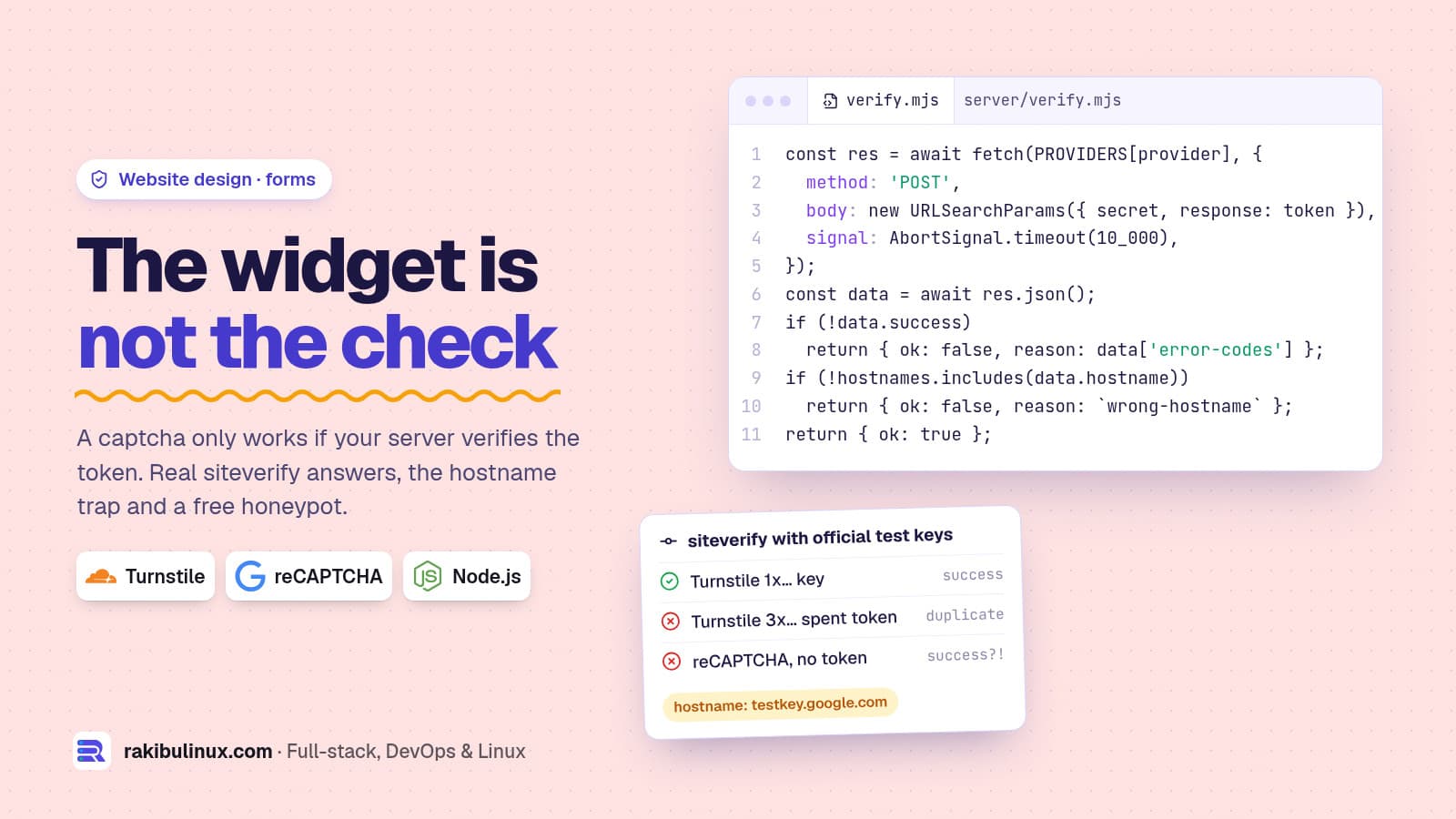
To stop form spam, add a honeypot field first, then Cloudflare Turnstile or reCAPTCHA, and always verify the token on your server, including its hostname.
The prototype of the NETME partner form came with a pretty reCAPTCHA checkbox on its last step. Its README said it plainly: this is a visual placeholder, it doesn't stop anything, replace it before launch and verify the token on the server.
I see the same mistake on client sites all the time, only without the honest README: a captcha widget on the page and no server check, so bots post straight to the API and never load the widget at all. Below is the version that works, with responses from the real verification endpoints, called with Google's and Cloudflare's official test keys on 13 October 2026.
Key takeaways
- The widget does nothing alone. It gives the browser a token. Only your server's call to
siteverifydecides. - Check the hostname in the answer. A token from another site, or from a test key, comes back as
success: truetoo. - Start with a honeypot. One hidden field and a time check stop most dumb bots for free and with no third-party request.
- Turnstile is the easier pick in 2026. It's free with no request limit, and usually invisible. reCAPTCHA is free up to 10,000 assessments a month since Google moved it into Google Cloud.
- Both send visitor data to a US company. In the EU, name it in your privacy policy, and consider loading it only on the form step.
Layer 1: a honeypot and a time check (free)
Most form spam comes from scripts that fill every input and submit instantly. Add a field humans never see, and record when the form was shown:
<!-- off-screen, not display:none (some bots skip hidden inputs) -->
<div style="position:absolute;left:-10000px" aria-hidden="true">
  <label>Website <input name="company_website" tabindex="-1" autocomplete="off"></label>
</div>
<input type="hidden" name="form_started_at" value="1791909549000">
export function looksLikeBot(body) {
  if (body.company_website) return 'honeypot';                  // humans never see it
  const ms = Date.now() - Number(body.form_started_at);
  if (!Number.isFinite(ms) || ms < 3000) return 'too-fast';     // a whole form in under 3 s
  return null;
}
What it returned in my test:
honeypot filled   honeypot
sent after 0.4 s  too-fast
no timestamp      too-fast
human, 41 s       null
Two honest limits. A bot written for your site can leave the honeypot empty and wait three seconds, so this filters the bulk, not targeted attacks. And a timestamp the browser sends can be faked; for something better, have the server put a signed timestamp in the form (an HMAC of the time with a server secret) and check the signature. When a bot is caught, answer with a normal "thank you" page, so its author doesn't learn which rule fired.
Layer 2: Turnstile or reCAPTCHA
If spam still gets through, or the form triggers something expensive (an email to your team, an SMS, a payment setup), add a challenge. The two common choices:
- Cloudflare Turnstile: free, with no limit on challenges and up to 20 widgets per account on the free plan. You don't need to host the site on Cloudflare. Most visitors never see a puzzle. Tokens are valid for 300 seconds and can be checked once.
- Google reCAPTCHA: v2 is the "I'm not a robot" checkbox, v3 is invisible and returns a score. In 2025 Google moved all classic keys into Google Cloud projects. The free tier is 10,000 assessments per month; above that, Google Cloud pricing applies.
For a contact or partner form on a small business site, I use Turnstile. The rest of this post works for both, because their verify APIs are nearly identical.
The server check that actually stops bots
// verify.mjs (Node 18+, no dependencies)
const PROVIDERS = {
  turnstile: 'https://challenges.cloudflare.com/turnstile/v0/siteverify',
  recaptcha: 'https://www.google.com/recaptcha/api/siteverify',
};

export async function verifyCaptcha({ provider, secret, token, ip, hostnames }) {
  if (!token || token.length > 2048) return { ok: false, reason: 'missing-token' };
  const body = new URLSearchParams({ secret, response: token });
  if (ip) body.set('remoteip', ip);
  let data;
  try {
    const res = await fetch(PROVIDERS[provider], {
      method: 'POST', body, signal: AbortSignal.timeout(10_000) });
    data = await res.json();
  } catch {
    return { ok: false, reason: 'verify-unreachable' };
  }
  if (!data.success) return { ok: false, reason: (data['error-codes'] ?? []).join(',') };
  if (!hostnames.includes(data.hostname)) {
    return { ok: false, reason: `wrong-hostname:${data.hostname}` };
  }
  return { ok: true };
}
Call it before you save anything or send any email. The secret key stays in an environment variable on the server; it must never reach your React bundle.
const check = await verifyCaptcha({
  provider: 'turnstile',
  secret: process.env.TURNSTILE_SECRET,
  token: req.body['cf-turnstile-response'],
  ip: req.ip,
  hostnames: ['www.example.com', 'example.com'],
});
if (!check.ok) return res.status(400).json({ error: 'Please try again.' });
What the verify endpoints really return
Both providers publish test keys that always pass or always fail, so you can test without solving anything. I ran my function against the real endpoints with them:
turnstile pass key                   {"ok":true}
turnstile pass key, our hostnames    {"ok":false,"reason":"wrong-hostname:example.com"}
turnstile fail key                   {"ok":false,"reason":"invalid-input-response"}
turnstile spent key                  {"ok":false,"reason":"timeout-or-duplicate"}
recaptcha test key                   {"ok":false,"reason":"wrong-hostname:testkey.google.com"}
no token at all                      {"ok":false,"reason":"missing-token"}
Three things surprised me, and each is a real bug waiting in someone's code:
- reCAPTCHA's test secret says
success: trueeven with no token. I sent a request with only the secret and got{"success": true, "hostname": "testkey.google.com"}. If someone leaves the test key in production, every request passes. Checking the hostname catches it, and so does refusing an empty token before calling Google. - A wrong reCAPTCHA secret says
invalid-input-response, notinvalid-input-secret. Turnstile reported a bad secret correctly asinvalid-input-secret. Don't rely on error codes to find config mistakes; log them and test your real keys once after deploy. - Turnstile's test keys answer with
hostname: "example.com"and ametadata.result_with_testing_key: trueflag. In development, addexample.comto your allowed hostnames or the hostname check will fail as it did in line two above.
Turnstile tokens can be checked once. If your API retries the verify call after a network error, send the same idempotency_key (a UUID) with both calls, as Cloudflare documents, or the retry fails with timeout-or-duplicate.
Captchas and GDPR in Germany
Both widgets load scripts from a US company and send it data about the visitor, starting with the IP address. Whether that needs the visitor's consent is debated in Germany, and reCAPTCHA gets the most criticism because the data goes to Google. I'm not a lawyer, so treat this as a developer's checklist, not legal advice:
- Name the service, purpose and legal basis in your privacy policy (Datenschutzerklärung).
- Load the widget only on the step that needs it, not on every page of the site.
- If the honeypot is enough for your traffic, you need no third party at all.
To see what your site sends to third parties before anyone clicks, run the small scanner from my GDPR website checklist for Germany.
Frequently asked questions
Is Cloudflare Turnstile really free?
Yes. The free plan has no limit on challenges and allows up to 20 widgets per account, and you can use it on sites that aren't on Cloudflare's network. Cloudflare's paid plans add extra features on top.
Is reCAPTCHA still free in 2026?
Up to 10,000 assessments per month. Google migrated classic reCAPTCHA keys into Google Cloud projects during 2025, and usage above the free tier is billed through Google Cloud. A small business contact form rarely gets near the limit.
Is a honeypot enough on its own?
For many small sites, yes: generic spam bots fill every field. If you see spam that leaves the honeypot empty and waits, the bot was written for your form, and it's time for Turnstile or reCAPTCHA.
Why check the hostname if success is true?
A valid token from a different website, or from a test key left in production, also returns success: true. The hostname tells you the token was made on your site.
Where do I put the captcha in a multi-step form?
On the last step, right before submit, because tokens expire after a few minutes. If the user takes long, ask the widget for a fresh token instead of failing the whole form.
Spam in your inbox right now?
I fix contact, quote and sign-up forms so the real leads arrive and the bots don't, with server-side checks and a privacy-friendly setup. See my website design services or tell me which form is getting spammed. Building a longer form? Read multi-step forms in React with Zod.

Written by
MD Rakibul Islam Rakib
Full-stack developer, DevOps engineer and Linux system administrator with 5+ years of production experience. I deploy, harden and fix servers and web apps for clients worldwide, and everything in this article runs on real servers I manage, including this site.
- Turnstile vs reCAPTCHA
- stop form spam
- Cloudflare Turnstile
- reCAPTCHA server verification
- honeypot field
- contact form spam
- GDPR captcha