Install ERPNext 16 on Ubuntu 24.04 for Production
 MD Rakibul Islam RakibFull-stack developer, DevOps & Linux engineer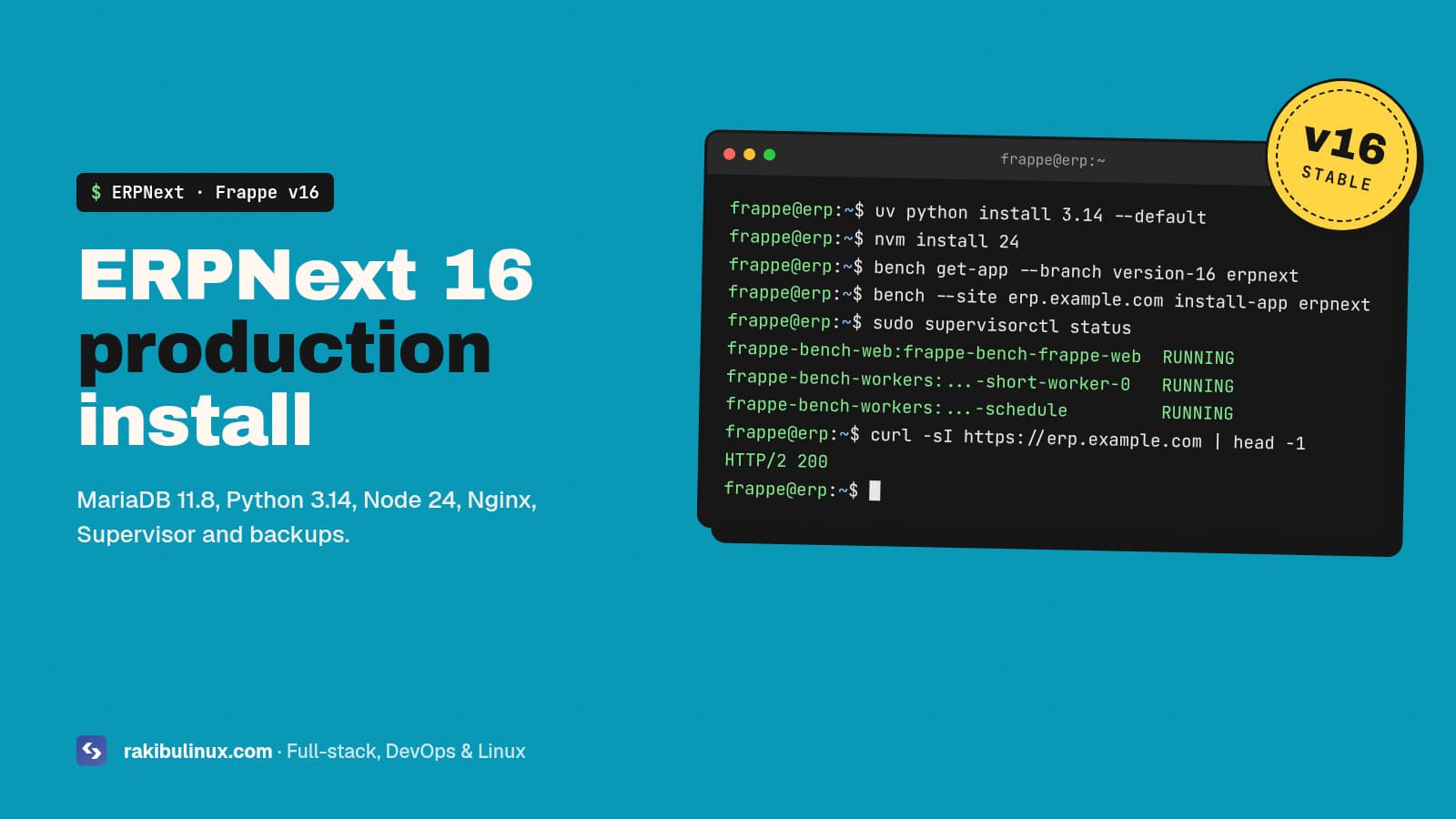
Install ERPNext 16 on Ubuntu 24.04: add MariaDB 11.8, Python 3.14 (uv) and Node 24, run bench init on version-16, install erpnext, then bench setup production.
ERPNext is the open-source ERP I install and customise most for small and mid-size companies, and I have built ERPNext backends for custom mobile apps, including a real-time RFID inventory system with a handheld UHF reader. The most common request I get is not a new feature; it is "our install broke during an update" or "the server is slow". Almost every time, the root cause is the install itself: wrong database settings, the wrong Python, or a development setup running in production. Version 16 (final release on 12 January 2026) raised the requirements again, so here is the clean production install I use now.
Key takeaways
- v16 needs newer tools than Ubuntu 24.04 ships: Python 3.14, Node 24 and MariaDB 11.8. Install them from uv, nvm and the MariaDB repository.
- Run bench as a normal user (for example
frappe), never as root. - Set MariaDB to utf8mb4 before you create the first site, or you will fight encoding errors later.
bench startis for development. Production usesbench setup productionwith Nginx and Supervisor.- Back up before every update and test updates on a copy of the site first.
What do you need before installing?
- Server: Ubuntu 24.04 LTS, 4 GB RAM as the minimum. I give real companies 8 GB and 4 vCPU, because background jobs, reports and PDF printing all need memory.
- Disk: 40 GB or more on SSD. Attachments and backups grow fast.
- Domain:
erp.example.compointing to the server, for HTTPS. - Hardening first: SSH keys, firewall with only 22, 80 and 443 open. My Ubuntu 24.04 hardening checklist covers it.
The official requirements for version 16 are Python 3.14, Node.js 24, MariaDB 11.8, Redis 6 or newer, Yarn 1.22+ and wkhtmltopdf 0.12.6 with patched Qt. Check the Frappe installation docs before you start, because they change between major versions.
Step 1: Create the frappe user and install packages
sudo adduser frappe
sudo usermod -aG sudo frappe
sudo apt update
sudo apt install -y git curl redis-server libmariadb-dev pkg-config \
  xvfb libfontconfig nginx supervisor
Step 2: Install MariaDB 11.8 and set utf8mb4
Ubuntu 24.04's own MariaDB is the 10.11 series, older than v16 wants, so add MariaDB's official repository for the 11.8 series:
curl -LsS https://r.mariadb.com/downloads/mariadb_repo_setup | \
  sudo bash -s -- --mariadb-server-version="mariadb-11.8"
sudo apt install -y mariadb-server mariadb-client
sudo mariadb-secure-installation
Then create /etc/mysql/mariadb.conf.d/99-frappe.cnf:
[mysqld]
character-set-client-handshake = FALSE
character-set-server = utf8mb4
collation-server = utf8mb4_unicode_ci

[mysql]
default-character-set = utf8mb4
sudo systemctl restart mariadb
Remember the MariaDB root password. Bench asks for it every time it creates a site.
Step 3: Install wkhtmltopdf with patched Qt
ERPNext prints invoices and reports to PDF with wkhtmltopdf, and the version in Ubuntu's repository is not the patched-Qt build, which breaks headers and footers. Download the 0.12.6.1 "with patched qt" package for your system from the wkhtmltopdf packaging releases and install it with sudo apt install ./wkhtmltox_*.deb. Confirm with wkhtmltopdf --version; it should say "with patched qt".
Step 4: Python 3.14, Node 24 and bench (as frappe)
sudo su - frappe

curl -LsSf https://astral.sh/uv/install.sh | sh
source ~/.bashrc
uv python install 3.14 --default

curl -o- https://raw.githubusercontent.com/nvm-sh/nvm/master/install.sh | bash
source ~/.bashrc
nvm install 24
npm install -g yarn

uv tool install frappe-bench
bench --version
uv keeps Python 3.14 separate from the system Python that Ubuntu's own tools depend on. Never replace /usr/bin/python3.
Step 5: Create the bench, the site and install ERPNext
bench init --frappe-branch version-16 frappe-bench
cd frappe-bench
chmod -R o+rx /home/frappe

bench new-site erp.example.com
bench get-app --branch version-16 erpnext
bench --site erp.example.com install-app erpnext
bench --site erp.example.com enable-scheduler
bench use erp.example.com
Name the site after its domain. With DNS-based multitenancy (bench config dns_multitenant on) one bench can serve several companies, each on its own domain and database. Need HR and payroll too? Install the hrms app the same way with --branch version-16.
Step 6: Switch to production (Nginx + Supervisor)
sudo env "PATH=$PATH" bench setup production frappe
bench setup nginx
sudo supervisorctl restart all
sudo nginx -t && sudo systemctl reload nginx
This writes Nginx and Supervisor configs that run Gunicorn, Socket.IO, the background workers and the scheduler as services that start at boot. If bench setup production complains about a missing tool, install it and rerun; on some setups it needs ansible. Check everything is running with sudo supervisorctl status.
Step 7: HTTPS with Let's Encrypt
sudo apt install -y certbot python3-certbot-nginx
sudo certbot --nginx -d erp.example.com
Rerunning bench setup nginx regenerates the Nginx config and can drop the certificate lines certbot added. If HTTPS breaks after a bench change, run certbot again. If renewal ever fails, my guide to fixing Certbot renewal errors walks through the causes.
Step 8: Backups and safe updates
bench --site erp.example.com backup --with-files
ls sites/erp.example.com/private/backups/
Backups on the same server are not backups. Copy the database dump and file archives off-site every night (S3, another server, or rclone to cloud storage), and test a restore on a spare server every few months. My Linux backup guide shows the automation. Before bench update:
- Take a fresh backup with files.
- Restore it to a staging copy and run the update there first.
- Check custom apps, print formats and integrations on staging.
- Update production in a quiet hour.
Common ERPNext install problems
- Site loads without CSS: assets were not built or Nginx can't read them. Run
bench buildand check that the home folder permissions allow Nginx to readsites/assets. - Emails and reports never run: the scheduler is disabled, or workers are down. Check
bench --site erp.example.com doctorandsupervisorctl status. - PDFs have no header or footer: wkhtmltopdf is not the patched-Qt build.
- 502 Bad Gateway after a reboot or update: Gunicorn didn't start. Read the Supervisor logs in
frappe-bench/logs/; my Nginx 502 guide covers the general debugging path.
Docker instead?
Frappe also ships Docker images (the frappe_docker project and the easy-install.py script). Docker is a good choice when you run many sites or want identical staging and production. For one company on one server, I still prefer the bench install above: fewer layers, simpler debugging, and the community guides match what you see.
Frequently asked questions
Can ERPNext 16 run on Ubuntu 24.04?
Yes. Ubuntu 24.04 works well, but install Python 3.14 with uv, Node 24 with nvm and MariaDB 11.8 from MariaDB's repository, because the Ubuntu packages are older than version 16 requires.
How much RAM does ERPNext need?
4 GB is the minimum for a small setup. For a company with daily users, background jobs and PDF printing, I recommend 8 GB, and more if you run several sites on one bench.
Is ERPNext free?
Yes. ERPNext and the Frappe Framework are open source, so you can self-host without licence fees. You pay for the server, and for setup, customisation and support if you hire help.
Should I upgrade from ERPNext 15 to 16?
Yes, but on a staging copy first. Check that your custom apps support version 16, update the server tools (Python, Node, MariaDB), then migrate production after testing.
Self-hosted ERPNext or Frappe Cloud?
Frappe Cloud is managed hosting run by the ERPNext makers, with updates handled for you. Self-hosting gives you full control, custom server-side integrations and data on your own server.
Want ERPNext installed, fixed or customised?
I install ERPNext in production, upgrade old versions, fix broken benches and build custom apps and mobile integrations on top of it. See my web development services or tell me about your ERPNext setup.

Written by
MD Rakibul Islam Rakib
Full-stack developer, DevOps engineer and Linux system administrator with 5+ years of production experience. I deploy, harden and fix servers and web apps for clients worldwide, and everything in this article runs on real servers I manage, including this site.
- ERPNext 16
- install ERPNext
- Frappe bench
- Ubuntu 24.04
- MariaDB 11.8
- ERPNext production setup
- open source ERP