Jasmin SMS Gateway: Install & Configure on Ubuntu
 MD Rakibul Islam RakibFull-stack developer, DevOps & Linux engineer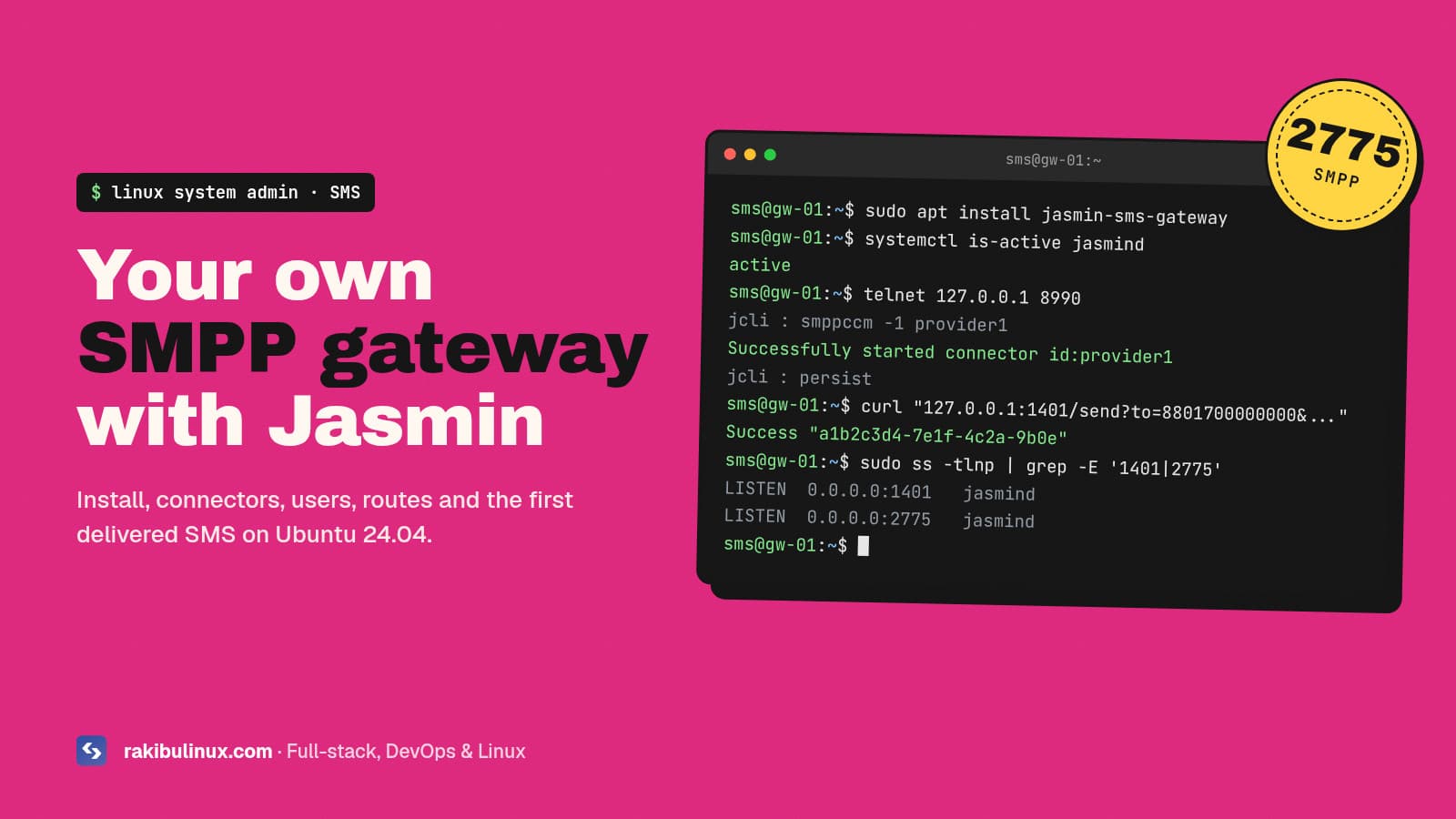
To set up Jasmin SMS gateway on Ubuntu, install RabbitMQ and Redis, add the Jasmin apt repo, start jasmind, then add an SMPP connector, user and route in jCli.
Jasmin is the open-source SMPP gateway I have installed most often for clients, from small schools sending exam results to companies starting their own bulk SMS business in Africa and the USA. My Jasmin and playSMS install videos on YouTube have been watched by thousands of admins since 2020, and the same questions keep coming back: which ports to open, why the first message fails, and how to route by country. This guide answers them for a fresh Ubuntu 24.04 server.
Key takeaways
- Jasmin needs RabbitMQ and Redis on the same server (or reachable over a private network) before you install the gateway itself.
- Three ports matter:
8990for the jCli admin console,1401for the HTTP API and2775for the SMPP server your customers bind to. - Every message needs a route. A user plus a connector is not enough; without an MT route, sends fail with a routing error.
- Run
persistafter changes in jCli, or your connectors, users and routes are gone after a restart. - Change the default jCli password and never expose port 8990 to the internet.
What is Jasmin SMS gateway?
Jasmin is an open-source SMS gateway written in Python. It sits between your applications and one or more SMSCs (the SMPP servers run by mobile operators or SMS aggregators). Your apps send messages through a simple HTTP API or by binding over SMPP, and Jasmin routes each message to the right upstream connector, tracks delivery receipts (DLRs) and handles inbound messages (MO). It is the routing engine behind many bulk SMS platforms. If you want a web panel for customers on top, see my guide to starting a bulk SMS business with Jasmin and playSMS.
Server requirements
- OS: Ubuntu 20.04 or newer. I use Ubuntu 24.04 LTS.
- Size: 2 vCPU and 4 GB RAM is plenty for a single gateway with a few connectors. Throughput is usually limited by your upstream SMPP account, not by the server.
- Network: a static public IP. Most SMS providers whitelist the IP that binds to their SMSC, so tell them your server IP before you test.
- Security baseline: SSH keys only and a firewall. My Ubuntu 24.04 hardening checklist covers that part.
Step 1: Install RabbitMQ and Redis
sudo apt update
sudo apt install -y rabbitmq-server redis-server
sudo systemctl enable --now rabbitmq-server redis-server
Jasmin uses RabbitMQ as its message queue (every SMS passes through it) and Redis to keep DLR and message-ID mappings. Both listen on localhost by default, which is what you want.
Step 2: Install Jasmin from the official repository
curl -s https://setup.jasminsms.com/deb | sudo bash
sudo apt install -y jasmin-sms-gateway
sudo systemctl enable --now jasmind
systemctl status jasmind --no-pager
The main config file is /etc/jasmin/jasmin.cfg. Check that the three ports are listening:
sudo ss -tlnp | grep -E '8990|1401|2775'
If you prefer containers, the project also publishes a Docker image with a compose file for Jasmin, Redis and RabbitMQ. For a single dedicated gateway I stay with the package: fewer moving parts and plain systemd logs.
Step 3: Log in to jCli and change the admin password
telnet 127.0.0.1 8990
# Username: jcliadmin
# Password: jclipwd
Those are the public defaults, so change them. The [jcli] section of /etc/jasmin/jasmin.cfg holds admin_username and admin_password, where the password is stored as an MD5 hash. Generate it, set it and restart:
echo -n 'a-long-random-password' | md5sum
sudo nano /etc/jasmin/jasmin.cfg      # [jcli] admin_password = <hash>
sudo systemctl restart jasmind
jCli binds to 127.0.0.1 by default. Keep it that way and reach it over SSH.
Step 4: Add your upstream SMPP connector
Your SMS provider gives you a host, port, system ID (username) and password. Add them as an SMPP client connector:
jcli : smppccm -a
> cid provider1
> host smpp.provider.example
> port 2775
> username your_system_id
> password your_password
> submit_throughput 10
> ok
Successfully added connector [provider1]

jcli : smppccm -1 provider1
smppccm -1 starts the connector. submit_throughput is messages per second; set it to what your provider allows, or they will throttle or drop the bind. List connectors and their status with smppccm -l.
Step 5: Create a group, a user and a route
jcli : group -a
> gid customers
> ok

jcli : user -a
> username acme
> password S3cretPass
> gid customers
> uid acme
> ok

jcli : mtrouter -a
> type DefaultRoute
> connector smppc(provider1)
> rate 0.0
> ok

jcli : persist
The default route sends every outgoing (MT) message to provider1. Once you have several providers, add static routes with destination filters, for example one route for numbers starting with +880 and another for +1, so each country goes to the provider with the best price and delivery for it. The rate field is what each message costs the user, which Jasmin deducts from the user's balance when you enable billing quotas.
Step 6: Send your first SMS with the HTTP API
curl "http://127.0.0.1:1401/send?username=acme&password=S3cretPass&to=8801700000000&from=MyBrand&content=Hello+from+Jasmin"
Success "a1b2c3d4-..."
A Success response with a message ID means Jasmin accepted the message and queued it to a connector. It does not mean the phone received it. For that, ask for a delivery receipt:
&dlr=yes&dlr-url=https://app.example.com/sms/dlr&dlr-level=3
Jasmin calls your dlr-url with the message id and message_status (for example DELIVRD). Your endpoint must reply with the body ACK/Jasmin, otherwise Jasmin keeps retrying. Customers who prefer SMPP bind to port 2775 with the same username and password, so one user account works for both. There is also a /balance endpoint for a user's remaining credit and a Prometheus /metrics endpoint for monitoring.
Step 7: Lock down the ports
sudo ufw allow from 203.0.113.10 to any port 2775 proto tcp   # a customer's SMPP client
sudo ufw allow 443/tcp                                         # HTTP API behind Nginx + TLS
sudo ufw deny 1401/tcp
sudo ufw deny 8990/tcp
The HTTP API sends the password in the query string, so never expose port 1401 over plain HTTP. Put Nginx with a TLS certificate in front of it, or keep it private and call it only from your own app on the same network. If you run Jasmin in Docker, remember that published ports skip UFW; I explain the fix in Docker bypasses UFW.
Common Jasmin errors and fixes
- Connector never binds or keeps reconnecting: the provider has not whitelisted your IP, or the system ID, password or port is wrong. Check
/var/log/jasmin/and ask the provider what they see. - HTTP 412 / no route found: the user's group has no MT route that matches the destination. Add a
DefaultRouteor a matching static route. ESME_RINVSRCADRfrom the provider: your sender ID (thefromvalue) is not approved for that route or country. Register it with the provider, or send from a number they allow.- Everything vanished after a restart: you forgot
persistin jCli. - Unicode text arrives as question marks: send with the right
coding(8 for UCS2) for Bangla, Arabic and other non-Latin scripts.
Frequently asked questions
Is Jasmin SMS gateway free?
Yes. Jasmin is open source and free to run on your own server. What you pay for is the upstream SMPP account from an aggregator or operator, charged per message, plus the server it runs on.
What ports does Jasmin use?
By default jCli listens on 8990, the HTTP API on 1401 and the SMPP server on 2775. Only the SMPP port should be reachable from customer IPs; the other two stay private or behind a TLS proxy.
Can Jasmin send SMS without an SMPP provider?
No. Jasmin is a gateway and router, not a carrier. It needs at least one upstream connection, usually an SMPP account from an SMS aggregator, an operator, or an HTTP API provider.
Jasmin or Kannel?
Both are mature open-source SMS gateways. I choose Jasmin for new projects because it has a clean HTTP API, user accounts with billing, routing filters and an SMPP server for resellers built in. Kannel is older and stronger for direct GSM modem setups.
How many messages per second can Jasmin handle?
Far more than most upstream accounts allow. In practice, throughput is set by each provider's agreed TPS, which you mirror with submit_throughput on the connector. Add more connectors or providers to send faster.
Need a Jasmin SMS gateway set up for you?
I install, configure and maintain Jasmin and playSMS gateways for businesses and SMS resellers: SMPP connectors, per-country routing, DLR callbacks, billing, TLS and monitoring. See my Linux system admin services or send me your SMS project details.

Written by
MD Rakibul Islam Rakib
Full-stack developer, DevOps engineer and Linux system administrator with 5+ years of production experience. I deploy, harden and fix servers and web apps for clients worldwide, and everything in this article runs on real servers I manage, including this site.
- Jasmin SMS gateway
- SMPP gateway
- bulk SMS
- Jasmin jCli
- Ubuntu 24.04
- SMS gateway setup
- Linux system admin