Self-Host Jitsi Meet with JWT Auth and Jibri Recording
 MD Rakibul Islam RakibFull-stack developer, DevOps & Linux engineer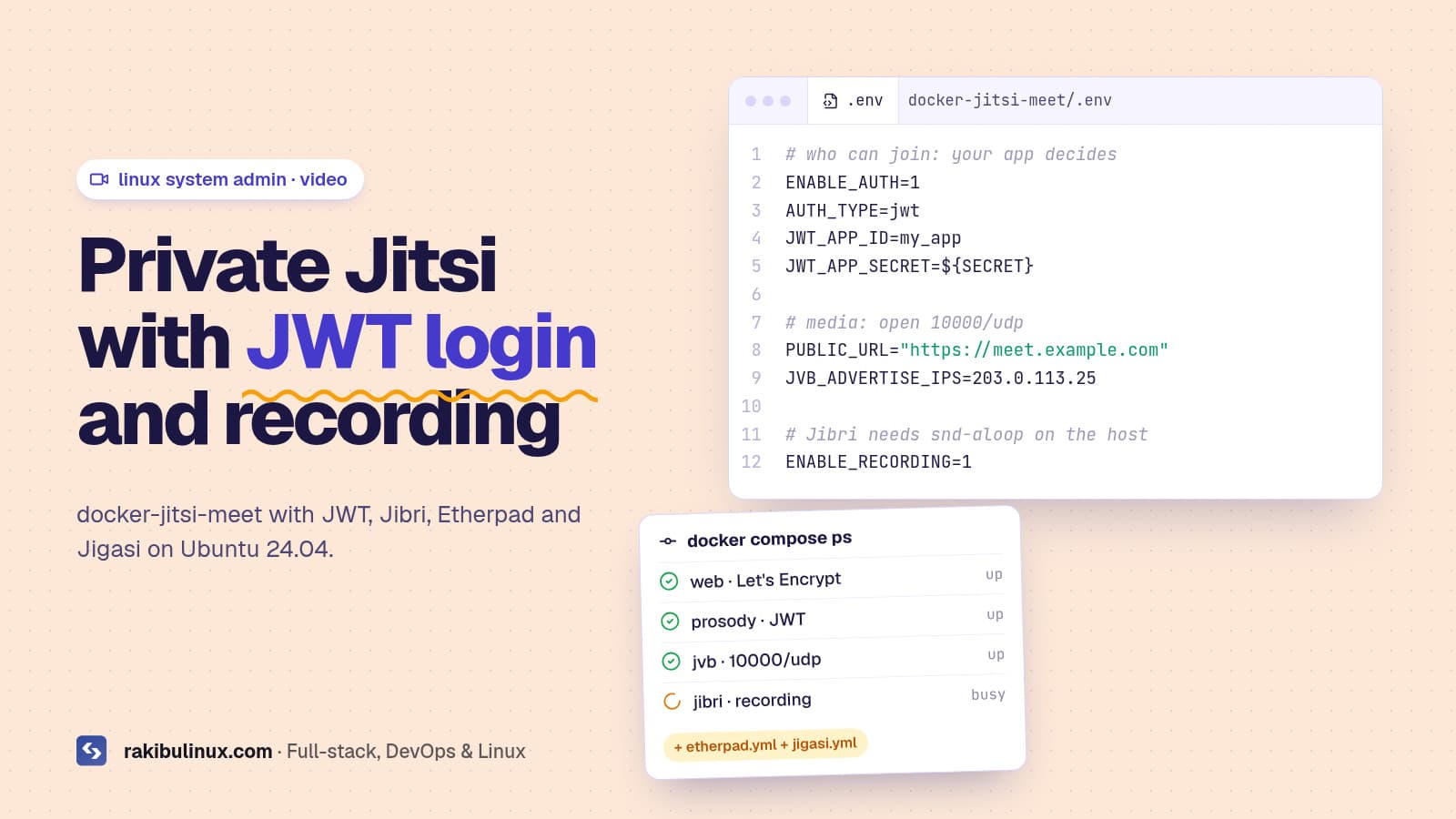
To self-host Jitsi Meet with JWT and recording, run docker-jitsi-meet on Ubuntu 24.04, set AUTH_TYPE=jwt in .env, open UDP 10000 and add jibri.yml for Jibri.
Jitsi Meet is the video conferencing setup I get asked about most after SMS gateways. Schools want private classrooms, clinics want consultations that never touch a third-party cloud, and SaaS teams want video calls inside their own app where only logged-in users can join. My Jitsi install videos (JWT, Jibri, Jigasi and Etherpad on a Linux server) still bring in requests every month. This is the setup I use today: the official Docker images, JWT so your app decides who gets in, and recording that actually works.
Key takeaways
- Use docker-jitsi-meet when you need JWT, Jibri, Etherpad or Jigasi. Each add-on is one extra compose file instead of a manual install.
- Open UDP 10000 and set
JVB_ADVERTISE_IPSto the public IP. If calls work with two people and break with three, this is why. - JWT means your app issues the tickets. No token, no meeting, and the token can make someone a moderator.
- One Jibri records one meeting at a time. Plan Jibri instances for the number of parallel recordings you need.
- Jigasi needs a SIP account from a VoIP provider for phone dial-in and dial-out.
Docker or Debian packages?
The Jitsi handbook supports both. The Debian packages (apt install jitsi-meet, plus jitsi-meet-tokens for JWT) are fine for a plain meeting server on Ubuntu 24.04. Once you add JWT, recording, shared notes and phone dial-in, the Docker setup is easier to reproduce and upgrade: everything lives in one .env file, and each component is a separate container you can restart on its own. I use Docker for client projects for that reason.
Server requirements
- Ubuntu 24.04 with Docker Engine and the Compose plugin.
- A domain like
meet.example.compointing to the server, for the Let's Encrypt certificate. - CPU and bandwidth matter more than RAM for the video bridge. Jibri is heavier: every recording runs a full Chrome browser and ffmpeg, so put it on its own server once you record often.
- Firewall ports: 80/tcp and 443/tcp for the web and certificates,
10000/udpfor media.
Step 1: Download the release and generate passwords
wget $(wget -q -O - https://api.github.com/repos/jitsi/docker-jitsi-meet/releases/latest | grep zip | cut -d\" -f4)
unzip stable-* && cd jitsi-docker-jitsi-meet-*
cp env.example .env
./gen-passwords.sh
mkdir -p ~/.jitsi-meet-cfg/{web,transcripts,prosody/config,prosody/prosody-plugins-custom,jicofo,jvb,jigasi,jibri}
Use a release zip, not a git clone of the main branch. gen-passwords.sh writes strong internal passwords into .env; the containers refuse to start without them.
Step 2: Set the domain, ports and public IP
# .env
CONFIG=~/.jitsi-meet-cfg
HTTP_PORT=80
HTTPS_PORT=443
TZ=Asia/Dhaka
PUBLIC_URL=https://meet.example.com
ENABLE_LETSENCRYPT=1
LETSENCRYPT_DOMAIN=meet.example.com
LETSENCRYPT_EMAIL=admin@example.com
JVB_ADVERTISE_IPS=203.0.113.25
JVB_ADVERTISE_IPS is the public IP the video bridge tells browsers to send media to. Get it wrong and the third participant never connects. Then start the base stack and test a meeting:
docker compose up -d
docker compose ps
Step 3: Turn on JWT authentication
# .env
ENABLE_AUTH=1
AUTH_TYPE=jwt
JWT_APP_ID=my_app
JWT_APP_SECRET=a-long-random-secret-shared-with-your-backend
Restart with docker compose up -d. From now on, a meeting URL only works with a valid token: https://meet.example.com/project-review?jwt=<token>. Your backend signs that token with the shared secret after the user logs in to your app. A minimal Node.js example with the jsonwebtoken package:
import jwt from "jsonwebtoken";

const token = jwt.sign(
  {
    aud: "jitsi",
    iss: "my_app",              // = JWT_APP_ID
    sub: "*",                   // domain or tenant, * for all
    room: "project-review",     // or * for every room
    context: { user: { name: "Rakib", email: "rakib@example.com", moderator: true } },
  },
  process.env.JWT_APP_SECRET,
  { algorithm: "HS256", expiresIn: "2h" },
);
Keep tokens short-lived and per room, so a leaked link stops working. The moderator flag only takes effect when the token_affiliation Prosody module is enabled (for example XMPP_MUC_MODULES=token_affiliation) and Jicofo's auto-owner is turned off; otherwise the first person to join becomes moderator. Test this with two browsers before you go live, because it is the part that differs most between Jitsi versions.
Step 4: Add recording with Jibri
Jibri records by joining the meeting as a hidden participant in Chrome and capturing the screen and audio with ffmpeg. On the host it needs the ALSA loopback kernel module:
sudo apt install -y linux-modules-extra-$(uname -r)
sudo modprobe snd-aloop
echo snd-aloop | sudo tee -a /etc/modules
lsmod | grep snd_aloop
Some cloud kernels ship without snd-aloop. If modprobe fails, switch the server to the generic kernel, or pick a provider whose image includes it, before you go further. Then enable recording and start the extra container:
# .env
ENABLE_RECORDING=1

docker compose -f docker-compose.yml -f jibri.yml up -d
Recordings land in the Jibri storage folder under your CONFIG directory as MP4 files. Move them to object storage on a schedule, or the disk fills up; I cover cleanup in fixing "No space left on device". One Jibri container handles one recording or live stream at a time, so add more Jibri instances (ideally on separate servers) for parallel recordings.
Step 5: Shared notes with Etherpad
# .env
ETHERPAD_URL_BASE=http://etherpad.meet.jitsi:9001

docker compose -f docker-compose.yml -f etherpad.yml up -d
A "Shared document" button appears in meetings, and everyone in the room edits the same pad. The pad URL is internal to the Docker network, so you don't open any new ports.
Step 6: Phone dial-in and dial-out with Jigasi
Jigasi is the SIP gateway that lets people join by phone, or lets the meeting call a phone number. You need a SIP account from a VoIP provider:
# .env
JIGASI_SIP_URI=meet@sip.provider.example
JIGASI_SIP_PASSWORD=your-sip-password
JIGASI_SIP_SERVER=sip.provider.example
JIGASI_SIP_PORT=5060

docker compose -f docker-compose.yml -f jibri.yml -f etherpad.yml -f jigasi.yml up -d
That last command is the full stack. Save it as a script, because you need the same file list for every pull, up and down.
Step 7: Firewall and Docker
sudo ufw allow 80/tcp
sudo ufw allow 443/tcp
sudo ufw allow 10000/udp
Docker publishes its ports through iptables directly, so UFW rules alone don't protect containers. Read why Docker bypasses UFW before you assume an internal port is closed.
Troubleshooting
- Two people fine, the third breaks everything: with two participants Jitsi uses a direct peer-to-peer call. From three it goes through the video bridge, so UDP 10000 is blocked or
JVB_ADVERTISE_IPSis wrong. - "You have been disconnected" right after joining with a token: the token is expired, signed with the wrong secret, or
issdoesn't matchJWT_APP_ID. Decode it at jwt.io and compare. - Recording button missing:
ENABLE_RECORDING=1isn't set, or the Jibri container isn't running. Checkdocker compose logs jibri. - Jibri starts then fails: usually
snd-aloopisn't loaded, or the server is out of CPU.
Frequently asked questions
Is self-hosted Jitsi Meet free?
Yes. Jitsi Meet is open source and free to self-host. You pay for the servers and bandwidth, plus a SIP account if you use phone dial-in.
How many participants can one Jitsi server handle?
It depends on CPU, bandwidth and how many people send video. Test with your real meeting sizes, then scale out by adding video bridges rather than buying one huge server.
Can I embed Jitsi in my own app?
Yes. The Jitsi Meet IFrame API embeds meetings in any website, and with JWT your backend decides who can join each room and who is moderator.
Jitsi or LiveKit?
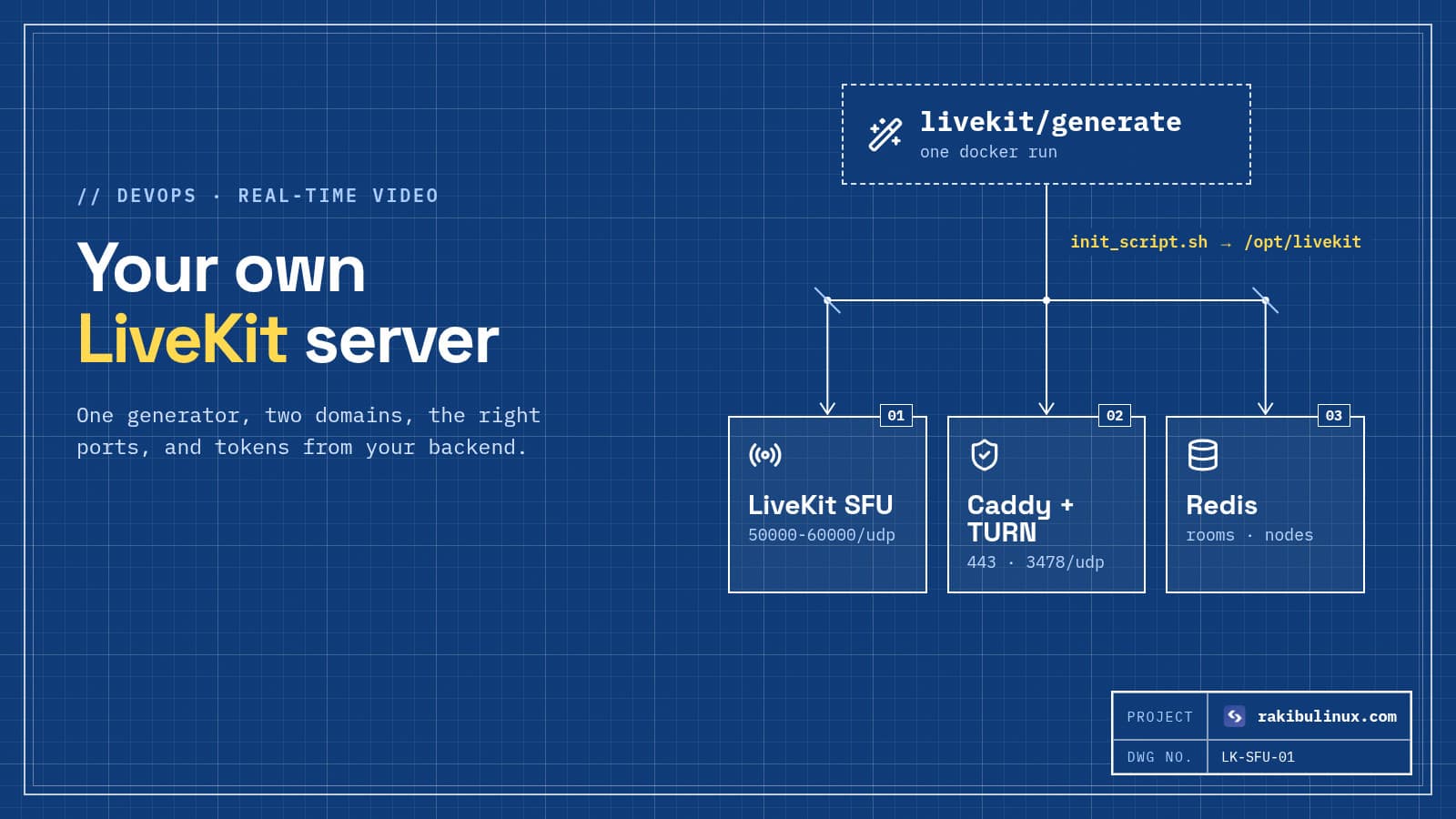
Jitsi is a complete meeting app you can run today. LiveKit is a media server and SDKs for building your own video or voice AI product. I compare them in my LiveKit self-hosting guide.
Can Jibri live stream to YouTube?
Yes. Jibri can stream a meeting to an RTMP endpoint such as YouTube Live instead of recording to a file. Like recording, each stream uses one Jibri.
Need a private Jitsi server for your team or app?
I install and maintain Jitsi Meet with JWT login from your app, Jibri recording, Etherpad, Jigasi phone dial-in, HTTPS, backups and monitoring. See my Linux system admin services or tell me how many people join your meetings.

Written by
MD Rakibul Islam Rakib
Full-stack developer, DevOps engineer and Linux system administrator with 5+ years of production experience. I deploy, harden and fix servers and web apps for clients worldwide, and everything in this article runs on real servers I manage, including this site.
- Jitsi Meet
- Jitsi JWT
- Jibri recording
- docker-jitsi-meet
- Jigasi
- Etherpad
- self-hosted video conferencing