Reduce AWS EC2 Costs: 10 Checks Before You Resize
 MD Rakibul Islam RakibFull-stack developer, DevOps & Linux engineer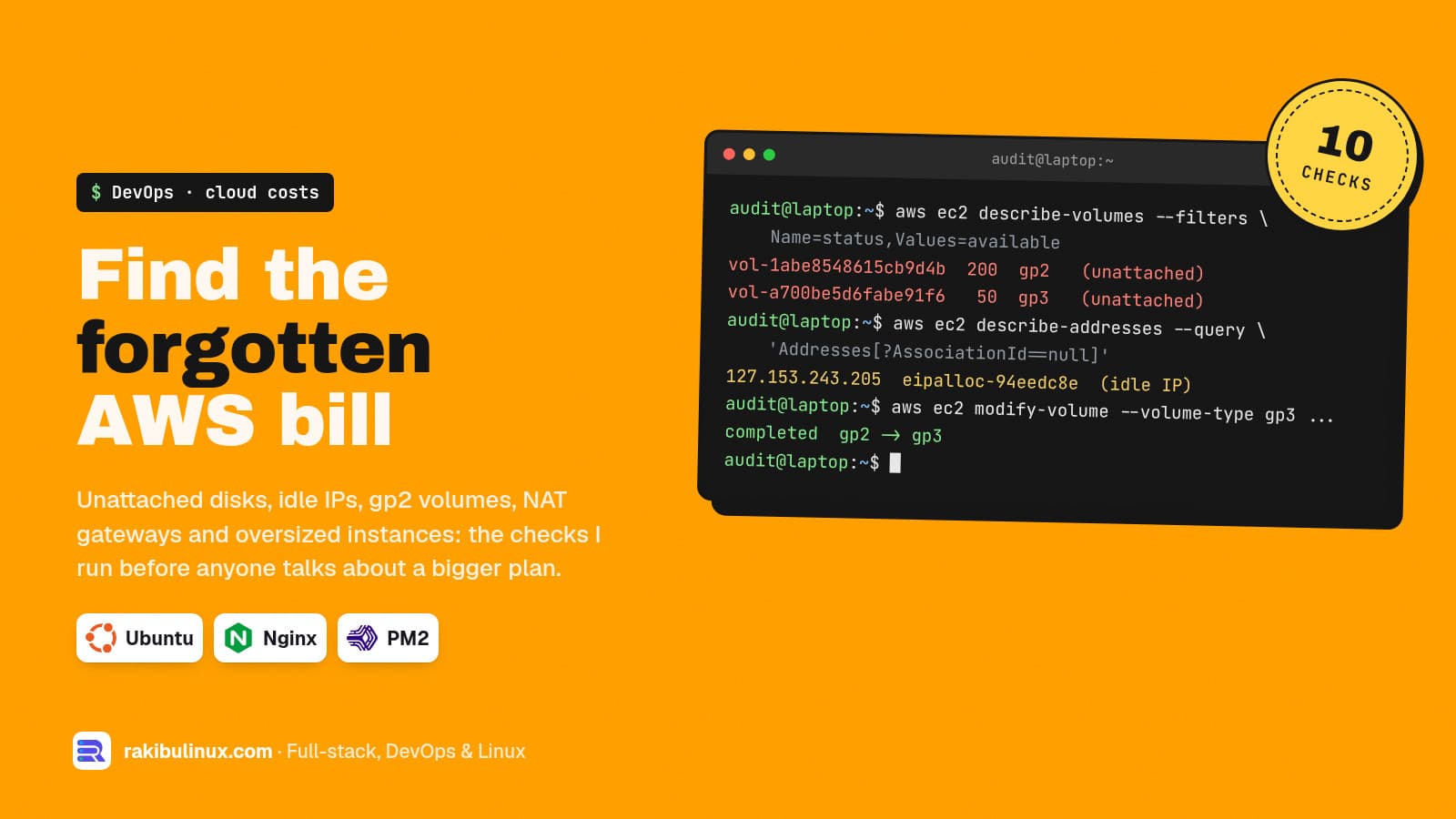
Cut an EC2 bill by removing waste first: unattached volumes, idle public IPs, gp2 disks, NAT traffic and oversized instances. Then buy Savings Plans.
When a founder tells me their AWS bill keeps growing, the cause is rarely one big mistake. It is a dozen small leftovers: a disk from an instance deleted last year, a staging server nobody stops, an Elastic IP from a test, snapshots taken "just in case" that are still there. Each one is a few dollars. Together they are a line item. This checklist is the order I go through an account in, with the AWS CLI commands I use.
The commands below were run against moto, a local AWS mock, so you can see the output shape without touching a real account. Prices are the US East (N. Virginia) on-demand prices from AWS's pricing pages in October 2026. Your region may differ, so check the pricing page for it.
Key takeaways
- Find what you pay for but don't use before resizing anything: unattached volumes, idle IPs, old snapshots, stopped-but-forgotten servers.
- gp3 is $0.08 per GB-month, gp2 is $0.10. Same disk, 20% less, and the change runs live.
- Every public IPv4 address costs $0.005 an hour, in use or idle. That is about $3.65 a month per address.
- A NAT gateway costs $0.045 an hour plus $0.045 per GB it processes. Small apps often don't need one.
- Commit last. Savings Plans cut up to 72% (EC2 Instance) or 66% (Compute), but only after the waste is gone.
Before you start: read the bill by service
Open Cost Explorer, group by service, then by usage type, for the last three months. You want to know which of these is biggest: EC2 instances, EBS volumes, snapshots, data transfer, NAT gateway, or public IPv4. The fix depends entirely on which bar is tall. Tag resources by project and environment if you haven't yet. You can't cut what you can't attribute.
1. Delete unattached EBS volumes
When you terminate an instance, extra volumes that weren't set to delete with it stay behind and keep billing. Find them:
aws ec2 describe-volumes --filters Name=status,Values=available \
  --query 'Volumes[].[VolumeId,Size,VolumeType,CreateTime]' --output table
|  vol-1abe8548615cb9d4b |  200 |  gp2 |  2026-10-12T04:39:48.000Z  |
|  vol-a700be5d6fabe91f6 |  50  |  gp3 |  2026-10-12T04:39:49.000Z  |
Status available means attached to nothing. Take a snapshot first if you aren't sure what's on it, then delete the volume. Run this per region; volumes in a region you forgot about are the classic surprise.
2. Move gp2 volumes to gp3
gp3 costs $0.08 per GB-month against $0.10 for gp2, and includes a baseline of 3,000 IOPS and 125 MB/s. A gp2 volume under 1 TB gets less than 3,000 IOPS baseline, so most small disks get faster as well as cheaper. The change happens while the instance runs:
aws ec2 describe-volumes --filters Name=volume-type,Values=gp2 \
  --query 'Volumes[].[VolumeId,Size,State]' --output text

aws ec2 modify-volume --volume-id vol-1abe8548615cb9d4b --volume-type gp3
# completed  gp2  gp3
On a real account the modification goes through optimizing before completed; the disk stays usable the whole time. Check that large gp2 volumes don't rely on more than gp3's baseline IOPS before you switch them, and add IOPS on gp3 if they do.
3. Release idle Elastic IPs and drop public IPs you don't need
AWS charges $0.005 per hour for every public IPv4 address, whether it is attached or idle. List the ones attached to nothing:
aws ec2 describe-addresses \
  --query 'Addresses[?AssociationId==null].[PublicIp,AllocationId]' --output text
# 127.153.243.205  eipalloc-94eedc8e2364b5af1

aws ec2 release-address --allocation-id eipalloc-94eedc8e2364b5af1
Then look at instances that have a public IP but are only reached through a load balancer. They don't need one. A database server with a public address costs money and is also a security problem.
4. Clean up old snapshots and AMIs
Standard snapshot storage is $0.05 per GB-month. Snapshots from deleted volumes and AMIs nobody launches add up quietly:
aws ec2 describe-snapshots --owner-ids self \
  --query "Snapshots[?StartTime<='2026-07-01'].[SnapshotId,VolumeSize,StartTime]" \
  --output text
Deregister AMIs you no longer launch first, since their snapshots can't be deleted while the AMI exists. For snapshots you must keep for compliance but rarely restore, the archive tier is $0.0125 per GB-month, at the cost of a slower and paid restore. Better still, set an EBS lifecycle policy (Amazon Data Lifecycle Manager) so old snapshots expire on their own.
5. Stop non-production servers at night
A staging server that runs 24/7 but is used 9 to 6 on weekdays is busy about a quarter of the time. Stopped instances don't pay for compute (their EBS volumes still bill). A scheduled stop and start via EventBridge Scheduler or the AWS Instance Scheduler solution is a small job. List what's running and decide:
aws ec2 describe-instances --filters Name=instance-state-name,Values=running \
  --query 'Reservations[].Instances[].[InstanceId,InstanceType,LaunchTime]' --output text
# i-486e1d49b464647a2  t3.large  2026-10-12T04:39:48.000Z
6. Right-size with real numbers
AWS Compute Optimizer is free for its standard recommendations, based on the last 14 days of CloudWatch metrics. Turn it on and give it two weeks. CloudWatch doesn't see memory by default, so install the CloudWatch agent if memory is the question; an instance at 8% CPU may still be sized right if its RAM is full. On the server itself, free -m and uptime over a busy week tell you a lot.
Also check the instance generation. Newer generations usually cost the same or less per hour for more performance, and Arm-based Graviton types are often cheaper again if your stack runs on Arm (Node.js, Python, Go and Docker images built for arm64 usually do). Compare the exact types on the EC2 pricing page before switching.
7. Question the NAT gateway
A NAT gateway in US East costs $0.045 an hour, about $33 a month before any traffic, plus $0.045 for every GB it processes. Two things inflate it: one gateway per availability zone in a small setup, and private servers pulling large amounts of data (Docker images, S3 objects, OS updates) through it. Add VPC gateway endpoints for S3 and DynamoDB, which carry no hourly charge, so that traffic skips the NAT. For a single small app, ask whether private subnets are needed at all.
8. Set log retention
CloudWatch log groups keep data forever unless you set a retention period. Debug logs from two years ago are rarely worth paying for:
aws logs describe-log-groups \
  --query 'logGroups[?retentionInDays==null].[logGroupName,storedBytes]' --output text
aws logs put-retention-policy --log-group-name /app/api --retention-in-days 30
9. Look at data transfer
Traffic out to the internet and between availability zones is billed per GB. Serve static files and images through a CDN, compress API responses, and keep chatty services in the same zone when you can. If the transfer line is the biggest one on your bill, that is where to start, not with instances.
10. Then commit: Savings Plans or Reserved Instances
Once usage is lean and steady, commit to a 1- or 3-year term. AWS lists discounts of up to 72% for EC2 Instance Savings Plans and up to 66% for Compute Savings Plans compared to on-demand. Compute Savings Plans are the flexible option: they follow you across instance families, sizes and regions. Commit to the baseline you'll certainly use, not to your peak. Committing before step 1 locks in the waste for years.
When a VPS is simply cheaper
For one web app with a database and modest traffic, AWS's flexibility can cost more than it gives. This website runs on a single Ubuntu VPS: Next.js under PM2, Nginx in front, PostgreSQL and S3-compatible storage on the same box, with automated deploys and a database backup before every deploy. If your bill is mostly a few instances, a NAT gateway and IPs, compare it with a VPS of similar size, and include the work of running it yourself. My self-hosting cost comparison walks through that math, and this guide shows the setup.
Frequently asked questions
What is the fastest way to reduce an AWS EC2 bill?
Delete unattached EBS volumes, release idle Elastic IPs and stop non-production instances outside working hours. These need no code changes and no downtime for production, and you see the effect on the next bill.
Is gp3 always cheaper than gp2?
Per GB, yes: $0.08 against $0.10 per GB-month in US East. gp3 also includes 3,000 IOPS and 125 MB/s. Very large gp2 volumes with high burst IOPS may need extra provisioned IOPS on gp3, which costs extra, so check those first.
Does AWS charge for public IP addresses?
Yes. Every public IPv4 address costs $0.005 per hour, whether it is attached to a running instance or idle, which is about $3.65 a month each. Remove public IPs from servers that are only reached through a load balancer.
Should I buy Reserved Instances or Savings Plans?
For most small teams, a Compute Savings Plan is simpler: it applies across instance types, sizes and regions automatically. Buy it only after cleaning up, and only for the usage you are sure to keep for the whole term.
Is AWS Compute Optimizer free?
The standard recommendations are free and use the last 14 days of metrics. An optional paid feature looks at up to three months of history. Turn on the free version and wait two weeks before resizing.
Want someone to audit your cloud bill?
I review AWS accounts and servers, remove the waste, right-size what's left, and move small apps to a VPS when that is cheaper. See my DevOps services or send me your last bill's top lines for a fixed-price audit.

Written by
MD Rakibul Islam Rakib
Full-stack developer, DevOps engineer and Linux system administrator with 5+ years of production experience. I deploy, harden and fix servers and web apps for clients worldwide, and everything in this article runs on real servers I manage, including this site.
- reduce aws ec2 costs
- aws cost optimization checklist
- gp2 to gp3
- unattached ebs volumes
- aws public ipv4 charge
- nat gateway cost
- aws savings plans