NextAuth Errors on a VPS: UntrustedHost, NO_SECRET Fix
 MD Rakibul Islam RakibFull-stack developer, DevOps & Linux engineer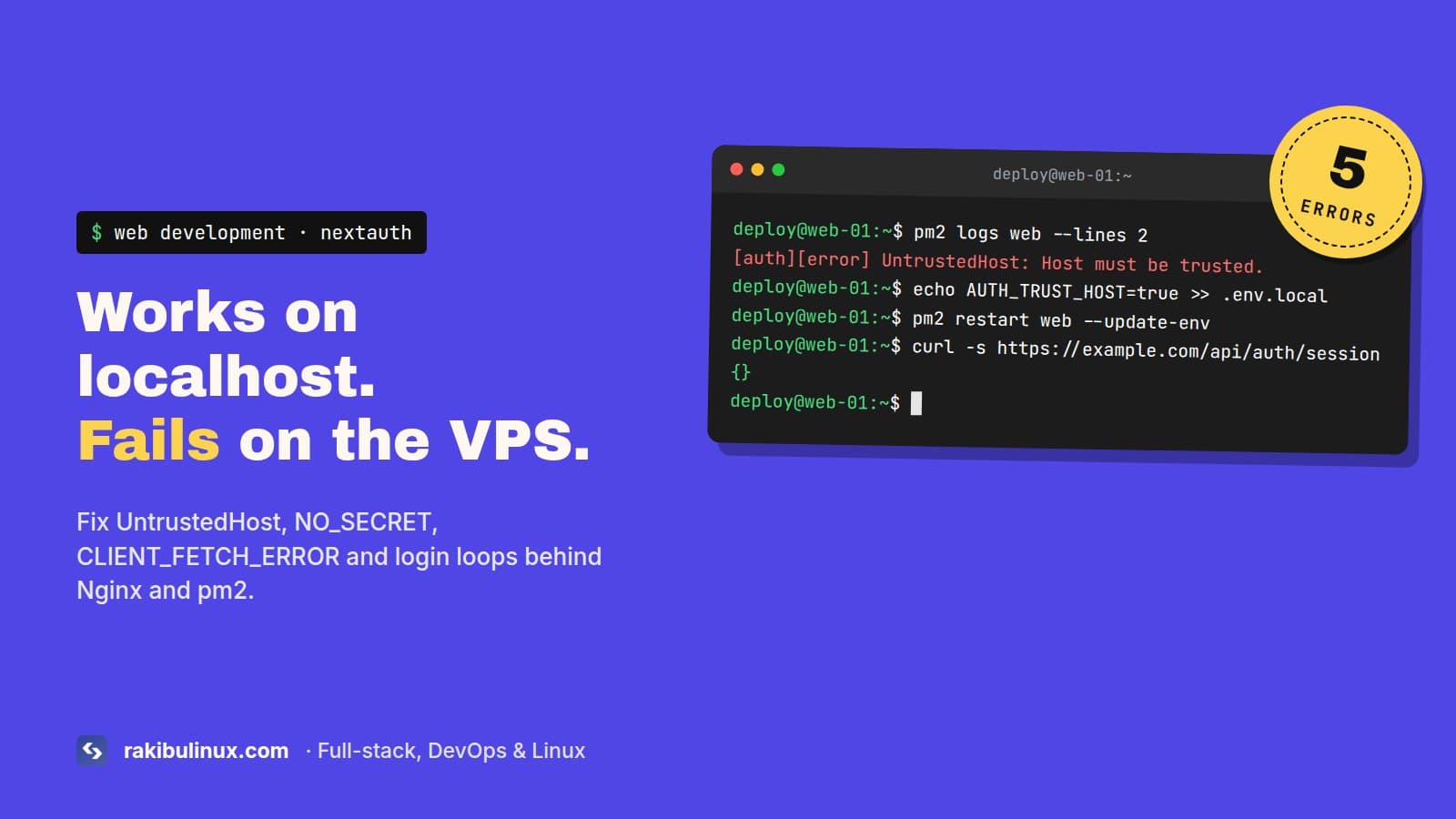
NextAuth breaks on a VPS when the secret or the trusted host is missing. Set AUTH_SECRET and AUTH_TRUST_HOST=true (v4: NEXTAUTH_URL) and forward proxy headers.
This site runs NextAuth on its own server behind Nginx and pm2, not on Vercel. Vercel sets a few things for you that a plain VPS doesn't, so the first production deploy of a self-hosted Next.js app very often fails at sign-in. The errors look unrelated, but they all come down to the same three settings. Find your error below, then go through the checklist at the end.
Key takeaways
- In production a secret is required. Generate one with
openssl rand -base64 32. - Auth.js v5 rejects any host it doesn't trust unless it detects Vercel or Cloudflare. On a VPS, set
AUTH_TRUST_HOST=true. - NextAuth v4 builds every callback URL from
NEXTAUTH_URL. If it sayslocalhost, users get sent to localhost. - Nginx must pass
HostandX-Forwarded-Proto, or the app thinks it's running on plain HTTP at 127.0.0.1. - pm2 starting the app from the wrong folder means
.env.localis never read, and every variable looks "missing".
Find your error
UntrustedHost: Host must be trusted (Auth.js v5)
[auth][error] UntrustedHost: Host must be trusted. URL was: https://example.com/api/auth/session.
Auth.js v5 won't build URLs from a request's Host header unless you tell it that header can be trusted. It trusts it automatically on Vercel and Cloudflare Pages because it can detect them. Docker, a VPS, Railway or anything behind Nginx gets this error. The fix is one variable:
AUTH_TRUST_HOST=true
Or in code: NextAuth({ trustHost: true, ... }). This is safe when a reverse proxy you control sets the Host header, which is exactly the Nginx setup. Setting AUTH_URL to your public URL also works and makes Auth.js trust that one host.
NO_SECRET / MissingSecret
[next-auth][error][NO_SECRET] Please define a `secret` in production.
[auth][error] MissingSecret: Please define a `secret`.
The first line is v4, the second is v5. In development NextAuth makes up a secret for you. In production it refuses, because that secret signs and encrypts the session cookies. Generate one and set it in the server's env file, not just your laptop's:
openssl rand -base64 32
# v4
NEXTAUTH_SECRET=paste-the-output-here
# v5
AUTH_SECRET=paste-the-output-here
If you're sure the variable is set and still get this error, the app isn't reading the file. Skip to the pm2 section below.
Don't change the secret on a live site unless you have to. Every existing session becomes unreadable and everyone is logged out. If you rotate it after a leak, that's exactly what you want.
Redirected to localhost:3000 after sign-in
You sign in on https://example.com and land on http://localhost:3000. In v4, NextAuth uses NEXTAUTH_URL for every callback and redirect URL. If you copied your dev env file to the server, that's localhost. Set the real public URL, with https and without a trailing slash:
NEXTAUTH_URL=https://www.example.com
Use the exact host users see. If example.com redirects to www.example.com, use the www one, or the cookie is set on one host and read on the other. The same URL must also be in your OAuth app settings at Google or GitHub as https://www.example.com/api/auth/callback/google.
CLIENT_FETCH_ERROR: Unexpected token '<'
[next-auth][error][CLIENT_FETCH_ERROR]
Unexpected token '<', "<!DOCTYPE "... is not valid JSON
The browser asked /api/auth/session for JSON and got an HTML page back, usually a 404 or 502 page. Open https://your-site/api/auth/session in a browser. You should see {} when logged out. If you see HTML, the request isn't reaching the auth route: Nginx sends /api to a different backend, your app uses a basePath that NEXTAUTH_URL doesn't include, or the app is down. Watch for this when a separate backend also uses an /api prefix on the same domain. A location /api block for the backend swallows /api/auth too. Either add a more specific location /api/auth that goes to Next.js, or move the backend to its own subdomain (ours lives on api., which avoids the clash entirely).
Login loop: you sign in and land back on the sign-in page
The session cookie is never stored or never sent. Two causes cover nearly every case I've seen:
NEXTAUTH_URLstarts with https, so the cookie gets theSecureflag, but you're testing onhttp://your-ip:3000. Browsers drop Secure cookies on plain HTTP. Test on the real HTTPS domain.- The site is HTTPS at Cloudflare, but Cloudflare talks to your server over HTTP (SSL mode "Flexible") and Nginx doesn't pass the original protocol. Use Full (strict) mode and forward
X-Forwarded-Proto. My Cloudflare VPS checklist covers that setup.
The Nginx config NextAuth needs
location / {
    proxy_pass http://127.0.0.1:3000;
    proxy_http_version 1.1;
    proxy_set_header Host $host;
    proxy_set_header X-Forwarded-Host $host;
    proxy_set_header X-Forwarded-Proto $scheme;
    proxy_set_header X-Forwarded-For $proxy_add_x_forwarded_for;
    proxy_set_header X-Real-IP $remote_addr;
}
Without Host, Next.js sees 127.0.0.1:3000 as the host. Without X-Forwarded-Proto, it thinks the request came in over HTTP. Auth.js v5 builds its URLs from exactly these two headers, so both have to be right. Reload with sudo nginx -t && sudo systemctl reload nginx.
pm2 doesn't load your env file
next start reads .env.production and .env.local from the folder it runs in. pm2 started from your home directory, or with pm2 start npm -- start from the wrong place, runs Next.js in a folder without those files. Every variable is undefined and you get NO_SECRET even though the file is right there. Set the working directory explicitly:
// ecosystem.config.js
module.exports = {
  apps: [{
    name: "web",
    cwd: "/srv/web/current",
    script: "node_modules/next/dist/bin/next",
    args: "start -p 3000",
    env: { NODE_ENV: "production" },
  }],
};
Then pm2 delete web && pm2 start ecosystem.config.js && pm2 save. A plain pm2 restart keeps the old environment. Use pm2 restart web --update-env after changing variables. Remember that any NEXT_PUBLIC_ variable is baked in at build time, so changing it needs a rebuild, not a restart. The auth variables above are read at runtime, so a restart is enough.
Checklist
curl -s https://www.example.com/api/auth/session        # {} = auth route reachable
curl -s https://www.example.com/api/auth/providers      # lists your providers
pm2 env 0 | grep -E 'NEXTAUTH|AUTH_'                    # vars actually loaded
pm2 logs web --lines 50 | grep -i auth                  # the real error
Frequently asked questions
How do I fix UntrustedHost in Auth.js?
Set AUTH_TRUST_HOST=true in the server's environment, or trustHost: true in your Auth.js config, and restart the app. It's needed on any host that isn't Vercel or Cloudflare Pages.
Is NEXTAUTH_URL still needed?
In NextAuth v4, yes, in production. In Auth.js v5 it's usually not needed: with AUTH_TRUST_HOST=true it reads the URL from the request headers. Set AUTH_URL only if you use a custom base path.
Why does NextAuth redirect to localhost in production?
NEXTAUTH_URL is set to localhost, or not set and Nginx isn't forwarding the Host header. Set it to your public HTTPS URL and add the proxy headers.
How do I generate a NextAuth secret?
Run openssl rand -base64 32 and put the output in NEXTAUTH_SECRET (v4) or AUTH_SECRET (v5). Auth.js also has npx auth secret, which writes it to .env.local.
Why do I get logged out after every deploy?
The secret changes between deploys, for example because it's generated in a build script or missing so dev mode makes one up. Store one fixed secret in the server's env file outside the release folder.
Login still broken on your server?
I deploy Next.js apps with NextAuth behind Nginx and pm2, and fix the ones that only fail in production. Book my Next.js bug fix service, get a clean VPS setup with Nginx and SSL, or contact me with the error from pm2 logs.

Written by
MD Rakibul Islam Rakib
Full-stack developer, DevOps engineer and Linux system administrator with 5+ years of production experience. I deploy, harden and fix servers and web apps for clients worldwide, and everything in this article runs on real servers I manage, including this site.
- nextauth untrustedhost
- auth.js trust host
- NO_SECRET nextauth
- nextauth redirect localhost
- nextauth nginx