Jasmin SMS Gateway in Production: Billing, DLR, DLT
 MD Rakibul Islam RakibFull-stack developer, DevOps & Linux engineer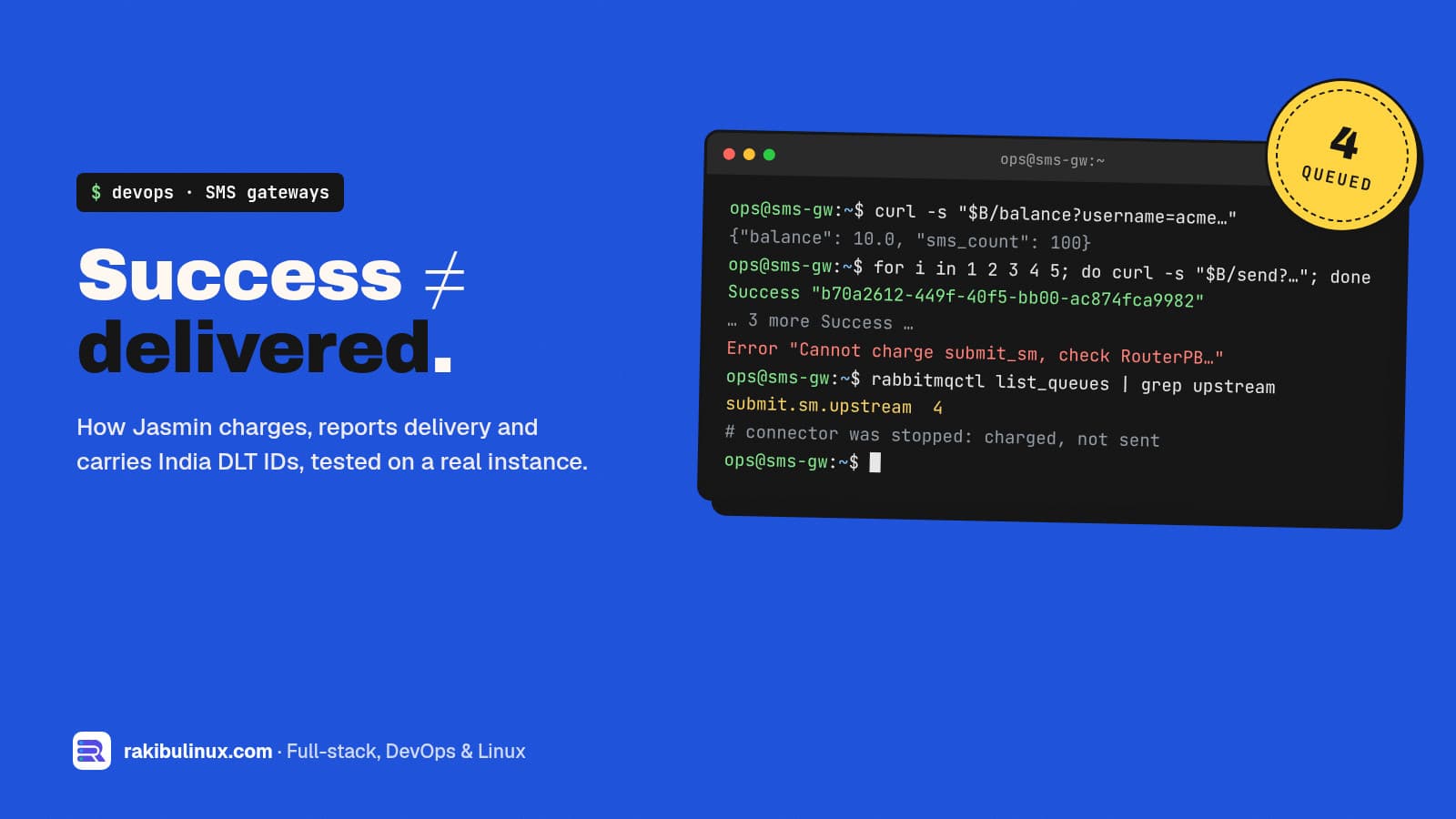
In production, Jasmin charges a user's balance when it routes a message, not when the phone gets it. Delivery reports and DLT IDs need separate setup.
I set up and fix Jasmin gateways for SMS resellers, including one for an Indian aggregator that had to pass DLT template checks. Installing Jasmin is the easy part, and I covered it in my Jasmin install guide. The money is lost later: customers charged for messages that never left, delivery reports nobody receives, and DLT rejections nobody can explain. For this post I ran Jasmin in Docker on 10 October 2026 and tested the billing rules for real. The outputs below are copied from that run.
Key takeaways
- "Success" means queued. Jasmin returned
Successand charged the balance even with the upstream connector stopped. Four messages sat in the RabbitMQ queue, already paid for. - Billing is per route and per part. The route's
rateis charged for every SMS part, so a 200-character message costs two units. early_percentsplits the charge: part when the message is queued, the rest only when the upstream SMSC accepts it.- Delivery reports are opt-in per message with
dlr=yes, a level and a URL. No URL, no report for your customer. - India DLT IDs travel as vendor TLVs, and the tag numbers differ between providers. Ask yours; don't copy them from a blog.
How a message moves through Jasmin
Knowing the path makes every later problem easier to place:
- Your customer's app calls the HTTP API (port 1401) or binds to Jasmin's SMPP server (port 2775).
- Jasmin authenticates the user, checks their filters and quotas, and the MT router picks a route. This is where the user is charged.
- The message goes into a RabbitMQ queue named after the connector, for example
submit.sm.upstream. - The SMPP client connector sends it to your upstream provider (the SMSC), which answers with a message ID.
- Later, the SMSC sends a delivery receipt. Jasmin matches it by that ID and forwards it to the customer's
dlr-urlor SMPP bind.
Billing: what I saw when I tested it
I created a user with a balance of 10 and a cap of 100 messages, and a default route with a rate of 2.5 to a connector I deliberately left stopped:
jcli : user -a
> username acme
> password acme123
> gid resellers
> uid acme
> mt_messaging_cred quota balance 10
> mt_messaging_cred quota sms_count 100
> ok
jcli : mtrouter -a
> type DefaultRoute
> connector smppc(upstream)
> rate 2.5
> ok
jcli : persist
Then I sent five messages through the HTTP API:
balance: {"balance": 10.0, "sms_count": 100}
rate: {"unit_rate": 2.5, "submit_sm_count": 1}
send 1: Success "b70a2612-449f-40f5-bb00-ac874fca9982"
send 2: Success "f50798dd-f58d-4515-99aa-d93adea4441f"
send 3: Success "c657f407-631d-4f07-aa58-caaf295be4d1"
send 4: Success "0c1bb65d-4cac-4b27-a842-b12788406f5b"
send 5: Error "Cannot charge submit_sm, check RouterPB log file for details"
balance: {"balance": 0.0, "sms_count": 96}
Three lessons in eight lines:
- The balance went to zero for four messages that never left the server. RabbitMQ showed
submit.sm.upstream 4. If the connector stays down until the messages expire, your customer paid for nothing, and Jasmin has no automatic refund. - Running out of balance gives a clear error, so your panel can show "top up" instead of a generic failure.
- Parts count. A 200-character message rated as
"submit_sm_count": 2, so it costs two units. Show customers the part count before they send a campaign.
Charge less upfront with early_percent
Jasmin's router code bills a route in one of two ways. Without early_percent, the full rate is taken when the message is routed. With it, only that percentage is taken then, and the rest when the upstream SMSC accepts the message (the submit_sm_resp). I set it to 20 on the same user and sent three more messages to the stopped connector:
jcli : user -u acme
> mt_messaging_cred quota balance 10
> mt_messaging_cred quota early_percent 20
> ok

Success "14aa8087-dd0b-4627-b1f2-79f3e6c310da"
Success "dfaad83f-43ca-4cb5-a9fb-fa61421ccea8"
Success "a93d7520-066e-4331-928d-ff0297f051ed"
balance: {"balance": 8.5, "sms_count": 93}
Each message took 0.5 (20% of 2.5) while it waited. For a reseller this is the fairer default: customers pay in full only for messages your provider actually accepted. It still isn't billing on delivery; for that you need the delivery reports below and your own accounting.
Delivery reports your customers can trust
Jasmin forwards delivery receipts only when the message asks for them. On the HTTP API, add:
dlr=yesdlr-level:1for SMSC level (the provider accepted it),2for terminal level (the handset got it),3for both.dlr-urlanddlr-method(GETorPOST) where Jasmin should send them.
Things that break delivery reports in practice:
- The provider doesn't send terminal receipts on that route, or sends them only for some networks. Test every route you sell and tell customers what "delivered" means on each.
- The callback URL is slow or down. Make your receiver answer quickly and process the report afterwards, the same rule as for payment webhooks, and store each report keyed by message ID so a repeat doesn't count twice.
- Redis lost the mapping. Jasmin keeps the link between its message ID and the provider's in Redis to match receipts. Restarting or flushing Redis without persistence orphans in-flight receipts.
India DLT: PE ID and template ID as TLVs
In India, commercial SMS must match a template registered on the telecom operators' DLT platform, under a registered principal entity (PE) and sender ID (header). Since 1 October 2024, links in messages must also be whitelisted, and since 11 December 2024 traffic without a declared PE-to-telemarketer chain is rejected.
Many Indian providers ask you to send the PE ID and template ID with each message as vendor-specific SMPP TLVs. Jasmin's HTTP API accepts a custom_tlvs parameter for this:
curl -X POST "http://127.0.0.1:1401/send" \
  --data "username=client1" --data "password=..." \
  --data "to=91XXXXXXXXXX" --data "from=HEADER" \
  --data "content=Your exact registered template text" \
  --data "dlr=yes" --data "dlr-level=3" \
  --data-urlencode 'custom_tlvs={"0x1400":"<PE ID>","0x1401":"<template ID>"}'
What I learned on that project:
- Tag numbers are not standard. My client's provider wanted the PE ID in
0x1400and the template ID in0x1401. Jasmin's own TLV documentation uses an example where those two are the other way round. Get the mapping in writing from your provider. - The value type matters. Our first attempts failed because the values went out in a binary format the provider didn't expect; sending them as strings fixed it. Recent work on Jasmin's main branch (April 2026) lets the connector declare each tag's type and length.
- The content must match the template exactly. One extra space, a different apostrophe or a missing full stop is a rejection. Variables must fill only the
{#var#}slots. - Many "Jasmin errors" are DLT portal errors. A provider-specific code (4155, at that provider) turned out to mean the PE, header and template weren't linked to each other on the DLT portal. No change in Jasmin fixes that.
- An MT interceptor (a small Python script Jasmin runs on every message) can force the sender ID and TON/NPI values per customer when their apps send the wrong ones.
Monitoring a reseller gateway
These are the numbers I put on a dashboard or an alert for every Jasmin I look after:
- Queue depth per connector (
rabbitmqctl list_queues name messages). A growingsubmit.sm.<cid>queue means a connector is down or throttled, and customers are being charged meanwhile. - Connector status in jCli (
smppccm -l): bound or not, and since when. - Delivery rate per route and per hour. A sudden drop on one route is usually the provider, not you.
- Customer balances near zero, so you can warn them before their campaign fails halfway.
- Disk and log growth. Jasmin's message logs grow fast on busy gateways; rotate them, or you will meet my "No space left on device" guide at the worst moment.
Keep jCli (8990), the HTTP API and RabbitMQ off the public internet, or restricted to known IPs. An open jCli is full control of the gateway, including every customer's balance.
Frequently asked questions
When does Jasmin deduct a user's balance?
When the router accepts the message, before it is sent upstream. With early_percent set, it deducts that share at routing time and the rest when the provider accepts the message. It doesn't wait for a delivery report.
Does Jasmin refund failed messages?
Not automatically. If messages expire in a queue or the provider rejects them, the charge stays. Resellers usually reconcile against delivery reports in their own panel and credit customers there.
Why does Jasmin say Success when nothing was delivered?
Success with a message ID means Jasmin accepted and queued the message. Delivery is reported separately through delivery receipts, so ask for them with dlr=yes and a dlr-url.
How do I send India DLT template IDs through Jasmin?
Pass them as the TLVs your provider specifies, for example through the HTTP API's custom_tlvs parameter, and make sure the content matches the registered template exactly. Confirm the tag numbers and value format with your provider first.
Can Jasmin bill different customers different prices?
Yes. Rates live on routes, and routes can be filtered by user or group, so each customer group can have its own rate per destination. Balances and message caps are set per user.
Running an SMS business on Jasmin?
I set up, fix and monitor Jasmin gateways: routing, billing, delivery reports, DLT compliance and customer panels. See my DevOps services, read how the full bulk SMS stack fits together, or tell me what your gateway is doing wrong.

Written by
MD Rakibul Islam Rakib
Full-stack developer, DevOps engineer and Linux system administrator with 5+ years of production experience. I deploy, harden and fix servers and web apps for clients worldwide, and everything in this article runs on real servers I manage, including this site.
- Jasmin SMS gateway billing
- Jasmin delivery receipts
- India DLT SMPP TLV
- Jasmin SMPP routing
- SMS reseller platform
- Jasmin custom_tlvs
- SMPP gateway monitoring