ERPNext Customization Cost: What You Pay For (2026)
 MD Rakibul Islam RakibFull-stack developer, DevOps & Linux engineer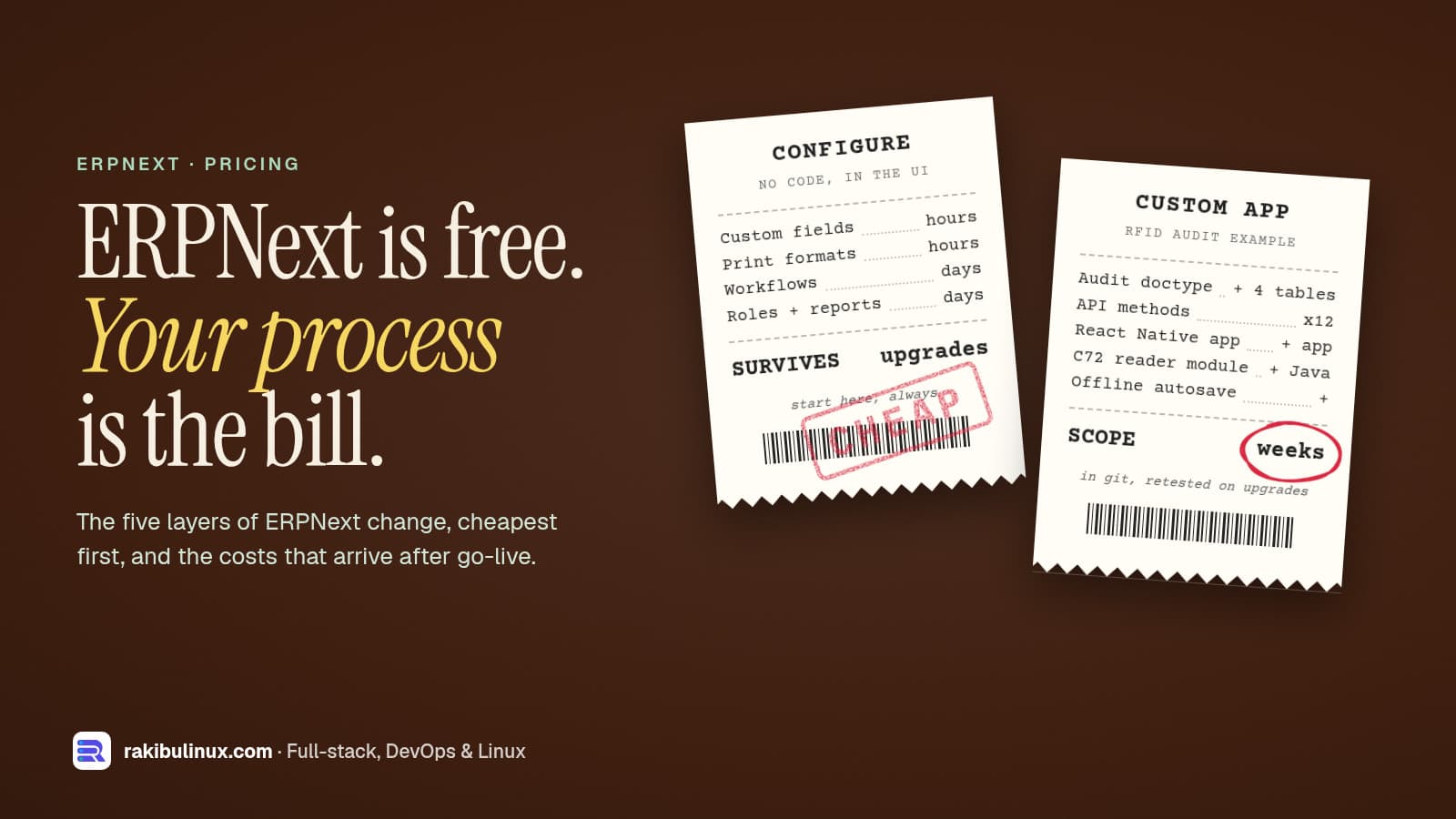
ERPNext customization cost depends on the layer you change: settings and fields are cheap, custom apps cost more, and app or hardware integrations cost most.
ERPNext itself is free and open source. What you pay for is fitting it to your business: setting it up, changing it where it doesn't fit, connecting it to other systems, and keeping it running through upgrades. I install ERPNext for companies (my ERPNext 16 production install guide shows how) and build what sits on top of it, most recently a Chainway C72 RFID asset audit app. This guide explains the five layers of change, what moves the price within each, and the costs that arrive after go-live, so you can compare quotes on the same terms.
Key takeaways
- Configure before you code. Custom fields, print formats, workflows and reports are done in the browser and survive upgrades. Most "customization" requests end here.
- Scripts are cheap but limited. Client and Server Scripts handle small rules; since version 15, Server Scripts are off by default and need enabling.
- A custom Frappe app is the right home for real changes: new doctypes, APIs and background jobs, kept in git and never mixed into ERPNext's own code.
- Integrations cost the most: mobile apps, scanners, RFID, label printers, payment gateways and other software.
- Budget for after go-live: hosting, backups, major version upgrades and retesting your custom app on each one.
Why there is no single price
"How much does ERPNext customization cost?" is like asking how much a renovation costs. Painting a room and moving a wall are both renovations. A quote without a written scope is a guess, and two guesses can't be compared. So instead of one number, here is how I break a project down, and you can ask any developer to quote against the same list.
Layer 1: configuration (no code)
Everything here is done in ERPNext's own screens by a consultant or a trained admin:
- Company setup, chart of accounts, warehouses, item groups and opening balances.
- Custom fields added with Customize Form.
- Print formats for invoices, delivery notes and labels, in the visual builder or with Jinja templates.
- Workflows for approvals (for example, purchase orders over a limit need a manager).
- Roles and permissions, email notifications and reports built with Report Builder.
Each item is hours to days of work, and because it is stored as data, it carries over when ERPNext is upgraded. If a vendor jumps to custom code for something on this list, ask why.
Layer 2: Client and Server Scripts
ERPNext lets you attach small scripts without deploying an app. Client Scripts run in the browser (auto-fill a field, hide a section, validate before saving). Server Scripts run on the server on document events or as simple APIs.
They are quick to write and good for small rules. The limits matter: since Frappe version 15, Server Scripts are disabled by default, and self-hosted sites enable them with bench set-config -g server_script_enabled 1. On Frappe Cloud you need a private bench to use them. Scripts also live in the database, not in version control, so a growing pile of them becomes hard to test and review.
Layer 3: a custom Frappe app
When you need new document types, logic that must be tested, scheduled jobs or an API for another system, build a custom Frappe app. It is a separate code repository installed on your site, so ERPNext's updates don't overwrite it and every change is reviewed and versioned.
Never edit ERPNext's own code. Changes made directly in the erpnext or frappe folders are lost or conflict on the next update, and they are a common reason sites get stuck on old versions.
What moves the price of a custom app:
- The number of new doctypes and child tables, and how many states each document moves through.
- The number of API methods, and how carefully each checks permissions. A whitelisted method is reachable by any logged-in user unless it checks.
- Hooks into standard documents (for example, "when a Delivery Note is submitted, also do X").
- Reports and dashboards that need custom queries.
- Patches to migrate existing data when the app's structure changes.
Layer 4: integrations, mobile apps and hardware
This is where projects grow. A real example, the RFID asset audit system I worked on, needed:
- An Asset Audit doctype with four child tables: expected, detected, missing and unidentified items.
- 12 whitelisted API methods for the mobile app: list my audits, load one, submit it, upload photos, update asset details and more, each with its own permission check.
- A React Native app with a native Java module for the Chainway C72's UHF reader and its hardware trigger.
- Offline progress saved on the device, photos, condition notes and GPS per asset.
- Testing on the real handheld, in a real room full of tagged assets.
Other common integrations: barcode scanners and label printers in the warehouse, weighing scales, payment gateways, an online store, government e-invoicing, and other company systems. Each one adds design, error handling and testing, and some, like hardware, can only be tested on site.
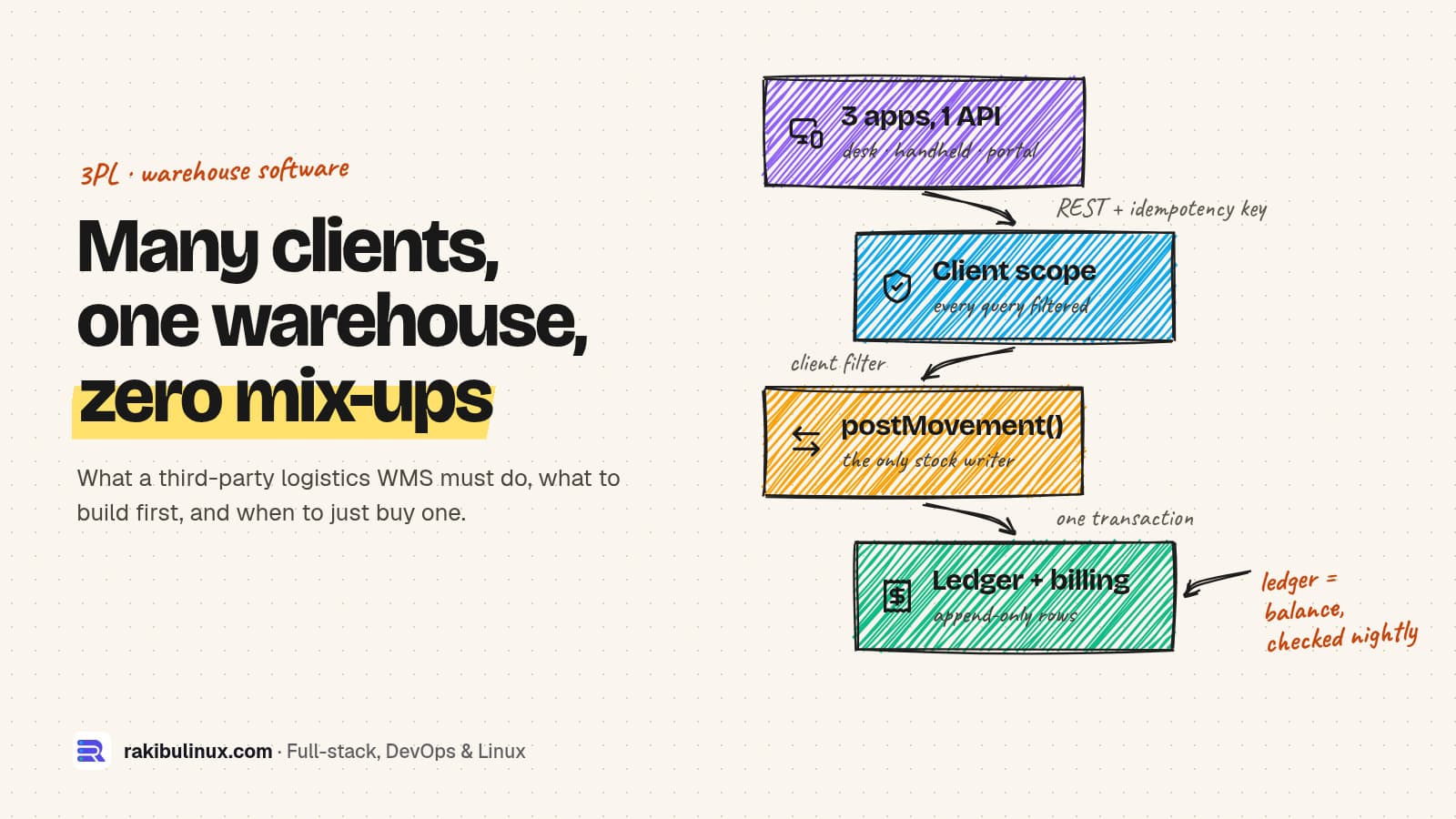
If your need is really a full warehouse system for several client companies, compare an ERPNext build with a dedicated system first. My post on building or buying a 3PL WMS covers that choice.
Layer 5: data migration and training
- Data import: customers, suppliers, items, opening stock and open invoices from spreadsheets or an old system. Clean data imports in hours; messy data with duplicates and missing codes takes far longer than anyone expects.
- Training for each role, and a written short guide per process. Many ERPNext projects stall because people drift back to spreadsheets, not because of software bugs.
The costs after go-live
- Hosting: a self-managed VPS with a fixed bill, or Frappe Cloud with a monthly plan. Check current Frappe Cloud pricing for your size, and remember that public shared benches don't allow Server Scripts.
- Backups of the database and files, off the server, with a restore you have actually tested.
- Major upgrades: Frappe ships a new major version every year or two (version 16 came out in January 2026). Configuration carries over; custom apps must be tested and sometimes adjusted.
- Support and small changes: new reports, new fields, a changed approval rule. Budget a few hours a month in the first year.
How to keep the cost down
- Try the standard process first. Run a month on standard ERPNext before deciding what to change.
- Write down the process, with real examples of documents, before asking for a quote.
- Phase it: configuration and go-live first, custom app second, integrations third.
- Keep every change in one custom app in git, owned by your company.
- Use a staging site for every change and every upgrade, never production first.
Questions to ask an ERPNext developer
- Will customizations be in a custom app in a git repository that my company owns?
- Will you change any core ERPNext or Frappe files? (The answer should be no.)
- How will you handle the next major upgrade, and is that in the quote?
- Do you work on a staging copy before production?
- Who has server access, and where are backups stored?
My freelance developer hiring checklist covers the contract side.
Frequently asked questions
Is ERPNext really free?
The software is open source under the GNU GPL v3, with no license fee per user. You pay for hosting, setup, customization, integrations, training and support, either to a provider or with your own team's time.
Custom app or Server Script: which should I use?
Use a Server Script for a small rule on one document. Use a custom app when you need new doctypes, several related rules, scheduled jobs, an API for another system, or anything you want tested and version-controlled.
Will customizations break when I upgrade ERPNext?
Configuration usually carries over cleanly. Custom apps need testing on each major version and sometimes small fixes. Edits to ERPNext's own code are what really break upgrades, so avoid them.
How long does an ERPNext customization project take?
Configuration changes take hours to days. A custom app with a few doctypes and APIs takes weeks. Mobile apps and hardware integrations add more, mainly for on-site testing. I quote per phase after a short call about your process.
Should I use Frappe Cloud or host ERPNext myself?
Frappe Cloud is easier if you don't want to run servers. Self-hosting gives full control and a fixed server bill, but you are responsible for updates, security and backups. Both run the same custom apps.
Need ERPNext changed, connected or rescued?
I install ERPNext, build custom Frappe apps and APIs, and connect ERPNext to mobile apps and warehouse hardware, including Chainway RFID readers. See my web and app development services or describe what ERPNext should do for you, and I'll reply with a scoped plan.

Written by
MD Rakibul Islam Rakib
Full-stack developer, DevOps engineer and Linux system administrator with 5+ years of production experience. I deploy, harden and fix servers and web apps for clients worldwide, and everything in this article runs on real servers I manage, including this site.
- ERPNext customization cost
- ERPNext customization services
- Frappe custom app development
- ERPNext mobile app
- ERPNext warehouse management
- ERPNext implementation cost
- ERPNext developer