ERPNext RFID Integration with the Chainway C72 (2026)
 MD Rakibul Islam RakibFull-stack developer, DevOps & Linux engineer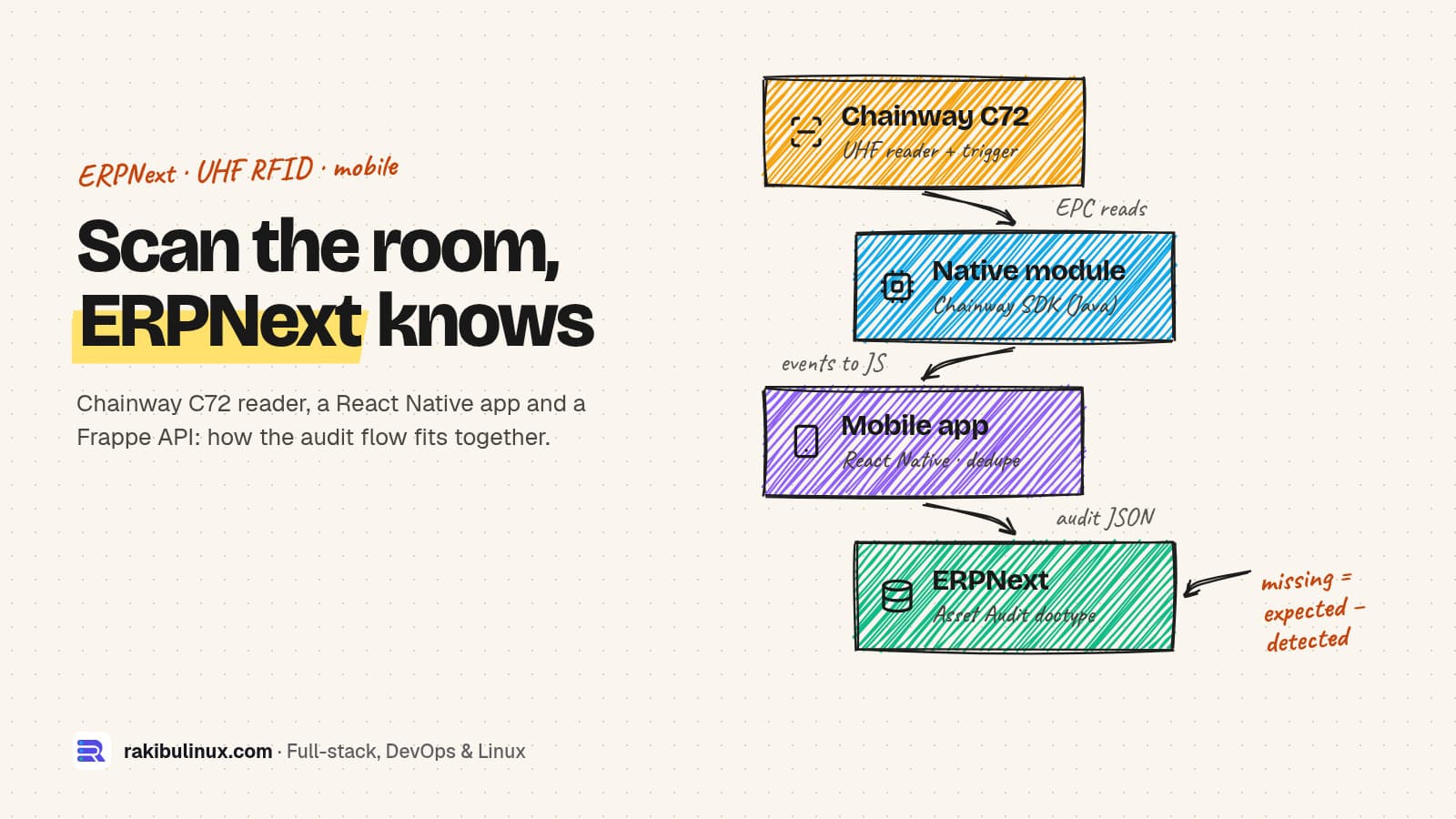
An ERPNext RFID integration needs three parts: a native module for the Chainway C72 reader, an app that dedupes and saves reads, and a Frappe API for audits.
I built the mobile app, the Chainway reader module and most of the ERPNext API for a client's asset audit system: it runs on the Chainway C72 handheld, reads UHF RFID tags in bulk and writes the result into ERPNext. You can watch it working in my ERPNext + Chainway C72 demo video. This post explains how it is put together, the mistakes that cost me time, and what to check before you start an RFID project of your own.
Key takeaways
- Keep the reader code native. The Chainway SDK is a Java library. A small native module starts and stops the reader and sends each tag to JavaScript as an event.
- Expect hundreds of reads per second. Collect them and process one batch per screen frame, with a lookup map, or the app freezes during a scan.
- Save progress on the device. Warehouses have Wi-Fi dead spots. Auto-save every scan locally and send the audit to ERPNext only when the user submits.
- Put the business logic in a Frappe custom app. A custom doctype with child tables for expected, detected, missing and unknown tags gives managers a normal ERPNext report.
- Make the submit safe to repeat. If the network drops after the server saved the audit, sending it again must not create duplicates.
What the system does
The app answers one question that manual audits answer badly: "Is everything we own where ERPNext says it is?" The workflow is simple on purpose:
- A manager creates an Asset Audit in ERPNext for a location (a store room, a floor, a branch) and assigns it to a staff member.
- The auditor opens the audit on the C72. The app loads the list of assets ERPNext expects at that location, leaving out anything already scrapped or sold.
- They press the reader's trigger once and walk the room. Every tag that matches an expected asset turns green. Tags that don't belong to that location show up as "unknown".
- For any asset they can record its condition, add up to four photos and capture the GPS position.
- They submit. ERPNext stores detected, missing and unknown items, and marks the audit Complete, Partial or Failed.
Counting a room becomes a walk-through instead of ticking boxes on a printed list, and the missing list comes from data, not from someone's memory of what was on the shelf.
The architecture in three layers
The stack is React Native with Expo for the app (a development build, because Expo Go can't load custom native code), a native Android module wrapping Chainway's SDK, and a Frappe custom app inside ERPNext that exposes whitelisted API methods.
- Reader layer: talks to the UHF module, listens for the hardware trigger, beeps on each read and emits tag events.
- App layer: matches each EPC (the tag's ID) against the expected assets, removes duplicates, updates the screen and auto-saves.
- ERPNext layer: decides who may see which audit, builds the expected list from the Asset doctype and stores the result.
Layer 1: talking to the Chainway C72 from React Native
Chainway ships its Android SDK as an .aar file (mine was DeviceAPI_ver20251103_release.aar). The class that drives the built-in UHF module is RFIDWithUHFUART. You initialise it once, register an inventory callback, then call startInventoryTag() and stopInventory(). Each read arrives as a UHFTAGInfo with the EPC, TID and signal strength (RSSI).
The native module forwards each read to JavaScript. This is the core of it:
reader = RFIDWithUHFUART.getInstance();
reader.init(getReactApplicationContext());

reader.setInventoryCallback(new IUHFInventoryCallback() {
  @Override
  public void callback(UHFTAGInfo tag) {
    if (tag == null) return;
    WritableMap payload = Arguments.createMap();
    payload.putString("epc", tag.getEPC());
    payload.putString("tid", tag.getTid());
    payload.putString("rssi", tag.getRssi());
    emitEvent("chainway_rfid_tag", payload);
  }
});
Three things cost me real debugging time:
- Events vanished in release builds. With React Native's New Architecture, a module used with
NativeEventEmitterneeds emptyaddListenerandremoveListenersmethods. Without them, everything worked in debug and the release APK silently received no tags. - The physical trigger. The C72's scan buttons arrive as Android key events (key codes 139, 280 and 293 on the units I tested). I catch them in
MainActivity, consume them, and call the module directly, so the scan starts without a round trip through JavaScript. - Hold vs toggle. My first version scanned while the button was held, like a barcode scanner. The client wanted press once to start and press again to stop, which suits walking a room, so the module ignores key-up and toggles on key-down.
Always call free() on the reader when the screen closes. A reader left initialised can block the next screen or app that tries to open it.
Layer 2: hundreds of reads without freezing the app
A UHF reader sees every tag in range many times per second. If each event triggers a React state update and a search through a list of assets, the screen stutters within seconds. Two changes fixed it:
- Batch per frame. Incoming tags go into an array. One
requestAnimationFramecallback processes the whole batch and triggers a single re-render. - Look up in a Map. When the audit loads, I build a
Mapkeyed by every identifier an asset can be scanned as, so matching a tag is one lookup instead of a scan through the list.
ChainwayRfid.onTagRead((tag) => {
  pending.current.push(tag);
  if (scheduled.current) return;
  scheduled.current = true;
  requestAnimationFrame(() => {
    scheduled.current = false;
    for (const { epc } of pending.current.splice(0)) {
      const asset = expectedByTag.current.get(epc);
      if (asset && !detected.current.has(epc)) detected.current.set(epc, asset);
      else if (!asset && !unknown.current.has(epc)) unknown.current.set(epc, { epc });
    }
    setVersion((v) => v + 1); // one render per frame, not per tag
  });
});
New detections trigger a short vibration: a success pattern for an expected asset, a warning for an unknown tag. The reader also beeps on every read. Auditors look at shelves, not at the phone, so sound and touch feedback matter more than anything on screen.
Layer 3: progress that survives dead spots and app restarts
The app auto-saves the audit to the device (AsyncStorage) 1.5 seconds after every change: detected items, unknown tags, comments, photos and GPS. If the battery dies or Android kills the app, reopening the audit restores the scan, then merges it with whatever the server already has.
Nothing is sent to ERPNext while scanning. The auditor submits once, at the end. On the server, the submit replaces the audit's result tables instead of appending to them. So if the connection drops after ERPNext saved the audit but before the phone got the reply, sending the same audit again gives the same result, not a second copy of every row.
Layer 4: the ERPNext side, a Frappe custom app
Don't edit ERPNext's own code. Everything lives in a separate Frappe app installed on the site, so ERPNext updates don't overwrite it. On this project the client's in-house developer owned the doctypes and I wrote most of the API the mobile app uses. The app adds an Asset Audit doctype with a location, categories, an assignee, totals and four child tables: expected assets, detected assets, missing assets and unidentified tags.
The mobile app talks to a handful of whitelisted methods. Each one checks permissions itself, because a whitelisted method is reachable by any logged-in user:
@frappe.whitelist()
def get_my_asset_audit_detail(audit_id):
    audit = frappe.get_doc("Asset Audit", audit_id)
    user = frappe.session.user
    if "System Manager" not in frappe.get_roles(user) and audit.assigned_to != user:
        frappe.throw(_("Not permitted"))

    if not audit.expected_assets:
        for a in frappe.get_all("Asset",
                filters={"location": audit.location,
                         "status": ["not in", ["Scrapped", "Sold"]]},
                fields=["name", "asset_name", "item_code"]):
            audit.append("expected_assets", {"asset": a.name, "asset_name": a.asset_name,
                                             "item_code": a.item_code, "status": "Expected"})
        audit.save()
    return audit.as_dict()
Each auditor signs in with their own ERPNext user. That gives you an audit trail for free (who scanned what, when) and lets you remove a person's access in one place. Don't build a single API key into the APK; anyone with the file can pull it out.
If you are setting up the ERPNext server as well, my ERPNext 16 production install guide for Ubuntu 24.04 covers the parts that usually break first.
Fixed assets or stock: which ERPNext records to tag?
My build audits fixed assets: laptops, furniture, tools, equipment. One tag maps to one ERPNext Asset, and the question is "is it here?"
For stock, the same scanning layer works, but the target records change. Tag individual units and map each EPC to a Serial No, then post the counted quantities as a Stock Reconciliation for that warehouse. Tagging every unit only pays off for valuable or regulated items; for cheap fast-moving goods, tag cartons or pallets, or stay with barcodes.
Whatever you tag, store the EPC in its own unique field on the record, and decide the EPC format before you print a single tag. Changing the numbering scheme after 5,000 tags are stuck on equipment is painful.
Before you buy hardware: a short checklist
- Region. UHF RFID uses different bands in different countries (for example 865-868 MHz in Europe and 902-928 MHz in the US). Buy the C72 variant and tags for your region.
- Tag type. Standard paper tags fail on metal and on liquids. Metal shelves, server racks and machines need on-metal tags.
- Read range is a setting, not just a spec. Full reader power reads tags in the next room. For room-by-room audits, lower the power and test in the real building.
- Data quality first. If ERPNext's asset locations are wrong today, RFID will show you a very accurate list of wrong data. Clean the locations during the first audit.
- Plan the pilot. Tag one room, audit it a few times, and compare with a manual count before rolling out to every site.
If you run a warehouse rather than an asset register, also look at the warehouse management system I built, which uses the same offline-first handheld approach for receiving, picking and packing.
Frequently asked questions
Does ERPNext support RFID out of the box?
No. ERPNext has barcode fields and works with keyboard-style barcode scanners, but it has no built-in support for bulk UHF RFID reading. You need a reader app and a small Frappe custom app to receive and store the scans.
Can I use Expo with the Chainway C72?
Yes, with a development build instead of Expo Go. Expo Go can't load the Chainway SDK, but a prebuilt Expo project with a local native module works well and still lets you use Expo's libraries for camera, location and storage.
Does the app work without Wi-Fi?
Scanning works fully offline because the reader is inside the device. The expected list must be loaded once while online, and the finished audit is sent when the connection is back. Progress is saved on the device in between.
How many tags can the C72 read at once?
It reads many tags per second in a single sweep, which is the whole point of UHF RFID. Real numbers depend on tag type, reader power and what the tags are stuck to, so test in your own building before promising a figure to anyone.
How long does an ERPNext RFID project take?
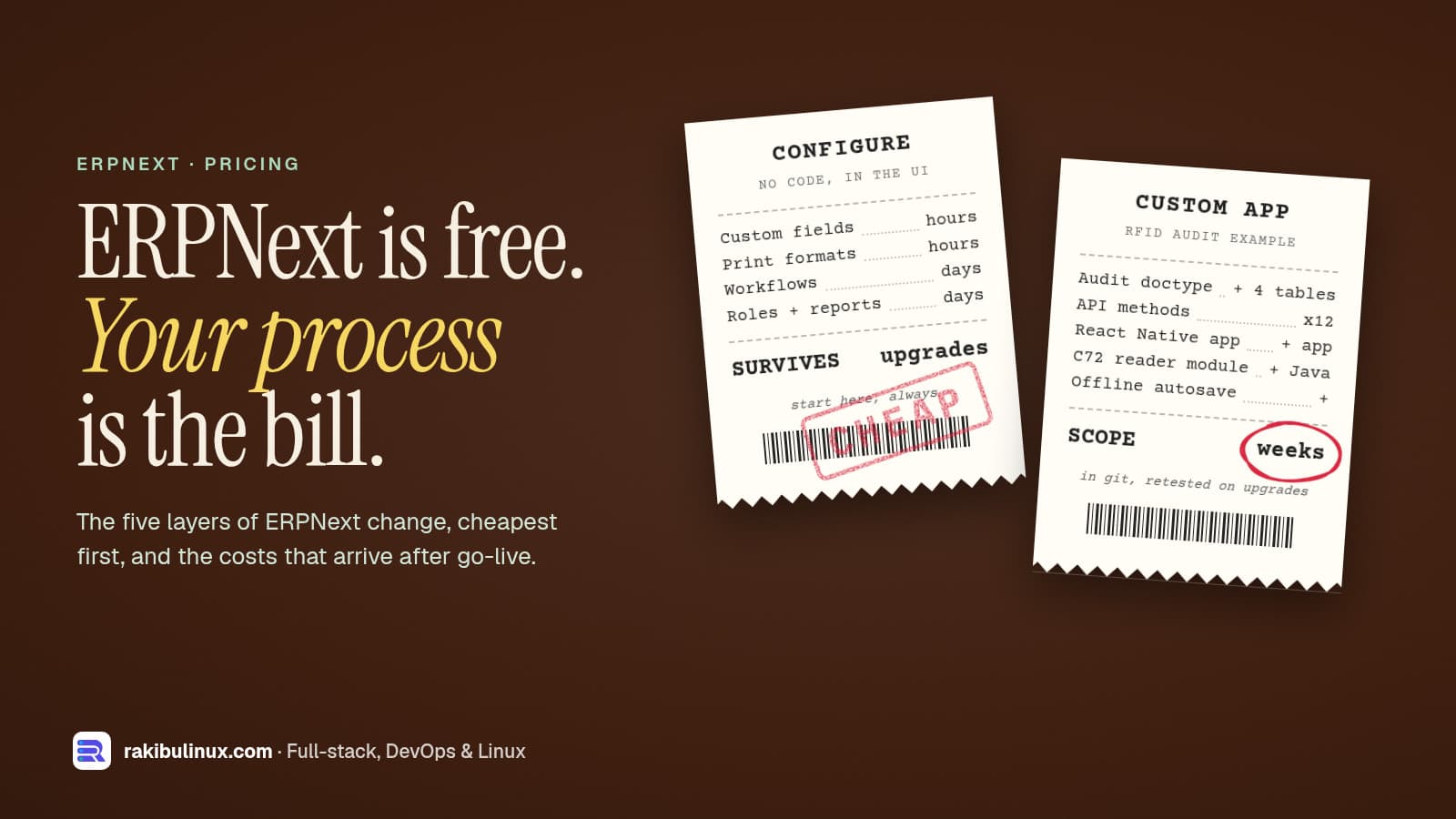
A focused asset audit flow like the one above is a few weeks of work, including testing on real hardware. Stock counting, several sites or extra approval steps add time. My ERPNext customization cost guide breaks down what drives the scope.
Need RFID or a mobile app on top of ERPNext?
I build custom Frappe apps, ERPNext integrations and the mobile apps that sit on top of them, including Chainway RFID readers. See my web and app development services or tell me about your warehouse or asset register, and I'll reply with how I would approach it.

Written by
MD Rakibul Islam Rakib
Full-stack developer, DevOps engineer and Linux system administrator with 5+ years of production experience. I deploy, harden and fix servers and web apps for clients worldwide, and everything in this article runs on real servers I manage, including this site.
- ERPNext RFID integration
- Chainway C72 ERPNext
- RFID asset tracking
- UHF RFID React Native
- Frappe custom app
- ERPNext mobile app
- RFID inventory audit