Stripe: Save a Card Now, Charge After Approval
 MD Rakibul Islam RakibFull-stack developer, DevOps & Linux engineer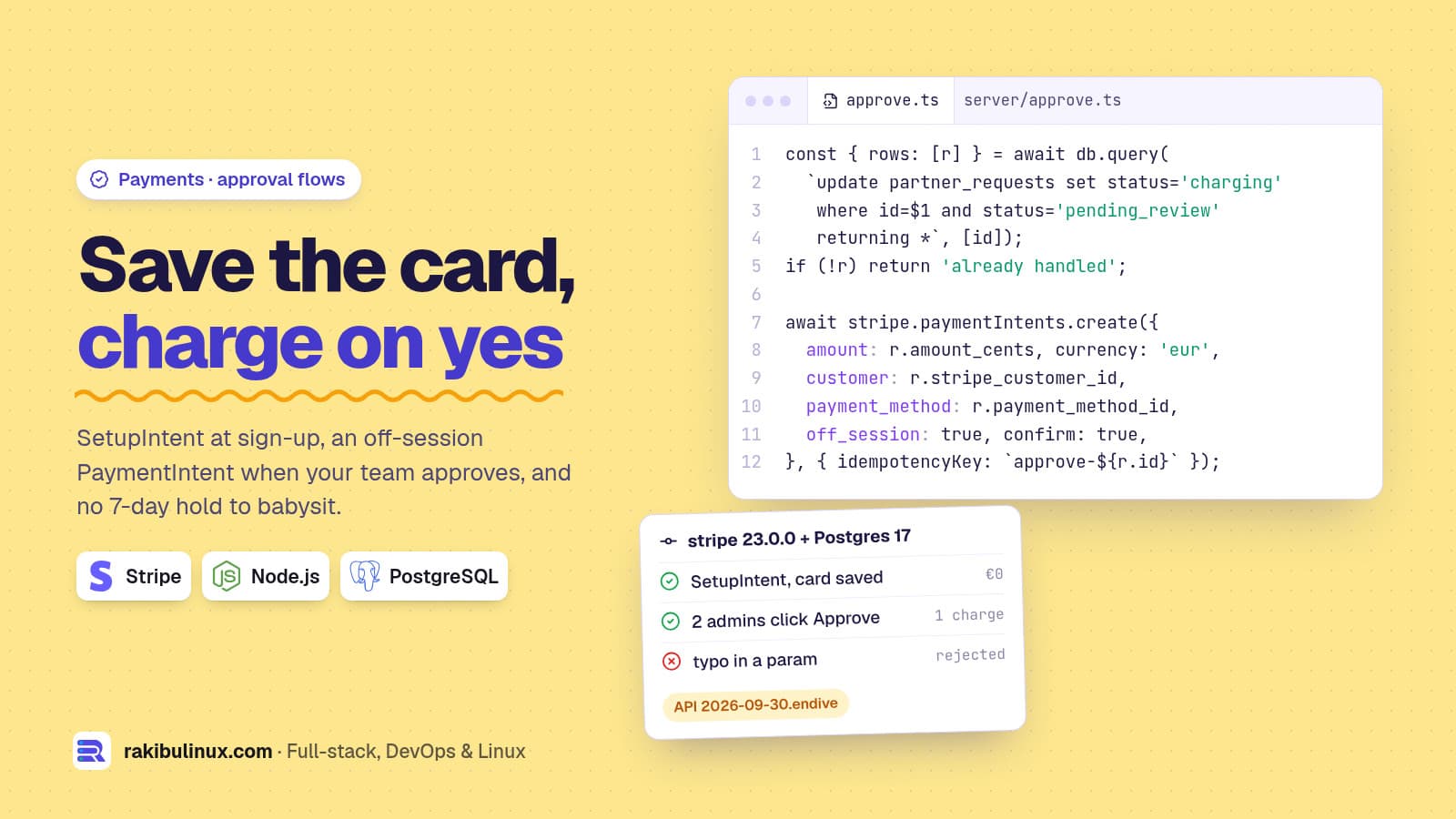
To charge a customer only after you approve them, save their card with a Stripe SetupIntent, then create an off-session PaymentIntent when you click Approve.
I'm building exactly this flow for the partner sign-up of NETME, a Munich meet-up app where cafés and bars pay for a package. A venue fills in a three-step form, enters payment details, and sees "Thank you, our team is reviewing your request". Nobody is charged until a person on the team says yes. The client's brief said it in one line: take the money only after approval. This post shows how to build that safely in Node.js, with the code I ran against Stripe's official mock server and Postgres on 13 October 2026.
Key takeaways
- Use a SetupIntent, not a hold. It saves the card without charging, and there is no expiry clock while your team reviews.
- Manual capture is a different tool. A card authorisation usually lasts 7 days online (Visa merchant-initiated: about 5), then Stripe cancels it.
- Charge with
off_session: trueandconfirm: truewhen you approve, and expect a 402 error you have to handle. - Make Approve safe to double-click. One conditional
UPDATEplus a Stripe idempotency key gives you exactly one charge. - Tell the customer in your terms that you will charge the saved card later. Stripe requires that consent.
SetupIntent or manual capture: which one?
Stripe gives you two ways to "take the card now, take the money later", and they behave very differently.
- Manual capture (
capture_method: 'manual') authorises the full amount at checkout. The money is reserved on the customer's card, and you capture it later. According to Stripe's docs, an online card authorisation is usually valid for 7 days; for Visa merchant-initiated payments the window is 4 days and 18 hours. If you miss it, the funds are released and the PaymentIntent becomescanceled. Good for hotels and shops that ship in two days. Risky for a review queue that may sit over a holiday. - SetupIntent saves the payment method to a Customer with no charge and no hold. When you approve, you create a payment yourself. There is no window to miss, and a rejected applicant never sees a pending charge on their statement.
For "apply, get reviewed, then pay" flows (partner programmes, marketplaces that vet sellers, B2B accounts, waiting lists) SetupIntent is the better default. The trade-off: at approval time the charge can still fail, because the card was never checked for funds. The rest of this guide handles that.
Step 1: create the request and a SetupIntent
Store the request in your own database first, so the Stripe objects can point back to it through metadata. Then create a Customer and a SetupIntent with usage: 'off_session', which tells Stripe you plan to charge while the customer is away.
import Stripe from 'stripe';
const stripe = new Stripe(process.env.STRIPE_SECRET_KEY);

export async function startRequest(company, plan, amountCents, email) {
  const { rows: [r] } = await db.query(
    `insert into partner_requests (company, plan, amount_cents)
     values ($1, $2, $3) returning id`, [company, plan, amountCents]);

  const customer = await stripe.customers.create(
    { name: company, email, metadata: { partner_request_id: String(r.id) } },
    { idempotencyKey: `customer-${r.id}` });

  const si = await stripe.setupIntents.create({
    customer: customer.id,
    usage: 'off_session',
    automatic_payment_methods: { enabled: true },
    metadata: { partner_request_id: String(r.id) },
  }, { idempotencyKey: `setup-${r.id}` });

  await db.query(
    `update partner_requests set stripe_customer_id = $2, setup_intent_id = $3
     where id = $1`, [r.id, customer.id, si.id]);
  return { id: r.id, clientSecret: si.client_secret };
}
The browser gets only the client_secret. It mounts Stripe's Payment Element and calls stripe.confirmSetup(), which also runs 3D Secure if the bank asks for it. That matters in Europe: authenticating once while the customer is present gives the bank what it needs to accept a later merchant-initiated charge without a second challenge in most cases.
The table behind it is small. The check constraint keeps the status honest, so a typo in code can't invent a new state:
create table partner_requests (
  id serial primary key,
  company text not null,
  plan text not null,
  amount_cents int not null,
  stripe_customer_id text,
  setup_intent_id text,
  payment_method_id text,
  payment_intent_id text,
  status text not null default 'draft'
    check (status in ('draft','pending_review','charging','active',
                      'payment_failed','action_required','rejected'))
);
Step 2: move to review only when Stripe says so
Don't trust the browser's "success" redirect. Listen for the setup_intent.succeeded webhook and only then put the request in the review queue, with the saved payment method:
// webhook handler, after verifying the signature
if (event.type === 'setup_intent.succeeded') {
  const si = event.data.object;
  await db.query(
    `update partner_requests set payment_method_id = $2, status = 'pending_review'
     where setup_intent_id = $1 and status = 'draft'`,
    [si.id, si.payment_method]);
}
The status = 'draft' condition makes a redelivered webhook harmless. If you haven't set up signature checks yet, read my guide to fixing "No signatures found matching the expected signature", and for retries in general, making Stripe webhooks idempotent.
Step 3: Approve charges the saved card exactly once
This is where real admin panels go wrong. Two people review the queue, both click Approve, and the customer pays twice. The fix is a conditional update that only one request can win, plus an idempotency key on the Stripe call:
export async function approve(id) {
  const { rows: [r] } = await db.query(
    `update partner_requests set status = 'charging'
     where id = $1 and status = 'pending_review' returning *`, [id]);
  if (!r) return 'already handled';

  try {
    const pi = await stripe.paymentIntents.create({
      amount: r.amount_cents,
      currency: 'eur',
      automatic_payment_methods: { enabled: true },
      customer: r.stripe_customer_id,
      payment_method: r.payment_method_id,
      return_url: `https://example.com/partner/${r.id}/payment`,
      off_session: true,
      confirm: true,
      metadata: { partner_request_id: String(r.id) },
    }, { idempotencyKey: `approve-${r.id}` });
    await db.query(
      `update partner_requests set payment_intent_id = $2, status = $3 where id = $1`,
      [r.id, pi.id, pi.status === 'succeeded' ? 'active' : 'charging']);
    return pi.status;
  } catch (err) {
    const status = err.code === 'authentication_required'
      ? 'action_required' : 'payment_failed';
    await db.query(
      `update partner_requests set payment_intent_id = $2, status = $3 where id = $1`,
      [r.id, err.raw?.payment_intent?.id ?? null, status]);
    return `${status} (${err.code})`;
  }
}
I ran this with stripe 23.0.0 (API version 2026-09-30.endive) against stripe/stripe-mock and Postgres 17, firing two approvals at the same moment with Promise.all:
[ 'requires_payment_method', 'already handled' ]
[ { id: 1, status: 'charging', payment_intent_id: 'pi_RWjfbPhR5KpZXc3' } ]
One click created a PaymentIntent, the other did nothing. The mock returns canned objects (hence requires_payment_method), so the final status comes from webhooks, as it should in production anyway: handle payment_intent.succeeded to set active and payment_intent.payment_failed to set payment_failed. The mock was still useful: it validates every parameter name. A typo like offsession: true came back as StripeInvalidRequestError instead of silently creating an on-session payment.
Step 4: when the off-session charge fails
Stripe's docs are clear that an off-session charge fails with HTTP 402 and leaves the PaymentIntent in requires_payment_method. Two cases need different emails:
authentication_required: the bank wants the customer to approve this payment with 3D Secure. Email them a link to a page that callsstripe.confirmPayment()with that PaymentIntent's client secret. They confirm with their bank app, and the payment completes.- Anything else (insufficient funds, expired card, a block on the card): send them to a page with the Payment Element to enter a new card. You can reuse the same PaymentIntent for the retry.
Test both before launch with Stripe's test cards: 4242 4242 4242 4242 sets up without authentication, 4000 0025 0000 3155 needs authentication at setup but not for later charges, 4000 0027 6000 3184 needs it every time (your action_required path), and 4000 0000 0000 9995 is declined during setup.
Monthly packages: use a Subscription on approval
NETME's partner packages are recurring, and many approval flows are. The pattern stays the same: SetupIntent at sign-up, then on approval create a Subscription for the customer with the saved card as default_payment_method. Stripe bills the first invoice immediately and the following ones on schedule. Your Approve handler keeps the same conditional update and idempotency key; only the Stripe call changes. If you charge by usage instead of a flat price, see my post on Stripe usage-based billing in Node.js.
The consent part people skip
Stripe's own docs on saving payment methods say you must tell customers how you will use their saved details and get their agreement to charges you start later. For an approval flow that means one clear sentence next to the card field, such as "We will only charge this card once we approve your request, for the package you selected", plus the same rule in your terms. In Germany, put it in the partner agreement too. It costs nothing and avoids disputes from people who forgot they applied.
Frequently asked questions
Can I authorise the card first and capture after approval instead?
Yes, with capture_method: 'manual', but only if you always decide within the authorisation window, usually 7 days for online cards and less for Visa merchant-initiated payments. After that, Stripe cancels the payment and you have to ask the customer again. A SetupIntent has no deadline.
Does a SetupIntent check that the card has money on it?
No. It checks that the card is real and can be saved, and may run 3D Secure, but it doesn't reserve funds. That is why your approval code needs a failure path that emails the customer.
Will the customer have to do 3D Secure again when I charge?
Usually not. Authenticating during setup lets Stripe request an exemption for the later merchant-initiated payment. The bank can still refuse, which is the authentication_required case, so build that page once.
How do I stop two admins from charging the same customer twice?
Change the status with one conditional UPDATE ... WHERE status = 'pending_review' RETURNING * and only call Stripe if a row came back. Add an idempotency key such as approve-<id> so a network retry can't create a second PaymentIntent either.
What should happen when I reject a request?
Set the status to rejected and detach the saved payment method, so you don't keep card details you will never use. With a SetupIntent there is nothing to refund, because nothing was charged.
Need an approval flow with payments?
I build sign-up forms, admin review panels and Stripe billing for apps like NETME, from the first form field to the webhook that marks an account active. See my web development services or tell me about your flow and I'll send a fixed quote.

Written by
MD Rakibul Islam Rakib
Full-stack developer, DevOps engineer and Linux system administrator with 5+ years of production experience. I deploy, harden and fix servers and web apps for clients worldwide, and everything in this article runs on real servers I manage, including this site.
- Stripe charge after approval
- Stripe SetupIntent
- off_session payment
- save card charge later
- Stripe manual capture
- authentication_required
- Stripe Node.js