Private AI Chatbot for Company Documents, with Sources
 MD Rakibul Islam RakibFull-stack developer, DevOps & Linux engineer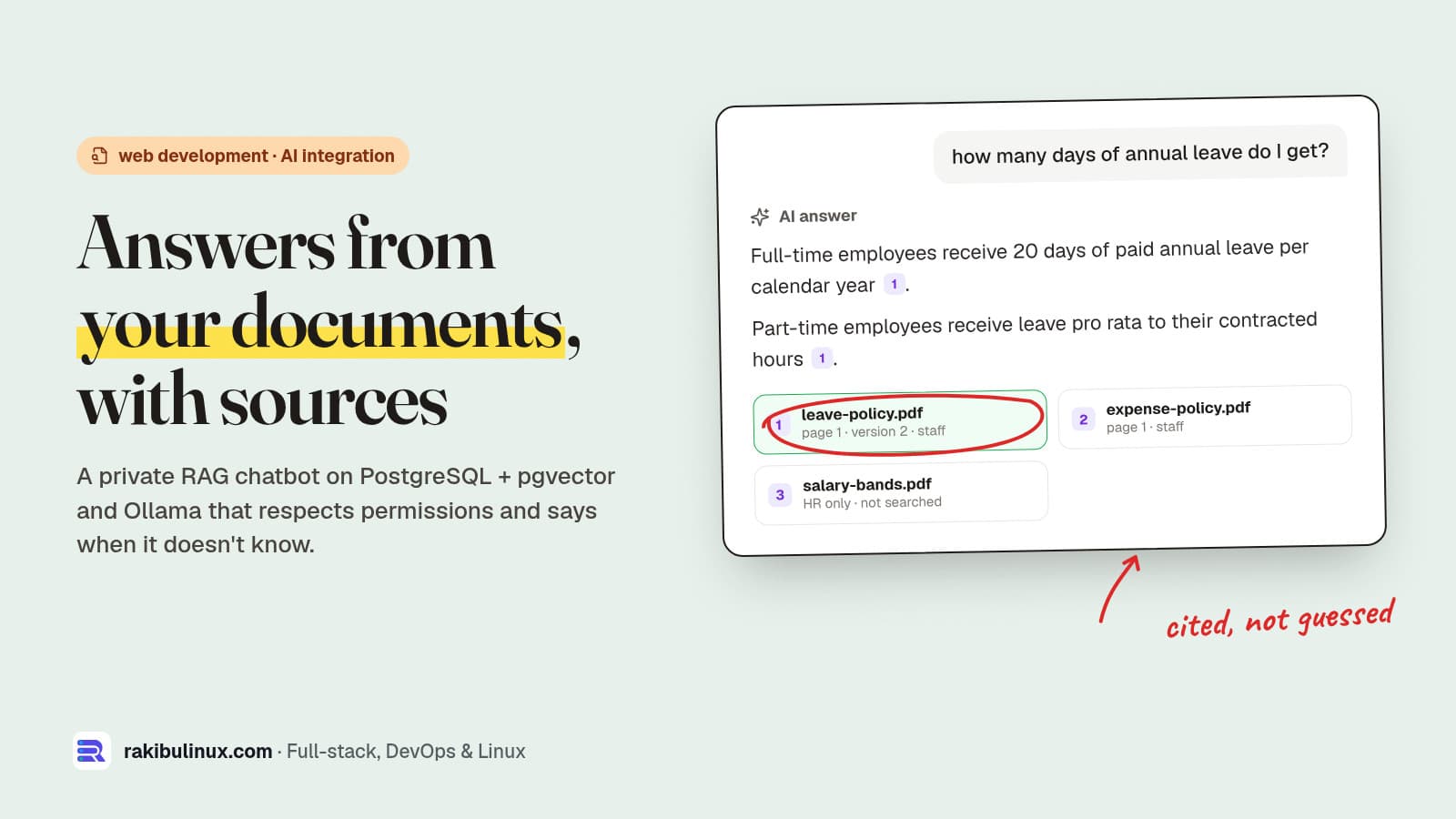
A private AI chatbot for company documents searches your own files first, answers only from what it found, cites the source and admits when it doesn't know.
That technique is called retrieval-augmented generation (RAG). I run local models on my own machines (setup in my Ollama on a VPS guide), and the questions I get from businesses are always the same: can staff ask our policies in plain English, will it make things up, and can the intern read the salary file? Below is a complete, self-hosted version that answers all three. I built and tested it on 11 October 2026 with PostgreSQL 18.6, pgvector 0.8.7 and Ollama, on a CPU-only machine, using four sample policy PDFs. Every output below is real.
Key takeaways
- The model never reads all your documents. It only sees the 3-4 passages your search returns, so search quality and permissions decide everything.
- Check permissions in SQL, before the model. A document the user can't open must never reach the prompt. Then no prompt trick can leak it.
- Refuse in code, not only in the prompt. If nothing relevant is found, don't call the model. If the answer cites no source, discard it.
- Re-index in one transaction. Delete the old chunks and insert the new ones together, so nobody gets an answer mixing version 1 and version 2.
- Everything can stay on your server. PostgreSQL with pgvector stores the search index, and Ollama runs the embedding and chat models locally.
How a document chatbot works
- Index. Extract text from each file, split it into chunks of about 1,000 characters, turn each chunk into an embedding (a list of numbers that captures its meaning) and store it.
- Search. Embed the question the same way and find the closest chunks the user is allowed to read.
- Answer. Send only those chunks to the model with strict instructions: answer from these sources, cite them, or say you don't know.
- Check. Verify the answer cites a real source before showing it.
The stack I used: pdftotext (Poppler) for text, nomic-embed-text through Ollama for 768-dimension embeddings, qwen2.5:7b for answers, and PostgreSQL with pgvector for storage. Hosted APIs work too, but then your document text leaves your server.
The schema
CREATE EXTENSION IF NOT EXISTS vector;

CREATE TABLE documents (
  id             bigserial PRIMARY KEY,
  file_name      text NOT NULL UNIQUE,
  allowed_groups text[] NOT NULL,          -- who may see answers from it
  sha256         text NOT NULL,            -- skip re-indexing unchanged files
  indexed_at     timestamptz NOT NULL DEFAULT now()
);

CREATE TABLE chunks (
  id          bigserial PRIMARY KEY,
  document_id bigint NOT NULL REFERENCES documents(id) ON DELETE CASCADE,
  page        int NOT NULL,
  content     text NOT NULL,
  embedding   vector(768) NOT NULL          -- nomic-embed-text
);

CREATE INDEX ON chunks USING hnsw (embedding vector_cosine_ops);
ON DELETE CASCADE makes removing an outdated document one statement: its chunks go with it. The page number is stored so every answer can point to "leave-policy.pdf, page 1" instead of a vague "according to our documents".
Indexing PDFs
async function embed(texts) {
  const res = await fetch(`${OLLAMA}/api/embed`, {
    method: 'POST',
    body: JSON.stringify({ model: 'nomic-embed-text', input: texts }),
  });
  if (!res.ok) throw new Error(`embed: ${res.status} ${await res.text()}`);
  return (await res.json()).embeddings.map((e) => JSON.stringify(e)); // pgvector reads '[1,2,3]'
}

export async function indexDocument(pdfPath, allowedGroups) {
  const fileName = basename(pdfPath);
  const sha256 = createHash('sha256').update(readFileSync(pdfPath)).digest('hex');
  const old = await db.query('SELECT sha256 FROM documents WHERE file_name = $1', [fileName]);
  if (old.rows[0]?.sha256 === sha256) return 'unchanged';

  const chunks = chunk(pdfPath);   // pdftotext -layout, split by page, ~1,000-char paragraph groups
  const vectors = await embed(chunks.map((c) => `search_document: ${c.content}`));

  const client = await db.connect();
  try {
    await client.query('BEGIN');
    await client.query('DELETE FROM documents WHERE file_name = $1', [fileName]);
    const { rows: [doc] } = await client.query(
      'INSERT INTO documents (file_name, allowed_groups, sha256) VALUES ($1, $2, $3) RETURNING id',
      [fileName, allowedGroups, sha256]);
    for (let i = 0; i < chunks.length; i++) {
      await client.query('INSERT INTO chunks (document_id, page, content, embedding) VALUES ($1, $2, $3, $4)',
        [doc.id, chunks[i].page, chunks[i].content, vectors[i]]);
    }
    await client.query('COMMIT');
    return `${chunks.length} chunks`;
  } catch (err) {
    await client.query('ROLLBACK');
    throw err;
  } finally {
    client.release();
  }
}
Two details from the model's own documentation matter here. First, nomic-embed-text expects task prefixes: search_document: on stored text and search_query: on questions. Second, the Ollama build reports a 2,048-token context, and Ollama's /api/embed truncates long input by default instead of failing. Small chunks keep everything inside the window, so nothing is silently cut off.
Searching only what the user may read
export async function search(question, userGroups, k = 4) {
  const [vector] = await embed([`search_query: ${question}`]);
  const client = await db.connect();
  try {
    await client.query('BEGIN');
    // HNSW filters after the index scan; without this a strict filter can return fewer than k rows.
    await client.query("SET LOCAL hnsw.iterative_scan = 'relaxed_order'");
    const { rows } = await client.query(
      `SELECT d.file_name, c.page, c.content, c.embedding <=> $1 AS distance
         FROM chunks c JOIN documents d ON d.id = c.document_id
        WHERE d.allowed_groups && $2::text[]
        ORDER BY c.embedding <=> $1
        LIMIT $3`, [vector, userGroups, k]);
    await client.query('COMMIT');
    return rows.filter((r) => r.distance <= MAX_DISTANCE);   // 0.45, see below
  } finally {
    client.release();
  }
}
<=> is pgvector's cosine distance: 0 means identical meaning, larger means less related. The && (array overlap) keeps only documents shared with one of the user's groups. pgvector's README warns that with approximate indexes the filter is applied after the index scan. With the default hnsw.ef_search of 40 and a filter that matches 10% of rows, you get about 4 results on average. Iterative index scans, added in pgvector 0.8.0, keep scanning until enough rows pass the filter.
Answering with citations, or not at all
const NOT_FOUND = "I couldn't find this in the documents you have access to.";

export async function ask(question, userGroups) {
  const sources = await search(question, userGroups);
  if (sources.length === 0) return { answer: NOT_FOUND, sources: [] };   // no model call at all

  const context = sources.map((s, i) => `[${i + 1}] (${s.file_name}, page ${s.page})\n${s.content}`).join('\n\n');
  const res = await fetch(`${OLLAMA}/api/chat`, {
    method: 'POST',
    body: JSON.stringify({
      model: 'qwen2.5:7b',
      stream: false,
      options: { temperature: 0 },
      messages: [
        { role: 'system', content:
          'Answer only from the numbered sources. Cite every fact like [1]. ' +
          `If the sources do not contain the answer, reply exactly: ${NOT_FOUND}` },
        { role: 'user', content: `Sources:\n${context}\n\nQuestion: ${question}` },
      ],
    }),
  });
  const answer = (await res.json()).message.content.trim();
  // An answer without a valid citation is treated as "not found", whatever the model wrote.
  const cited = [...answer.matchAll(/\[(\d+)\]/g)].map((m) => Number(m[1])).filter((n) => n >= 1 && n <= sources.length);
  if (cited.length === 0) return { answer: NOT_FOUND, sources: [] };
  return { answer, sources: [...new Set(cited)].map((n) => `[${n}] ${sources[n - 1].file_name}, page ${sources[n - 1].page}`) };
}
The test run
Four sample PDFs: a leave policy and an expense policy for staff, salary bands for hr, and an incident runbook for engineering. Real output, trimmed to the answers:
Q (staff): How many days of annual leave do I get?
  A: Full-time employees receive 18 days of paid annual leave per calendar year [1]. ...
  [1] leave-policy.pdf, page 1
Q (staff): Can I expense a beer with dinner on a work trip?
  A: No, alcohol is not reimbursed [1].
Q (staff): What is the senior engineer salary band?
  A: I couldn't find this in the documents you have access to.
Q (staff,hr): What is the senior engineer salary band?
  A: The senior engineer salary band is 60,000 to 85,000 USD [1].
Q (staff,engineering): What should I do first if a deploy breaks production?
  A: First, you should roll back to the previous release if the deploy caused the incident [1].
Then I replaced the leave policy with version 2 (20 days instead of 18) and deleted the runbook:
re-index leave-policy v2 -> 1 chunks
chunks still saying 18 days: 0
Q: How many days of annual leave do I get?
  A: Full-time employees receive 20 days of paid annual leave per calendar year [1]. ...
Q: What was our revenue last quarter?
  A: I couldn't find this in the documents you have access to.
after deleting the runbook: I couldn't find this in the documents you have access to.
How I picked the 0.45 cut-off
I first ran with a cut-off of 0.5 and printed the distances. Questions with a real answer scored 0.19 to 0.33 against the right document. The off-topic revenue question still got four "matches" at 0.47 to 0.49, all within 0.5, so only the model's instructions stopped it from answering. At 0.45 it never reaches the model. That's four documents and six questions, not a benchmark: build a list of 30-50 real questions from your staff, including ones that should be refused, and pick your cut-off from that.
Before you roll it out
- Sync groups from your login system (Google Workspace, Microsoft 365, your app's roles), not a hand-kept list.
- Treat document text as data. A file can contain "ignore your instructions". Because permissions are enforced in SQL, the worst such a file can do is distort its own answer, so keep uploads restricted to trusted staff.
- Scanned PDFs have no text layer. Run OCR first, the same way as in my invoice processing pipeline.
- Log questions and refusals. The refusals show you which documents are missing.
- Plan the hardware. My test ran on CPU. It works, but a GPU makes answers much faster for a team of users.
Frequently asked questions
Can a company document chatbot run without sending data to OpenAI?
Yes. With Ollama for the models and PostgreSQL with pgvector for search, documents, questions and answers stay on your own server. Hosted APIs are easier to start with, but your text is then processed by the provider.
Do I need to fine-tune a model on my documents?
Usually not. RAG reads the current version of your documents at question time, so updates take effect when you re-index, and every answer can cite its source. Fine-tuning suits style and format better than facts that change every quarter.
How do I stop the chatbot from making things up?
Don't call the model when search finds nothing relevant, instruct it to answer only from the numbered sources, and reject any answer that doesn't cite one. Test with questions that should be refused, not just ones that should be answered.
Can different employees see different documents?
Yes, if the permission check runs in the database query before anything reaches the model. In this build each document has allowed_groups, and a staff user's search simply can't return an HR-only chunk.
What happens when a policy changes?
Re-index the file. The old chunks are deleted and the new ones inserted in one transaction, so answers switch from the old version to the new one at once, with no mix of both.
Want this for your company's documents?
I build private AI assistants on your own infrastructure: document indexing, permissions from your existing logins, cited answers and a simple web front end. See my web development services or tell me what your team keeps asking about.

Written by
MD Rakibul Islam Rakib
Full-stack developer, DevOps engineer and Linux system administrator with 5+ years of production experience. I deploy, harden and fix servers and web apps for clients worldwide, and everything in this article runs on real servers I manage, including this site.
- AI chatbot for company documents
- private AI knowledge base
- RAG chatbot Node.js
- pgvector
- Ollama
- internal company chatbot with sources
- AI document search