Build an MCP Server in TypeScript (2026 SDK v2 Guide)
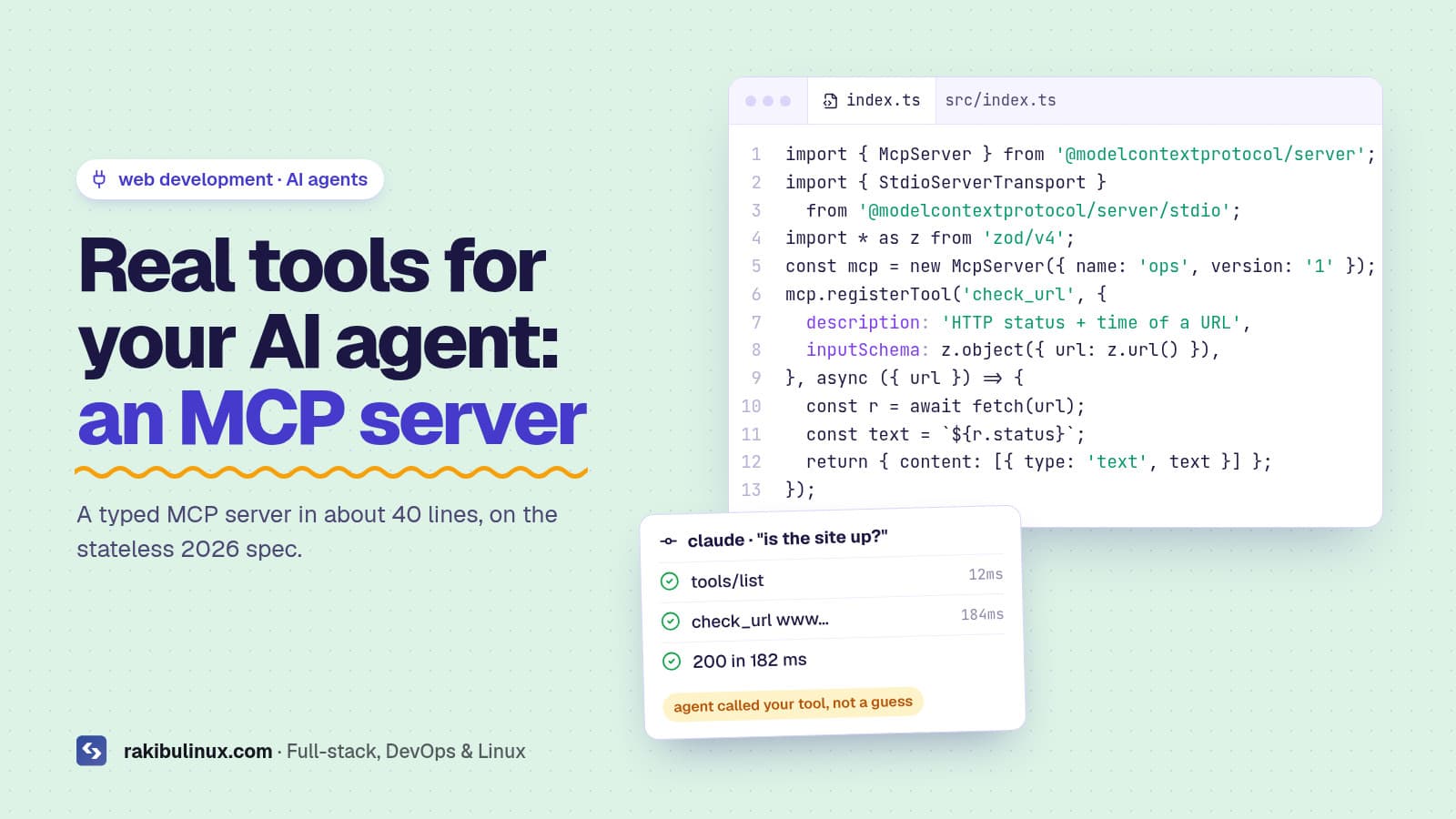
An MCP server exposes tools and data to AI agents over one standard protocol. In TypeScript, install @modelcontextprotocol/server and register typed tools.
Model Context Protocol (MCP) is how Claude Code, Cursor, Codex and most other agents connect to things outside your code: databases, logs, ticket systems, your own APIs. Instead of pasting output into chat, the agent calls a tool and gets real data back. The 2026-07-28 version of the spec is the biggest change since launch. The protocol is now stateless, and the TypeScript SDK v2 was released alongside it. This guide builds a small, useful server on the new SDK and connects it to your agent.
Key takeaways
- MCP servers expose tools, resources and prompts. Tools are functions the agent can call; they're what you'll use most.
- The 2026-07-28 spec is stateless: no
initializehandshake orMcp-Session-Idheader, so HTTP servers scale behind a normal load balancer. - TypeScript SDK v2 splits into packages:
@modelcontextprotocol/server,@modelcontextprotocol/client, plus adapters for Express, Hono, Fastify and Node. - Start with stdio for local tools. Use HTTP only when several people or machines need the same server.
- Treat tool input as untrusted. Validate it, keep tokens read-only where possible, and never pass raw input into a shell or SQL.
What is an MCP server, in plain terms?
It's a small program that tells an AI client: "here are the things I can do, with these inputs". The client lists the tools, the model decides when one would help, the client calls it with JSON arguments, and your code returns a result. MCP standardises that conversation, so one server works with every client that speaks MCP.
- Tools: actions with typed input, such as
check_url,search_ordersorcreate_ticket. - Resources: read-only data the client can load, such as a config file or a schema.
- Prompts: reusable prompt templates that users can pick.
What changed in the 2026-07-28 spec?
- Stateless core. Each request carries its own protocol version, client identity and capabilities. No sticky sessions or shared session store.
- Header routing. HTTP requests carry
Mcp-MethodandMcp-Nameheaders, so gateways can route and authorise without parsing the JSON body. - Multi Round-Trip Requests. When a tool needs more input from the user, the server returns an "input required" result and the client retries with the answers, instead of holding a stream open.
- Extensions. Tasks, MCP Apps and enterprise-managed authorisation are now formal extensions.
- Deprecations. Roots, sampling, logging and the old HTTP+SSE transport are deprecated, with a long migration window.
If you've built an MCP server before, read the official migration guide. If you're starting now, the new SDK hides most of this from you.
Step 1: Create the project
mkdir site-ops-mcp && cd site-ops-mcp
npm init -y
npm install @modelcontextprotocol/server zod
npm install -D typescript @types/node
npx tsc --init --module nodenext --target es2022 --outDir build
Set "type": "module" in package.json. The SDK uses Zod for input schemas, imported as zod/v4.
Step 2: Write a server with real tools
Here is a small "site ops" server with two tools: one checks a URL, one reads recent errors from your own API with a read-only token. Swap in whatever your team keeps pasting into chat.
// src/index.ts
import { McpServer } from '@modelcontextprotocol/server';
import { StdioServerTransport } from '@modelcontextprotocol/server/stdio';
import * as z from 'zod/v4';

const server = new McpServer({ name: 'site-ops', version: '1.0.0' });

server.registerTool(
  'check_url',
  {
    description: 'Return the HTTP status and response time of a public URL',
    inputSchema: z.object({ url: z.url() }),
  },
  async ({ url }) => {
    const started = Date.now();
    const res = await fetch(url, { redirect: 'manual', signal: AbortSignal.timeout(10_000) });
    return { content: [{ type: 'text', text: `${res.status} in ${Date.now() - started} ms` }] };
  }
);

server.registerTool(
  'recent_errors',
  {
    description: 'List the latest application errors (read-only)',
    inputSchema: z.object({ limit: z.number().int().min(1).max(50).default(10) }),
  },
  async ({ limit }) => {
    const res = await fetch(`${process.env.OPS_API}/errors?limit=${limit}`, {
      headers: { authorization: `Bearer ${process.env.OPS_READONLY_TOKEN}` },
    });
    if (!res.ok) return { content: [{ type: 'text', text: `API error ${res.status}` }], isError: true };
    return { content: [{ type: 'text', text: JSON.stringify(await res.json(), null, 2) }] };
  }
);

await server.connect(new StdioServerTransport());
Notes on the design:
- Descriptions matter. The model picks tools by reading them. Say what the tool returns and when to use it.
- Tight schemas.
z.url(), ranges and defaults stop the model sending nonsense, and the SDK validates input before your handler runs. - Return errors as results with
isError: true, so the agent can see what went wrong and try something else. - Read-only token. The agent can look at errors but can't change anything.
Step 3: Test it with MCP Inspector
npx tsc
npx @modelcontextprotocol/inspector node build/index.js
The Inspector opens a local web UI where you can list tools, call them with test input and see the raw messages. Fix descriptions and schemas here before involving a model.
Step 4: Connect it to your agent
For Claude Code, register the server with the CLI:
claude mcp add site-ops \
  -e OPS_API=https://api.example.com -e OPS_READONLY_TOKEN=xxxx \
  -- node /path/to/site-ops-mcp/build/index.js
Cursor and other clients use a JSON config (for Cursor, .cursor/mcp.json) with the same command and environment variables. Then ask "is the homepage up, and what were the last five errors?" and watch the agent call your tools. To decide which agent to wire this into, see my Claude Code vs Cursor vs Codex comparison, and mention your MCP tools in your AGENTS.md or CLAUDE.md so the agent knows when to use them.
Step 5: Go remote with HTTP (when you need it)
stdio servers run on each developer's machine. When a whole team, a CI job or a hosted agent needs the same tools, run the server over HTTP. SDK v2 ships adapters for Express, Hono, Fastify and plain Node, and the docs include a full HTTP example. Because the protocol is stateless now, you can run several instances behind Nginx or any load balancer, the same way you'd run a normal API. Deploy it like any other Node service: PM2, Nginx and HTTPS, as in my Next.js VPS deployment guide.
A remote server is a public API, so secure it like one:
- Require OAuth or at least a bearer token. The 2026 spec tightened authorisation, so follow the SDK's auth guide rather than rolling your own.
- Bind to localhost and expose it only through Nginx with HTTPS.
- Restrict allowed hosts and origins to prevent DNS rebinding attacks from browsers.
- Log every tool call with its arguments, and rate-limit expensive tools.
Security rules for any MCP server
- Least privilege. Give the server the narrowest token that does the job. Prefer read-only tools; add write tools one at a time.
- No shell or SQL from model input. Never build a command or query string from tool arguments. Use parameterised queries and allow-lists.
- Watch for prompt injection. Data your tool returns (tickets, web pages, emails) can contain instructions aimed at the model. Mark destructive tools so the client asks the user first.
- Pin and review third-party servers. An MCP server runs with your credentials. Install them like any dependency, and check the package name is real before running it (see slopsquatting).
Frequently asked questions
What is the difference between an MCP server and an API?
An API is for programs written against it. An MCP server wraps capabilities in a standard format that any AI client can discover and call without custom integration code. Many MCP servers are thin wrappers around existing APIs.
Do I need to update my old MCP server for the 2026 spec?
Plan for it. The SDK v1 line still gets fixes for a while, but new clients target the stateless spec. Follow the official migration guide when you upgrade to SDK v2.
Should I use stdio or HTTP?
Use stdio for tools that run on your own machine for one user. Use HTTP for shared, remote or hosted servers that several users or agents need.
Can I write an MCP server in Python or Go?
Yes. Python, Go and C# have official Tier 1 SDKs that support the 2026 spec, and community SDKs cover other languages.
Are MCP servers safe?
They're as safe as the permissions you give them. Use narrow tokens, validate input, avoid shell and raw SQL, and require confirmation for anything destructive.
Want custom MCP tools for your team?
I build and host MCP servers that connect AI agents to your APIs, databases and ops tools, with auth, logging and least-privilege access. See my web development services or tell me what your agents should be able to do.
- MCP server
- Model Context Protocol
- TypeScript
- AI agents
- Claude Code
- MCP SDK v2