Skip to content
All articles
Updated 8 min read

Vibe Coding Guide: From AI Prototype to Production App

MD Rakibul Islam RakibMD Rakibul Islam RakibFull-stack developer, DevOps & Linux engineer
Vibe Coding Guide: From AI Prototype to Production App

Vibe coding is building software by describing what you want to an AI and iterating on the result. Great for prototypes; production still needs engineering.

Most of my work in 2026 starts the same way: a founder has built something with Lovable, Bolt, Cursor or Claude Code. It looks great and mostly works, and now real users are coming. My job is turning that into software that is secure, deployed properly and maintainable. I also vibe code myself every day. This guide is what I've learned from both sides: what vibe coding is, which tools fit which job, where AI-generated apps break, and the exact steps from prototype to production.

Key takeaways

  • Vibe coding means prompting instead of typing code. The term was coined by Andrej Karpathy in February 2025 and was Collins Dictionary's Word of the Year 2025.
  • There are two kinds of tools: app builders (Lovable, Bolt, Replit, v0) for non-developers, and AI coding agents (Cursor, Claude Code, Codex) for people who read code.
  • It's excellent for prototypes, internal tools, UI and well-known CRUD patterns.
  • It breaks at security (auth, database rules, secrets), architecture, deployment and long-term maintenance.
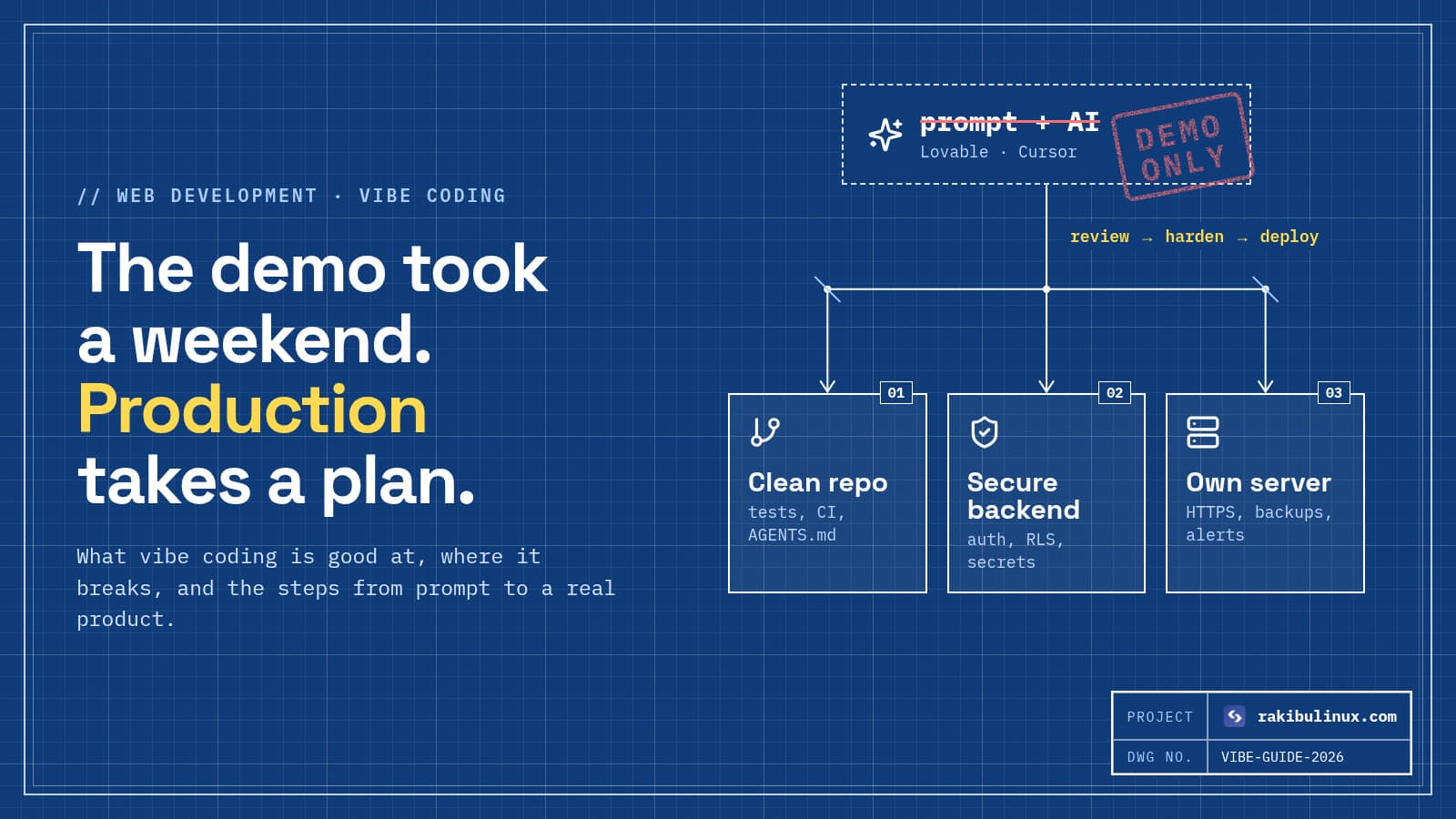
  • Going to production means: own the code in GitHub, review security, add tests and CI, deploy to a real server, and set up backups and monitoring.

What is vibe coding?

Andrej Karpathy, a co-founder of OpenAI and former head of AI at Tesla, described vibe coding in a February 2025 post as giving in to the vibes and forgetting the code even exists: you describe what you want, accept what the AI writes, paste error messages back, and keep going. By November 2025 the phrase was Collins Dictionary's Word of the Year.

In practice the term now covers a range. At one end, someone with no coding background builds a whole app by chatting with Lovable. At the other, a senior engineer uses Claude Code to write most of a feature, then reviews every diff. Both are "vibe coding", but only the second one includes someone who understands what was built. That difference decides whether the app survives contact with real users.

Which vibe coding tools should you use?

App builders: for founders and non-developers

Lovable, Bolt, Replit and v0 generate a full app from a description, usually React with a hosted backend such as Supabase, and give you a live preview. They're the fastest way from idea to something clickable. The trade-off: you get less control over the architecture, and hosting, auth and database setup follow the tool's defaults. I compared them to custom builds in AI website builder vs custom website.

AI coding agents: for developers

Cursor, Claude Code, OpenAI Codex, Windsurf, AWS's Kiro and Google's Antigravity work inside a real codebase. They read your files, run commands and tests, and make multi-file changes you review. This is where serious products get built with AI. My hands-on comparison is in Claude Code vs Cursor vs Codex.

A common and sensible path: prototype in an app builder, sync the code to GitHub, then continue in an AI coding agent with an engineer reviewing the changes.

What vibe coding is good at

  • Prototypes and MVPs you can put in front of users to test an idea in days.
  • Internal tools and dashboards where the users are your own team.
  • UI work: layouts, components, responsive styling and copy changes.
  • Well-known patterns: CRUD screens, forms, auth flows from a library, API clients.
  • Boring code: tests, migrations, type definitions, scripts and documentation.

Where vibe-coded apps break

These are the problems I find most often when someone sends me a vibe-coded app before launch:

Security

The biggest risk by far. Database tables without row-level security, so any logged-in user can read everyone's data. API keys and service-role secrets in front-end code. Admin checks done only in the browser. No rate limiting on login or AI endpoints that cost money. My vibe coding security checklist lists the 12 checks I run.

Hallucinated or risky dependencies

AI tools sometimes suggest npm packages that don't exist, and attackers register those names with malware. I wrote about this in slopsquatting.

Architecture that doesn't grow

Each prompt solves the problem in front of it, so after a few hundred prompts you get duplicated logic, three ways of fetching data, and files nobody wants to touch. The AI starts breaking things it fixed last week.

Deployment and operations

"It works in the preview" isn't hosting. Custom domains, HTTPS, environment variables, database backups, logs, uptime alerts and a way to roll back a bad release usually don't exist yet.

prototype a weekend production auth on the server database rules (RLS) secrets out of the browser tests + CI deploy with rollback backups + monitoring
AI gets the visible 80% done fast. The remaining work, security, tests, deployment and backups, is slower, mostly invisible in the demo, and is what decides whether real users can trust the app.

From vibe coding to production: the steps

This is the order I follow when taking over a vibe-coded app:

  1. Own the code. Connect the project to a GitHub repository you control. Lovable and Bolt both support GitHub sync. From now on main is the source of truth.
  2. Read it. An engineer reads the whole codebase once: data model, auth, API routes, environment variables, dependencies. This is where the big risks show up.
  3. Fix security first: server-side auth checks, row-level security on every table, secrets moved to server environment variables, rate limits, input validation. Rotate any key that was ever in the front end.
  4. Add guardrails for the AI. An AGENTS.md or CLAUDE.md file with the project's rules, commands and "never do this" list makes every future AI change better. See AGENTS.md and CLAUDE.md.
  5. Add tests and CI for the flows that make money or touch data: sign-up, login, payment, the main feature. CI runs them on every push, so the next prompt can't quietly break checkout.
  6. Deploy properly. A VPS with Nginx, HTTPS and PM2, or a managed platform, deployed from GitHub with automatic rollback. My step-by-step for Lovable apps is Lovable app to production on your own server.
  7. Operate it: nightly database backups that leave the server, uptime and error alerts, and a log you can search.

Best practices for vibe coding well

  • Write the plan first. A one-page spec with users, data and screens gives the AI a target and keeps the architecture consistent.
  • Small prompts, small diffs. One feature or fix at a time, committed when it works, so you can go back.
  • Read every diff that touches auth, payments or data. Let the AI write it; don't let it decide what's secure.
  • Pin the stack. Tell the tool which framework, database and libraries to use, so it doesn't add a second of each.
  • Treat the AI as a fast junior developer: great output, needs review, never the final word on architecture or security.

Is vibe coding replacing developers?

Not in my experience. It's changing what developers spend time on. Less typing of routine code, more reviewing, designing systems, securing them and running them in production. The people with the most to gain are those who combine AI speed with the engineering judgment to know when the AI is wrong. The apps with the most risk are the ones where nobody on the team can read the code.

Frequently asked questions

What does vibe coding mean?

Vibe coding means building software by describing what you want in plain language to an AI tool, running the result, and iterating with more prompts, rather than writing the code by hand. Andrej Karpathy coined the term in February 2025.

What is the best vibe coding tool?

For non-developers building a first version, Lovable, Bolt or Replit. For developers working in a real codebase, Claude Code, Cursor or Codex. Many teams prototype in the first group and continue in the second once the code lives in GitHub.

Can a vibe-coded app go to production?

Yes, after an engineering pass. The code needs a security review, tests for critical flows, proper hosting with HTTPS and rollback, and backups and monitoring. Skipping those is how vibe-coded apps leak data.

Is vibe coding safe?

The process is fine; shipping unreviewed output isn't. The common issues are missing database access rules, exposed API keys, client-side-only permission checks and hallucinated dependencies. A pre-launch security review catches most of them.

How much does it cost to make a vibe-coded app production-ready?

It depends on the app's size and how many issues the review finds. A small app often needs a few days of security fixes, deployment and CI setup. Ask for a review first so the estimate is based on the actual code.

Built something with AI and need it production-ready?

I review vibe-coded apps, fix the security and architecture issues, and deploy them with CI, backups and monitoring, so you keep the speed and lose the risk. See my web development services or send me your project for a review.

MD Rakibul Islam Rakib

Written by

MD Rakibul Islam Rakib

Full-stack developer, DevOps engineer and Linux system administrator with 5+ years of production experience. I deploy, harden and fix servers and web apps for clients worldwide, and everything in this article runs on real servers I manage, including this site.

  • vibe coding
  • AI coding tools
  • vibe coding to production
  • Lovable
  • Cursor
  • Claude Code
  • AI app builder

Keep reading

Kubernetes vs Docker Compose: Which Do You Need? (2026)
DevOpsOct 9, 2026

Kubernetes vs Docker Compose: Which Do You Need? (2026)

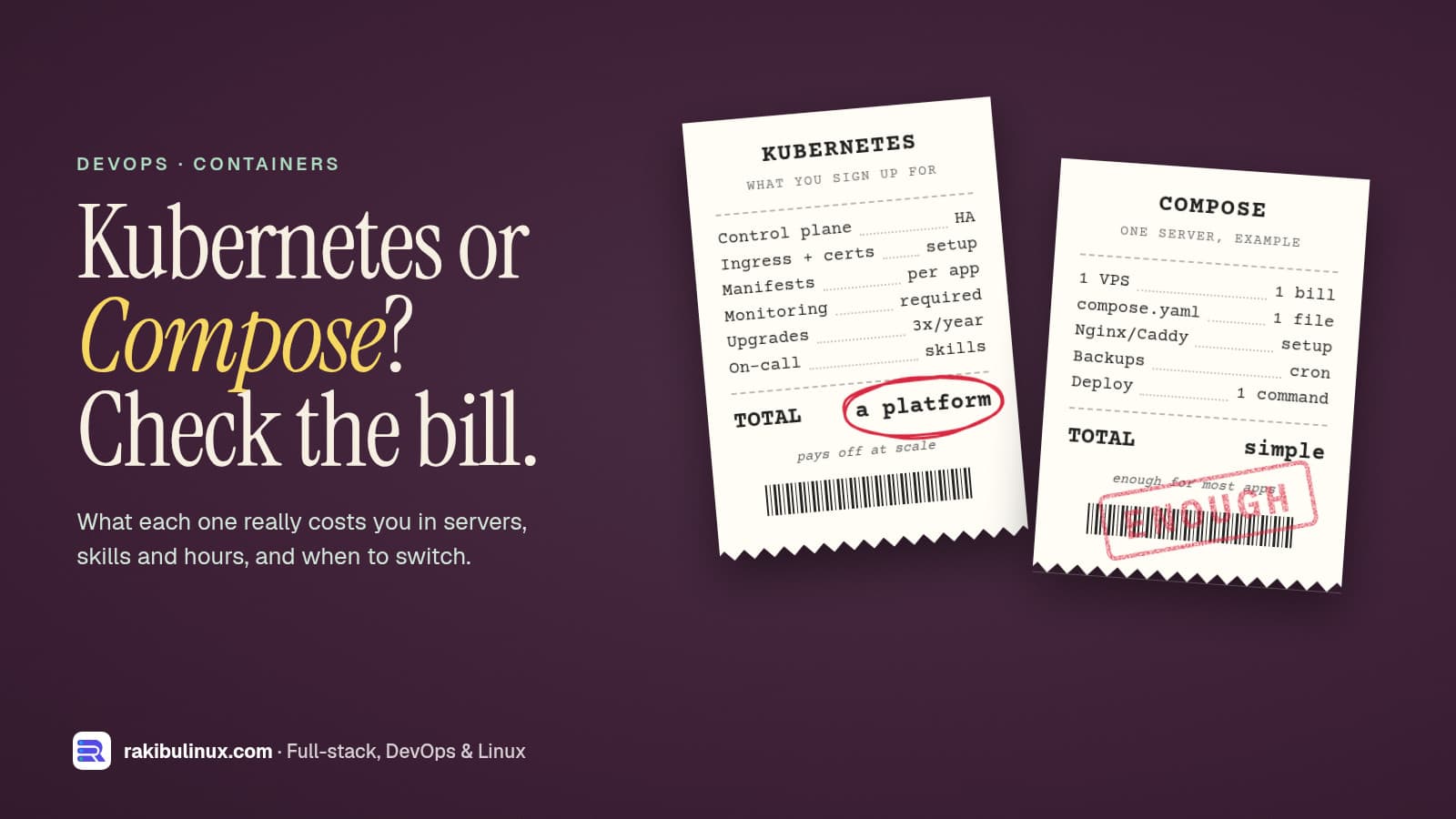
Use Docker Compose for a few apps on one or two servers. Move to Kubernetes when you need many nodes, autoscaling or zero-downtime rollouts across a cluster. "Should we be on Kubernetes?" is one of the first questions startups and agencies ask me, usually because a job post, an investor or a blog said so. Most of the time the honest answer is "not yet". This website and its API run in production on a single server with PM2 and Nginx, and I deploy self-hosted tools like Jitsi Meet with Docker Compose on single servers. Here is how I decide, without the hype in either direction. Key takeaways Different jobs: Compose runs a group of containers on one machine. Kubernetes schedules containers across a cluster of machines and keeps them in the desired state. Compose is enough for most apps with one to roughly ten services, one or two servers, and a team without a dedicated platform engineer. Kubernetes pays off with many services, multiple nodes, autoscaling, strict uptime targets and people who can run it. The real cost of Kubernetes is people, not servers: upgrades, networking, ingress, monitoring and on-call. Middle ground exists: k3s, managed Kubernetes, or a PaaS layer such as Coolify or Kamal on plain servers. What Docker Compose actually does Compose reads one compose.yaml file and starts the containers, networks and volumes it describes on a single Docker host. In production it gives you restart policies, health checks, start order and environment files: services: api: image: ghcr.io/acme/api:1.4.2 restart: unless-stopped env_file: .env depends_on: db: condition: service_healthy ports: - "127.0.0.1:5000:5000" db: image: postgres:17 restart: unless-stopped volumes: - pgdata:/var/lib/postgresql/data healthcheck: test: ["CMD-SHELL", "pg_isready -U postgres"] interval: 10s volumes: pgdata: Deploying is docker compose pull && docker compose up -d --wait . What Compose doesn't do: spread containers across several machines, move them when a server dies, or autoscale. If the host goes down, everything on it goes down until it comes back. My Docker Compose production checklist covers the settings that make a single host solid, including binding ports to 127.0.0.1 so Docker doesn't bypass your firewall . What Kubernetes adds Kubernetes treats a group of servers as one pool. You declare what should run (a Deployment with three replicas, a Service, an Ingress), and its control plane keeps reality matching that declaration: Self-healing across machines: if a node dies, its pods are rescheduled on healthy nodes. Rolling updates and rollbacks built in, gated by readiness probes. Horizontal autoscaling of pods on CPU, memory or custom metrics, and of nodes with a cluster autoscaler on cloud providers. Service discovery, config, secrets and network policies as first-class objects. A huge ecosystem: Helm charts, operators for databases, GitOps tools like Argo CD and Flux. The price is complexity. A production cluster needs an ingress controller, certificate management, a storage class for volumes, monitoring and log collection, and someone who understands how they fail. Kubernetes ships about three minor releases a year, and each is supported for a limited time, so upgrades are a regular chore, not a one-off. Compose keeps every container on one server, which is simple but means one machine is one point of failure. Kubernetes spreads pods across nodes and reschedules them when a node fails, at the cost of a lot more to run and understand. Choose Docker Compose when You have one app or a handful of services (web, API, worker, database, cache). One good server handles the load, maybe with a second for the database or as a warm standby. A few minutes of downtime during a rare server failure is acceptable, and you have tested backups. Nobody on the team wants to be a Kubernetes administrator. Budget matters: one VPS is far cheaper than three or more nodes plus load balancers. My self-hosting cost breakdown shows how far a single server goes. For zero-downtime deploys without Kubernetes, use release folders or blue/green containers behind Nginx with a health check and automatic rollback. That's how this site deploys (see GitHub Actions deploy with auto-rollback ). Choose Kubernetes when You run many services owned by several teams and need a common way to deploy them. Traffic is spiky enough that autoscaling saves real money or prevents outages. You need high availability across machines or zones, with uptime commitments to customers. You already depend on its ecosystem (operators, service mesh, GitOps), or a customer requires it. You have, or will pay for, people who can operate it: in-house, a managed service, or a contractor on retainer. The middle ground Managed Kubernetes (EKS, GKE, AKS, DigitalOcean, and others) runs the control plane for you. You still own the workloads, ingress, upgrades of node pools and add-ons. Check each provider's current pricing for control plane fees. k3s is a lightweight, certified Kubernetes distribution. Its docs list 2 CPU cores and 2 GB RAM as the minimum for a server node, so it fits on small VPSs and is a good way to learn or run a small cluster. A PaaS layer on your own servers such as Coolify, Dokku or Kamal gives you git-push deploys, SSL and multiple apps per server without running a cluster. Migrating from Compose to Kubernetes later Starting with Compose doesn't lock you in. Containers are the same images; what changes is the deployment description. Keep these habits and the move is mostly translation: Configure everything with environment variables, never baked-in files. Keep containers stateless; data lives in the database or object storage (I moved uploads to S3-compatible storage for this reason, see self-hosted S3 options ). Expose a health endpoint and log to stdout. Tag images by version, never deploy latest . Tools like Kompose can generate starter Kubernetes manifests from a compose.yaml , but review them; production manifests need resource limits, probes and ingress rules it can't guess. Frequently asked questions Is Docker Compose good enough for production? Yes, for many apps. With restart policies, health checks, pinned image versions, a reverse proxy, monitoring and tested backups, Compose on a single well-sized server runs plenty of real businesses reliably. Is Kubernetes overkill for a small startup? Usually, before you have several services, real traffic and someone to run it. The time spent on the cluster is time not spent on the product. Revisit the decision when scaling or uptime problems actually appear. Can Docker Compose run on multiple servers? Not by itself; Compose targets a single Docker host. You can run separate Compose stacks on several servers behind a load balancer, or use Docker Swarm, which accepts a similar file format, but at that point compare it with k3s or managed Kubernetes. What is the difference between Kubernetes and Docker? Docker builds and runs containers. Kubernetes orchestrates containers across many machines: it decides where they run, restarts them, scales them and routes traffic to them. Kubernetes runs standard container images, including the ones you build with Docker. Is k3s production ready? Yes. k3s is a CNCF-certified Kubernetes distribution used in production, especially on edge devices and small clusters. You still need the usual Kubernetes skills to operate it. Not sure which one fits? I set up Docker Compose and Kubernetes environments for startups and agencies, and I'll tell you honestly when you don't need the bigger one. See my DevOps services or contact me with a short description of your app and traffic.

Read article →
How to Fix Poor INP (Interaction to Next Paint)
Website DesignOct 9, 2026

How to Fix Poor INP (Interaction to Next Paint)

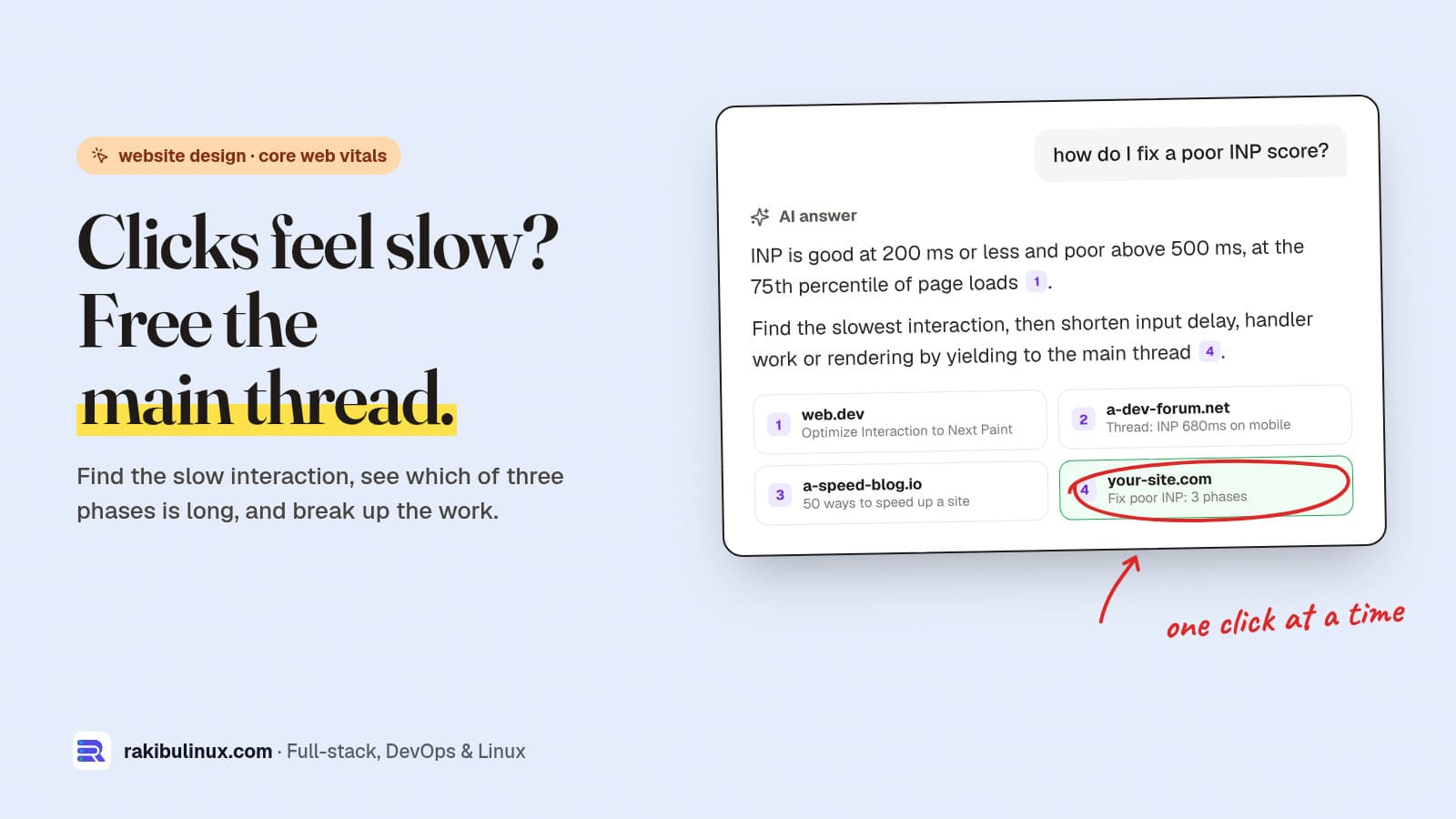
To fix poor INP, find your slowest interaction, see if input delay, handler time or rendering is long, and split that work into short tasks. Aim for 200 ms. INP (Interaction to Next Paint) has been a Core Web Vital since March 2024, when it replaced First Input Delay. It's the one most sites fail now, because it measures every click, tap and key press during the whole visit, not only the first. A poor INP is what users describe as "the site feels laggy": a menu that opens late, a filter that freezes, an "Add to cart" button that doesn't react. I tune these on client sites built with React and Next.js, and the method below is the one that works: measure, find the slow phase, fix that phase. Key takeaways Thresholds: 200 ms or less is good, over 500 ms is poor, measured at the 75th percentile of real visits ( web.dev ). Three phases: input delay (main thread busy), processing (your event handlers), presentation delay (rendering the next frame). Fix the one that's long. Long tasks are the enemy: any JavaScript task over 50 ms blocks clicks. Break work up and yield to the main thread. Third-party scripts (chat widgets, tag managers, heatmaps) are behind many bad INP scores. Load them late or remove them. In React, mark expensive updates with useTransition so the click paints first. Step 1: Confirm you actually have an INP problem INP is a field metric, so start with real-user data: Google Search Console, Core Web Vitals report: groups of URLs with "INP issue: longer than 200ms (mobile)". PageSpeed Insights: the top "Discover what your real users are experiencing" section shows INP from the Chrome UX Report. The Lighthouse lab score below it can't measure INP, because nobody clicks during a lab test. Total Blocking Time is the closest lab hint. Mobile is almost always worse. A mid-range Android phone runs JavaScript several times slower than your laptop, so test on one, or use CPU throttling in DevTools. Step 2: Find the slow interaction Field data tells you that a page is slow, not which click. Two ways to find it: Chrome DevTools, Performance panel: open the page, turn on 4x CPU throttling, and click around. The live metrics view shows INP and lists each interaction with its duration. Record a trace of the slow one to see exactly which functions ran. The web-vitals library with attribution , to collect it from real users: import { onINP } from 'web-vitals/attribution' onINP(({ value, attribution }) => { // send to your analytics endpoint navigator.sendBeacon('/api/vitals', JSON.stringify({ inp: Math.round(value), target: attribution.interactionTarget, // CSS selector of the element inputDelay: attribution.inputDelay, processing: attribution.processingDuration, presentation: attribution.presentationDelay, })) }) After a day of traffic you'll know the element and which of the three phases is long. That decides the fix. INP is the time from a click to the next painted frame: input delay, then your handlers, then rendering. Splitting the work into short tasks and deferring what the user doesn't need to see yet lets the browser paint the response first. Fix 1: Long input delay (the main thread was busy) The user clicked while something else was running, often during page load. Typical causes and fixes: Third-party scripts. Audit them in DevTools (Performance trace, group by third party). Load chat widgets and heatmaps after the page is idle or on first interaction, and remove the ones nobody looks at. In Next.js, <Script strategy="lazyOnload"> does this. Hydration of a huge page. In React and Next.js, keep components as server components unless they need interactivity, so less JavaScript runs on load. Fewer client components means a shorter hydration task. Timers and polling doing heavy work every few seconds. Make them lighter or pause them when the tab is hidden. Fix 2: Long processing (your event handler is slow) Do only what the user needs to see right away, then yield and do the rest later: const yieldToMain = () => globalThis.scheduler?.yield ? scheduler.yield() : new Promise((r) => setTimeout(r, 0)) button.addEventListener('click', async () => { showSpinner() // visible feedback first await yieldToMain() // let the browser paint it const result = filterProducts(allProducts) await yieldToMain() renderResults(result) sendAnalytics('filter') // nobody waits for this }) scheduler.yield() is supported in Chrome and Edge 129+ and Firefox 142+, but not Safari yet, hence the setTimeout fallback. In React, wrap the expensive state update in a transition so React renders the urgent part first and can interrupt the rest: const [isPending, startTransition] = useTransition() function onFilterChange(value) { setFilter(value) // urgent: the input updates now startTransition(() => setResults(filterProducts(value))) // can wait } Also look for accidental work: a click that re-renders the whole page because state lives too high up, analytics calls that run synchronously, or JSON.parse of a large blob on every keystroke. Debounce search inputs. Fix 3: Long presentation delay (rendering is slow) The handler finished quickly but the browser takes long to lay out and paint. Usually the DOM is too big or layout is forced repeatedly: Shrink the DOM. Paginate or virtualise long lists and tables (render only what's on screen). Mega-menus with thousands of hidden nodes are a common culprit. Use content-visibility: auto on long below-the-fold sections so the browser skips rendering them until they scroll into view. Avoid layout thrashing: don't read offsetHeight or getBoundingClientRect() in a loop right after changing styles. Read everything first, then write. Animate transform and opacity , not width, height or top. How long until Google sees the improvement? Search Console and PageSpeed Insights use the Chrome UX Report, a rolling 28-day window of real visits. After you deploy a fix, the field numbers improve gradually over about four weeks. Your own web-vitals data shows the change the next day, which is another reason to collect it. If your LCP needs work too, my guide on fixing slow LCP follows the same measure-then-fix approach. A quick INP checklist Check Search Console and PageSpeed field data on mobile. Find the slow element with DevTools live metrics or web-vitals/attribution . Input delay: defer third-party scripts and reduce client-side JavaScript on load. Processing: show feedback first, yield, then do the heavy work; use useTransition in React. Presentation: smaller DOM, content-visibility , no layout thrashing. Re-check your own data the next day and CrUX after 28 days. Speed is part of conversion, not only SEO. My landing page checklist covers the rest of what makes a page sell, and if you're weighing a rebuild, read AI website builder vs custom website first. Frequently asked questions What is a good INP score? 200 milliseconds or less at the 75th percentile of page visits is good. Between 200 and 500 milliseconds needs improvement, and above 500 milliseconds is poor. Why does PageSpeed Insights not show INP in the lab score? INP needs real interactions, and a Lighthouse lab run doesn't click anything. Use the field data section at the top of PageSpeed Insights, and Total Blocking Time in the lab section as a rough proxy. Does INP affect Google rankings? INP is one of the three Core Web Vitals Google uses as part of its page experience signals. It's a small ranking factor compared with content and relevance, but a slow, laggy page also loses visitors and sales, which matters more. What is the most common cause of poor INP? Long JavaScript tasks blocking the main thread, usually from third-party scripts, large client-side frameworks hydrating on load, or event handlers that do too much work before the page can paint a response. Can WordPress sites have poor INP? Yes, often because of page builders, many plugins and third-party widgets loading JavaScript on every page. Removing unused plugins and delaying non-essential scripts usually helps the most. Want a site that feels instant? I design and build fast websites and fix slow ones, from Core Web Vitals audits to rebuilding the parts that drag. See my website design services or contact me with your URL and I'll tell you what's slowing it down.

Read article →
How to Create a systemd Service for Your App (Linux)
Linux System AdminOct 9, 2026

How to Create a systemd Service for Your App (Linux)

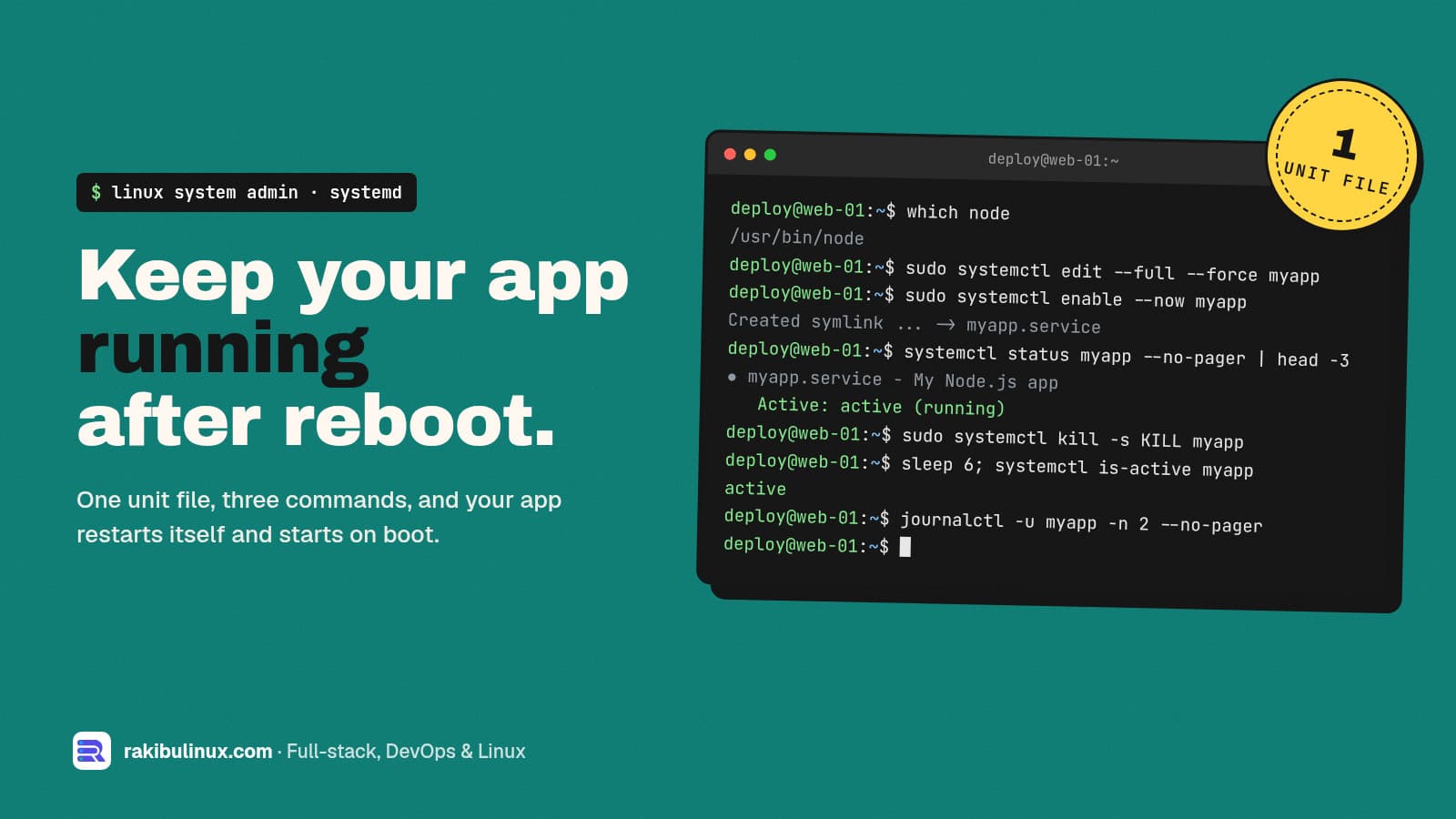
To run an app as a systemd service, write a unit file in /etc/systemd/system, run daemon-reload, then systemctl enable --now. It restarts on crash and boot. If your app only runs while your SSH session is open, or dies after every reboot, it needs a service manager. systemd is already on every mainstream Linux server (Ubuntu, Debian, RHEL, Rocky, Alma), so there's nothing to install. On my own servers PM2 runs the Node apps, and PM2 itself is started by a systemd unit that pm2 startup generates. For everything else (workers, Python apps, Go binaries, bots) I write the unit by hand. Here's the template I use and how to debug it when it won't start. Key takeaways Unit files live in /etc/systemd/system/ and end in .service . Never edit the ones in /lib/systemd/system/ . Four lines matter most: User= , WorkingDirectory= , ExecStart= with an absolute path, and Restart=on-failure . After every edit: sudo systemctl daemon-reload , then restart the service. Logs are in journald: journalctl -u myapp -f . No log files to rotate. Exit codes tell you what's wrong: 203/EXEC is a bad path, 200/CHDIR a bad working directory, 217/USER a missing user. Step 1: Create a user for the app Don't run apps as root. If the app is ever compromised, the attacker gets only what this user can touch: sudo useradd --system --create-home --shell /usr/sbin/nologin myapp sudo chown -R myapp:myapp /srv/myapp Step 2: Write the unit file Create /etc/systemd/system/myapp.service . This example runs a Node.js app; swap ExecStart for your language. sudo systemctl edit --full --force myapp creates the file in the right place and reloads systemd when you save: [Unit] Description=My Node.js app After=network-online.target Wants=network-online.target StartLimitIntervalSec=60 StartLimitBurst=5 [Service] Type=simple User=myapp Group=myapp WorkingDirectory=/srv/myapp EnvironmentFile=/srv/myapp/.env Environment=NODE_ENV=production ExecStart=/usr/bin/node dist/main.js Restart=on-failure RestartSec=5 # basic hardening NoNewPrivileges=true PrivateTmp=true ProtectSystem=full ProtectHome=true [Install] WantedBy=multi-user.target What each part does: After= / Wants=network-online.target : start once the network is up, which matters if the app connects to a database on boot. Add postgresql.service to After= if the database is on the same machine. StartLimitIntervalSec and StartLimitBurst (in [Unit] ): if the app fails 5 times in 60 seconds, systemd stops retrying and marks it failed, instead of crash-looping forever. EnvironmentFile : loads KEY=value lines, so secrets stay out of the unit file. Lock it down with chmod 600 . ExecStart needs an absolute path to the binary. Find it with which node . If you use nvm, the path is inside the user's home and changes with each version, which is a common reason the service fails; install Node system-wide for servers. Restart=on-failure restarts on a non-zero exit, a crash or a kill signal, but not when you stop it yourself. Restart=always also restarts after a clean exit, useful for workers that exit on purpose. WantedBy=multi-user.target is what makes enable start it on boot. Step 3: Start it and enable it on boot sudo systemctl daemon-reload sudo systemctl enable --now myapp systemctl status myapp --no-pager enable --now both enables the service for boot and starts it right away. You want to see Active: active (running) . Now test the part that actually matters, recovery: sudo kill -9 $(systemctl show -p MainPID --value myapp) sleep 6; systemctl is-active myapp # active again sudo reboot # then check it came back systemd watches the app's main process. When it dies unexpectedly, systemd waits RestartSec (five seconds here) and starts it again. If it keeps failing, StartLimitBurst stops the loop so you can read the logs. Step 4: Read the logs Anything your app writes to stdout and stderr goes to the systemd journal: journalctl -u myapp -f # follow live journalctl -u myapp -n 100 --no-pager # last 100 lines journalctl -u myapp --since "1 hour ago" journalctl -u myapp -b # since last boot If the journal grows too large on a small disk, cap it with SystemMaxUse=500M in /etc/systemd/journald.conf . My guide on fixing "No space left on device" covers that and other disk hogs. Why won't my systemd service start? Run systemctl status myapp and look at the Main PID or Process line. The status code after code=exited points straight at the problem: status=203/EXEC : systemd couldn't execute ExecStart . The path is wrong, not absolute, or not executable. Check with ls -l /usr/bin/node . Scripts need a shebang and chmod +x . status=200/CHDIR : WorkingDirectory doesn't exist or the user can't enter it. status=217/USER : the User= doesn't exist. status=1/FAILURE : your app started and exited with an error. The reason is in journalctl -u myapp -n 50 : a missing env variable, a database it can't reach, a port already in use (see EADDRINUSE fixes ). "Start request repeated too quickly" : it hit StartLimitBurst . Fix the underlying error, then sudo systemctl reset-failed myapp and start it again. Killed with signal 9 and nothing in your logs : often the kernel's OOM killer. Check journalctl -k | grep -i oom and read my OOM killer guide . Two more tools worth knowing: systemd-analyze verify /etc/systemd/system/myapp.service catches typos in the unit, and systemd-analyze security myapp scores how exposed the service is and lists hardening options you could add. Useful extras Memory cap: MemoryMax=512M stops one leaky app from taking down the whole server. Override without editing: sudo systemctl edit myapp creates a drop-in file for local changes that survive package updates. Graceful reload: if your app reloads config on SIGHUP , add ExecReload=/bin/kill -HUP $MAINPID and use systemctl reload myapp . Scheduled jobs: a .timer unit is a sturdier alternative to cron, with logs in the journal. If your cron jobs silently don't run, see cron job not running . Deploys: a deploy script can just run sudo systemctl restart myapp , then curl a health endpoint and roll back if it fails. That's the pattern in my GitHub Actions deploy with auto-rollback . systemd or PM2 for Node.js? Both work. systemd needs nothing extra and handles any language. PM2 adds Node-specific comforts: cluster mode across CPU cores, pm2 reload for zero-downtime restarts, and a live monitor. I use PM2 for Next.js and NestJS apps (my Next.js on a VPS guide shows the setup) and plain systemd units for everything else. Either way, systemd is what brings it back after a reboot. Frequently asked questions Where do I put a custom systemd service file? In /etc/systemd/system/ , named like myapp.service . That directory is for administrator units and takes priority over the package-provided ones in /lib/systemd/system/ . Do I need to run daemon-reload after editing a service? Yes. systemd caches unit files, so run sudo systemctl daemon-reload after every change and then restart the service. Otherwise it keeps running with the old settings. What's the difference between Restart=always and Restart=on-failure? on-failure restarts only after an error exit, a crash, a kill signal or a timeout. always also restarts after a clean exit with code 0. Neither restarts a service you stopped with systemctl stop . How do I pass environment variables to a systemd service? Use Environment=KEY=value lines for non-secret values and EnvironmentFile=/path/.env for secrets, with the file readable only by root or the service user. Shell syntax like export or quotes around the whole line isn't supported. How do I run a systemd service as a non-root user? Set User= and Group= in the [Service] section, and make sure that user owns the working directory. If the app needs port 80 or 443, put Nginx in front instead of running it as root. Want your server set up properly? I set up and look after Linux servers for businesses: services that recover on their own, logs, backups, monitoring and security hardening. See my Linux system admin services or contact me to talk about your server.

Read article →